
Capell install guide
This guide has two paths:
- Path A: a fresh Laravel app for a clean install.
- Path B: an existing Laravel app where you need to keep current users, routes, data, and deploy flow.
For the fastest demo, use the quickstart.
Requirements
Section titled “Requirements”| Tool | Supported versions |
|---|---|
| PHP | 8.3+ |
| Laravel | 11.44.2+, 12.x, or 13.x |
| Filament | 4.7+ or 5.2+ |
| Database | MySQL 8+, MariaDB 10.3+, SQLite, or your configured Laravel database |
| Node.js | 20+ |
| Composer | 2.7+ |
Required PHP extensions: fileinfo, intl, mbstring, openssl, curl, simplexml, and either gd or imagick.
Path A: fresh Laravel app
Section titled “Path A: fresh Laravel app”1. Create the app
Section titled “1. Create the app”composer create-project laravel/laravel music-storecd music-storecp .env.example .envphp artisan key:generateSet your database values in .env, then confirm Laravel can boot:
php artisan about2. Add Capell repositories
Section titled “2. Add Capell repositories”If your team installs Capell from private VCS repositories, add them before requiring packages:
{ "repositories": [ { "type": "vcs", "url": "https://github.com/capell-app/core" }, { "type": "vcs", "url": "https://github.com/capell-app/admin" }, { "type": "vcs", "url": "https://github.com/capell-app/frontend" }, { "type": "vcs", "url": "https://github.com/capell-app/marketplace" } ], "minimum-stability": "dev", "prefer-stable": true}If your Composer credentials already resolve capell-app/capell, you can skip this step.
3. Install packages
Section titled “3. Install packages”composer require capell-app/capell -Wphp artisan filament:install --panelsphp artisan make:filament-themeIf you are installing only parts of Capell:
composer require capell-app/core capell-app/admin capell-app/frontend -W4. Prepare your admin user
Section titled “4. Prepare your admin user”Capell uses your Laravel User model for admin login. Edit app/Models/User.php so it implements Filament access and the traits Capell expects:
<?php
declare(strict_types=1);
namespace App\Models;
use BezhanSalleh\FilamentShield\Traits\HasPanelShield;use Capell\Admin\Models\Concerns\HasImpersonation;use Filament\Models\Contracts\FilamentUser;use Filament\Panel;use Illuminate\Foundation\Auth\User as Authenticatable;use Spatie\Activitylog\LogOptions;use Spatie\Activitylog\Traits\LogsActivity;use Spatie\Permission\Traits\HasRoles;
class User extends Authenticatable implements FilamentUser{    use HasImpersonation;    use HasPanelShield;    use HasRoles;    use LogsActivity;
    public function canAccessPanel(Panel $panel): bool    {        return true;    }
    public function getActivitylogOptions(): LogOptions    {        return LogOptions::defaults()            ->useLogName('user')            ->logAll()            ->logExcept(['email_verified_at', 'password', 'remember_token', 'updated_at', 'created_at'])            ->logOnlyDirty()            ->dontSubmitEmptyLogs();    }}
Your real model can keep its existing fillable, hidden, casts, notifications, and factory traits.
5. Register Capell in the Filament panel
Section titled “5. Register Capell in the Filament panel”Edit app/Providers/Filament/AdminPanelProvider.php and add the Capell plugin, navigation, colors, and widgets:
<?php
declare(strict_types=1);
namespace App\Providers\Filament;
use Capell\Admin\Enums\FilamentColorEnum;use Capell\Admin\Facades\CapellAdmin;use Capell\Admin\Filament\Plugin\CapellAdminPlugin;use Capell\Admin\Filament\Widgets\ListPagesWidget;use Capell\Admin\Filament\Widgets\MyWorkQueueWidget;use Capell\Admin\Filament\Widgets\RecentlyPublishedWidget;use Capell\Admin\Filament\Widgets\WorkspaceActivityWidget;use Capell\Admin\Support\AdminPanelEntrypoint;use Filament\Panel;use Filament\PanelProvider;
class AdminPanelProvider extends PanelProvider{    public function panel(Panel $panel): Panel    {        return $panel            ->default()            ->id('admin')            ->domain(AdminPanelEntrypoint::domain())            ->path(AdminPanelEntrypoint::path())            ->colors(FilamentColorEnum::colors())            ->navigationItems(CapellAdmin::getNavigationItems())            ->navigationGroups(CapellAdmin::getNavigationGroups())            ->plugin(                CapellAdminPlugin::make()                    ->discoverSchemas(in: app_path('Filament/FormBuilder'), for: 'App\\Filament\\FormBuilder')            )            ->widgets([                ListPagesWidget::class,                MyWorkQueueWidget::class,                RecentlyPublishedWidget::class,                WorkspaceActivityWidget::class,            ]);    }}
CapellAdminPlugin auto-registers Capell’s required Filament plugins when they
are missing, including the welcome tour plugin. A consuming app does not need a
separate FilamentTourPlugin::make() call for the default admin tour.
The helper keeps the panel aligned with CAPELL_ADMIN_PATH and
CAPELL_ADMIN_DOMAIN. Use it if you want /cms, an admin subdomain, or a
subdomain root instead of /admin. See Admin.
Install optional login auditing from the dedicated package by running composer require capell-app/login-audit, then php artisan migrate.
6. Configure storage, logging, and queues
Section titled “6. Configure storage, logging, and queues”Add the static HTML disk to config/filesystems.php:
'page_cache' => [ 'driver' => 'local', 'root' => public_path('page-cache'), 'throw' => false,],Add a Capell log channel to config/logging.php:
'capell' => [ 'driver' => 'single', 'path' => storage_path('logs/capell.log'), 'level' => env('LOG_LEVEL', 'debug'),],For local development:
QUEUE_CONNECTION=syncDEBUG_SKIP_CACHE=trueCAPELL_HTML_CACHE=falseHTML_MINIFY=falseFor production, use database or redis queues and run a worker.
7. Theme compilation
Section titled “7. Theme compilation”Add Capell sources to resources/css/filament/admin/theme.css:
@source '../../../../vendor/capell-app/admin/resources/views/**/*.blade.php';@source '../../../../storage/capell/tailwind-classes.txt';@source '../../../../app/Filament/**/*';@source '../../../../resources/views/filament/**/*';If you install ContentSections, themes, or other approved packages with Filament views, add their @source lines too.
8. Run the installer
Section titled “8. Run the installer”php artisan capell:install --url=https://example.testFor a demo install:
php artisan capell:install --demo --url=http://localhost:8000Common installer flags:
| Flag | Use it for |
|---|---|
--demo | Seed sample pages and content |
--fresh | Run migrate:fresh first. This deletes data |
--url=https://... | Skip the site URL prompt |
[email protected] | Attach Capell admin access to an existing user |
--theme=corporate | Skip the starter theme prompt |
--all-packages | Install all composer-installed Capell packages |
--generate-sitemap | Generate XML sitemaps when a sitemap package is installed |
--clear-cache | Clear Laravel and page caches after install |
Interactive installs ask which starter theme to install, including a no-theme option. Use --theme=none to install without a starter theme non-interactively, or pass a specific package-provided theme key. For example:
php artisan capell:install --packages=capell-app/theme-corporate --theme=corporate --url=https://example.test9. Verify the install
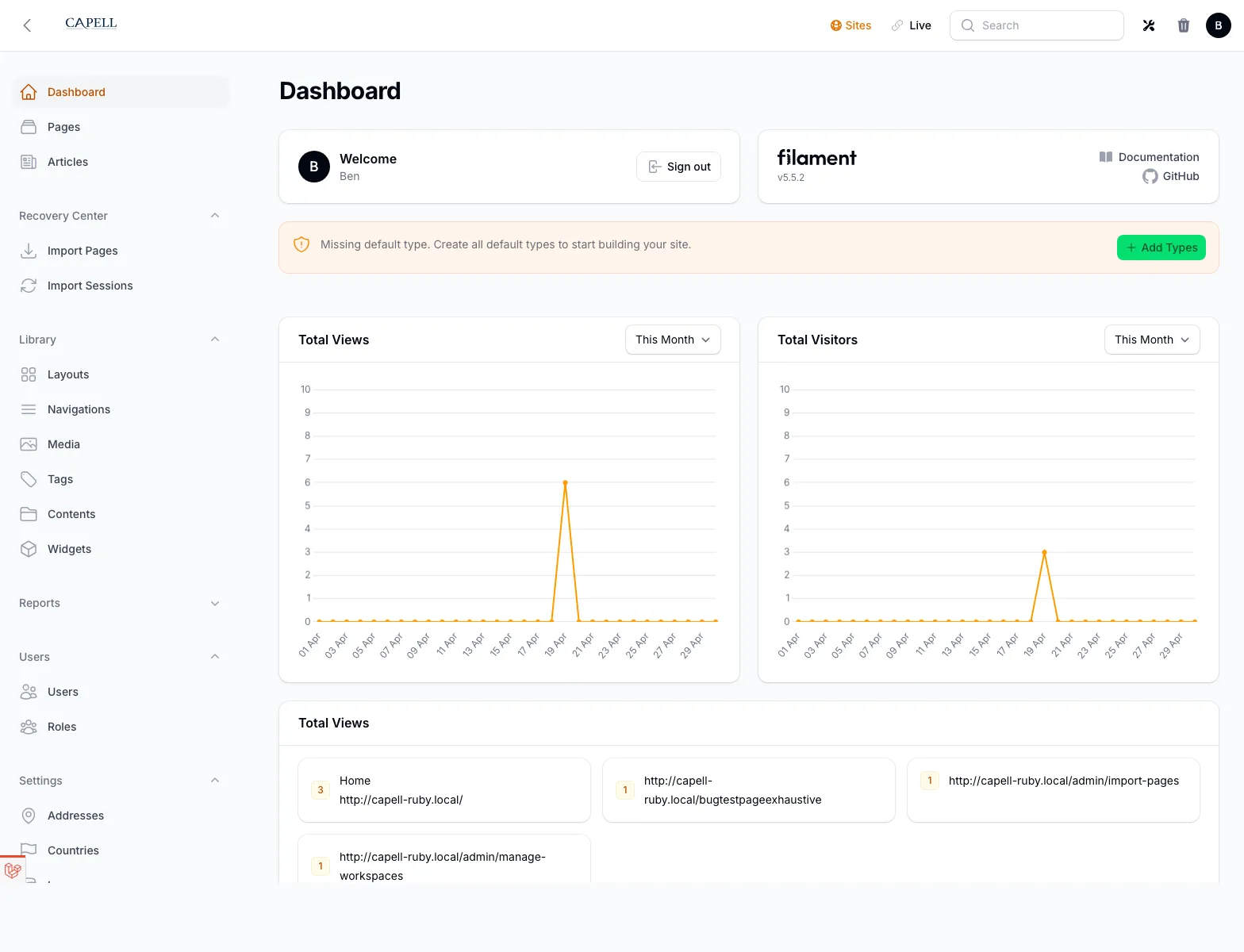
Section titled “9. Verify the install”php artisan optimize:clearphp artisan list capellIf capell-app/html-cache is installed, you can also run php artisan capell:static-site to warm the public HTML cache. Open the app through Herd, Valet, Sail, or your normal local web server. Then visit /admin. You should see the dashboard:
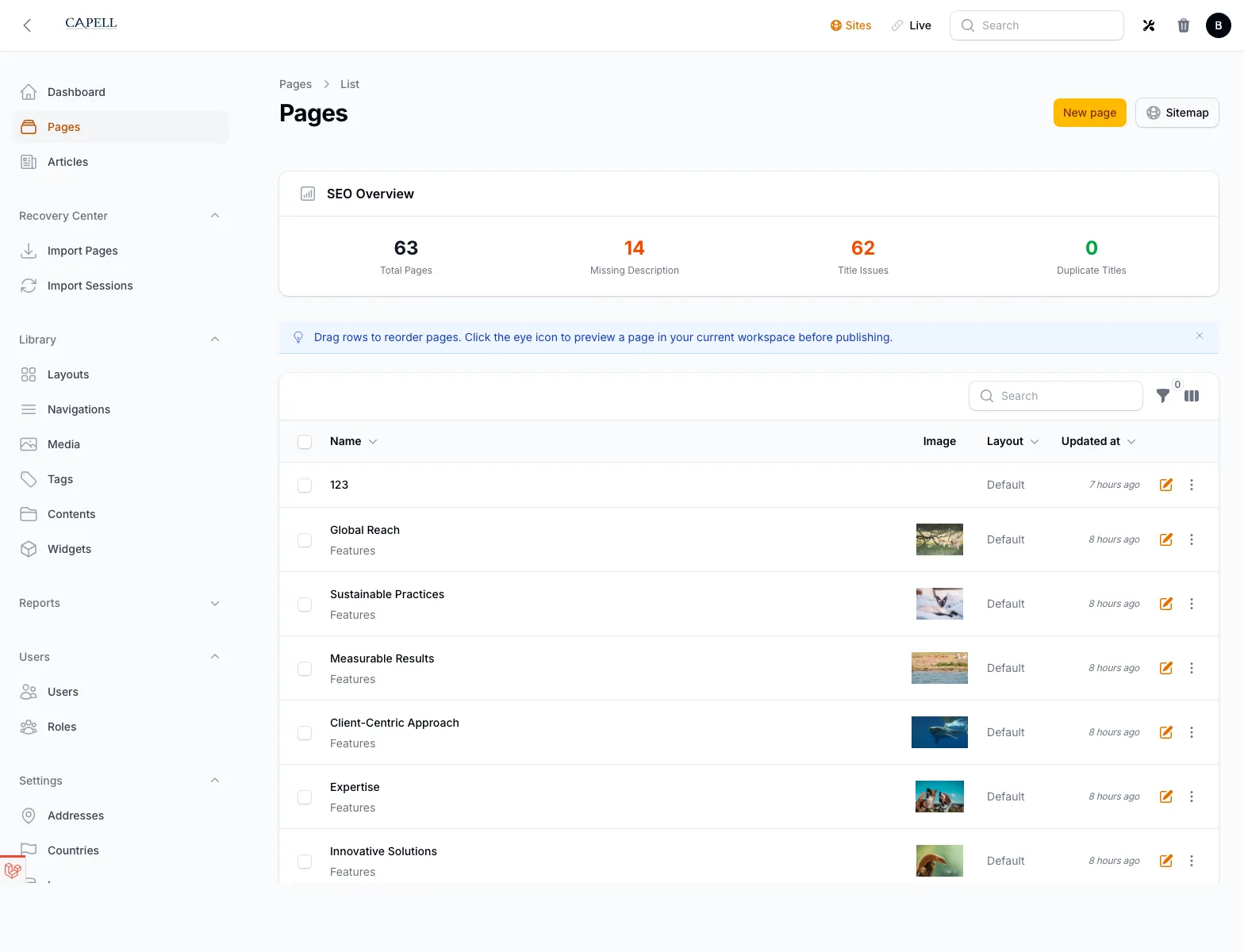
Then open Pages and confirm the page tree loads:
Path B: existing Laravel app
Section titled “Path B: existing Laravel app”Before installing, back up your database and review route ownership. Capell can own the frontend routes, but you may already have application routes that need to stay first.
- Confirm the app runs on PHP 8.3+ and Laravel 11.44.2+.
- Add Capell repositories if needed.
- Install
capell-app/capellor the three core packages. - Update your existing
Usermodel instead of replacing it. - Merge the Capell panel configuration into your existing Filament panel.
- Add the
page_cachedisk andcapelllog channel. - Run
php artisan capell:install [email protected] --url=https://your-site.test. - Remove Laravel’s default welcome route only if Capell should handle
/. - If
capell-app/html-cacheis installed, runphp artisan capell:static-siteand preview a non-critical page first.
If you already have content, read Multi-site & Multi-lingual before creating sites and languages.
Optional add-ons
Section titled “Optional add-ons”Install only the packages you need:
| Need | Package | Commands |
|---|---|---|
| Visual page builder | capell-app/content-sections | composer require capell-app/content-sections && php artisan capell:content-sections-install |
| Blog/articles | capell-app/blog | composer require capell-app/blog && php artisan capell:blog-install |
| Address fields | capell-app/address | composer require capell-app/address && php artisan capell:address-install |
| SEO and AI-assisted metadata | capell-app/seo-suite | composer require capell-app/seo-suite && php artisan capell:seo-suite-install |
| Curator media backend | capell-app/media-library | composer require capell-app/media-library |
See approved packages for dependencies and tradeoffs.
Web server setup
Section titled “Web server setup”For production performance, configure Apache or Nginx to serve public/page-cache files before PHP. See server configuration for copy-paste rules.
- Quickstart for a fast demo path.
- Quickstart for the fastest admin walkthrough.
- Operations for common first-run failures.
- Frontend for caching, Tailwind, translations, and site resolution.