
Admin Interface
Capell Admin is the working surface for editors, administrators, and developers who manage structured websites. This guide explains the main screens, what each one is responsible for, and where optional packages extend the workflow.
Dashboard
Section titled “Dashboard”The dashboard is the first screen after sign-in. It can show setup health, content activity, cache state, work queues, package state, and diagnostics depending on role and installed packages.


The dashboard brings editorial work and operational signals together without moving package-specific controls into Core.
Use the site switcher to change the active site context. Many resources, settings, and widgets are site-aware.
Example: an editor responsible for two sites can switch from the primary marketing site to a microsite before creating pages, uploading media, or changing settings. Package widgets can add focused status cards without changing the core dashboard.
Pages is the main editorial surface. It lets teams create, edit, reorder, preview, publish, move, duplicate, and delete pages in the selected site.
| Find the page | Edit its content and settings |
|---|---|
| [ |
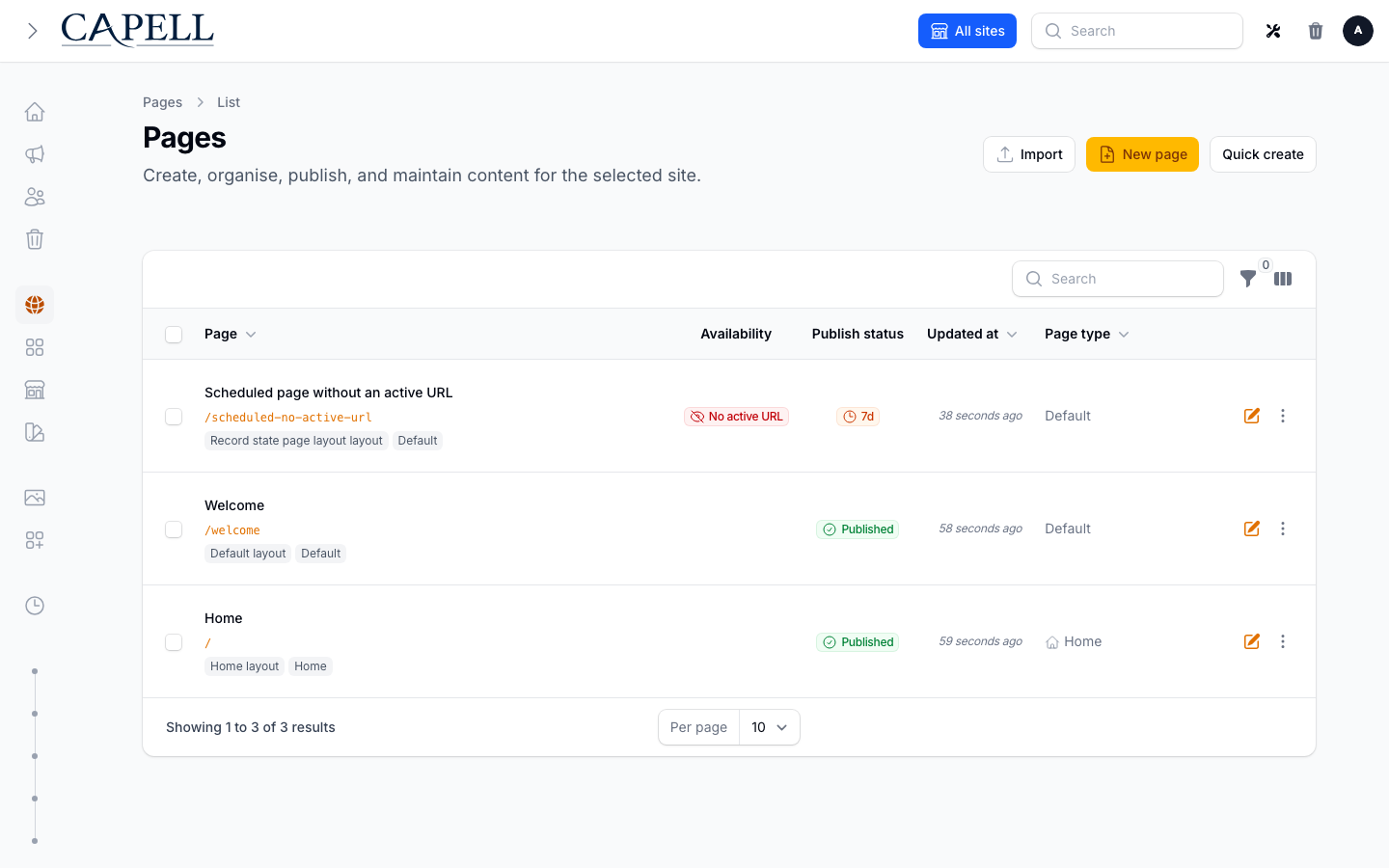
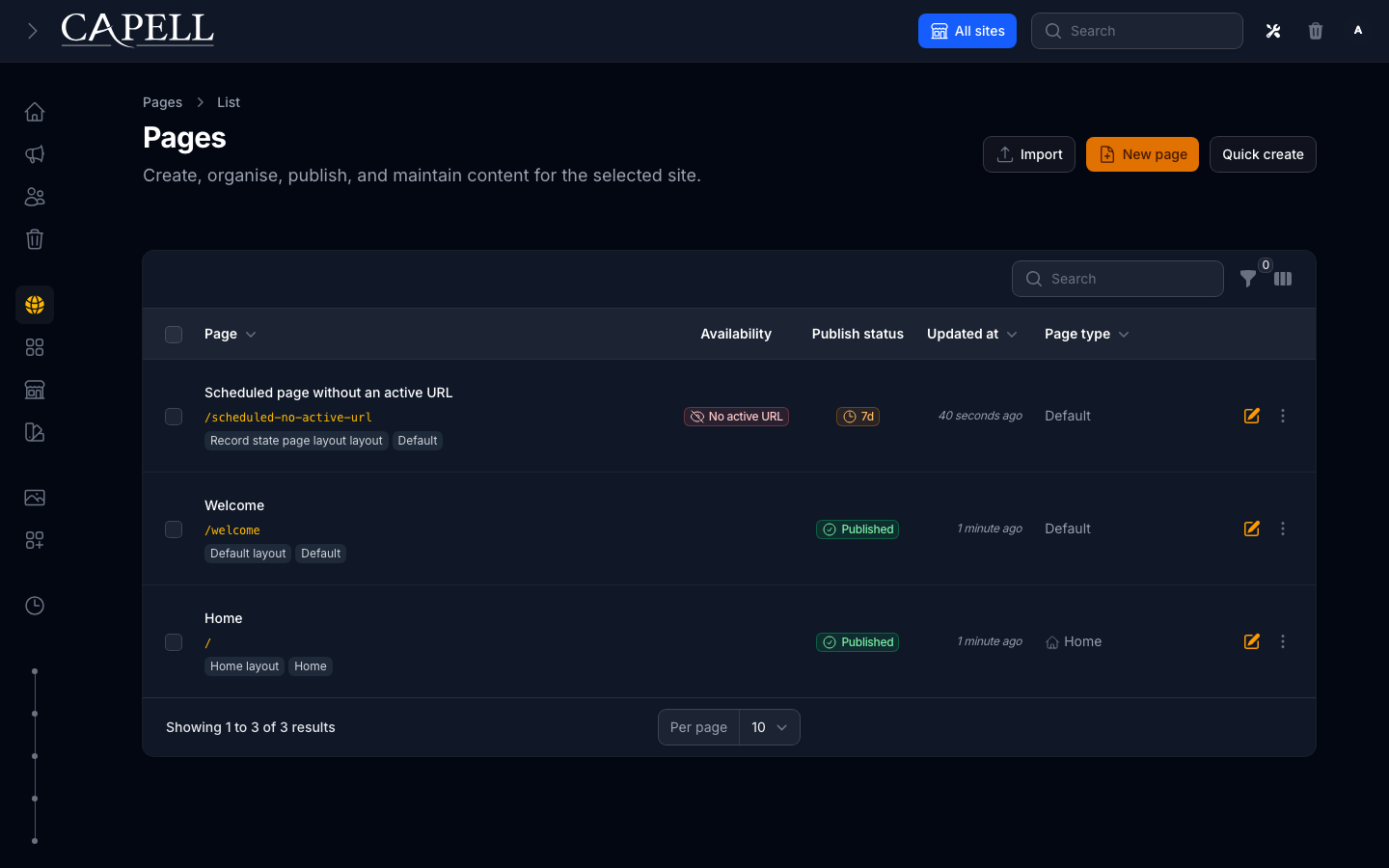
The list proves the site-scoped hierarchy and state; the edit form is where content, URL, layout, and publishing choices come together.
Core page editing covers the page tree position, type, title, slug, publishing state, content fields, media, and settings. Optional packages can add fields, tabs, actions, and publishing rules.
Moving a parent page carries its descendants with it, even when the tree is deeply nested, and Capell creates redirects for the old URLs. Each save is revisioned: editors can compare changes, undo a page change, and redo it without discarding the history. Drafts can be previewed through the real theme, edit locks prevent concurrent overwrites, and permissions keep each editor’s available choices within the boundaries set by administrators and developers.
The page form starts with the content context: site, parent page, internal name, title, slug, and URL preview.
For a normal /about/team page, choose the current site, select About as the parent page, set the title to Team, and keep the generated slug as team. Capell uses that tree position to build the public URL and can create redirect records when a published page later moves.
Content stays in the page editor unless a package registers richer fields or section builders. The first-page guide shows the create form and content editor as an ordered workflow rather than repeating them here.
Start with Create your first page when you need the full authoring flow.
Sites And Languages
Section titled “Sites And Languages”Sites define the public web properties managed in the installation. Languages define the locale set used for URLs, labels, and translated content.

Use these screens when you need to:
- add or change domains
- control which languages exist for a site
- manage default pages and site relationships
Site records expose the operational details that public resolution depends on: domains, language scope, related sites, contact information, branding, and default page choices.

Layouts And Themes
Section titled “Layouts And Themes”Layouts connect page records to frontend rendering. Themes hold presentation records used by the frontend surface and by theme-aware packages.
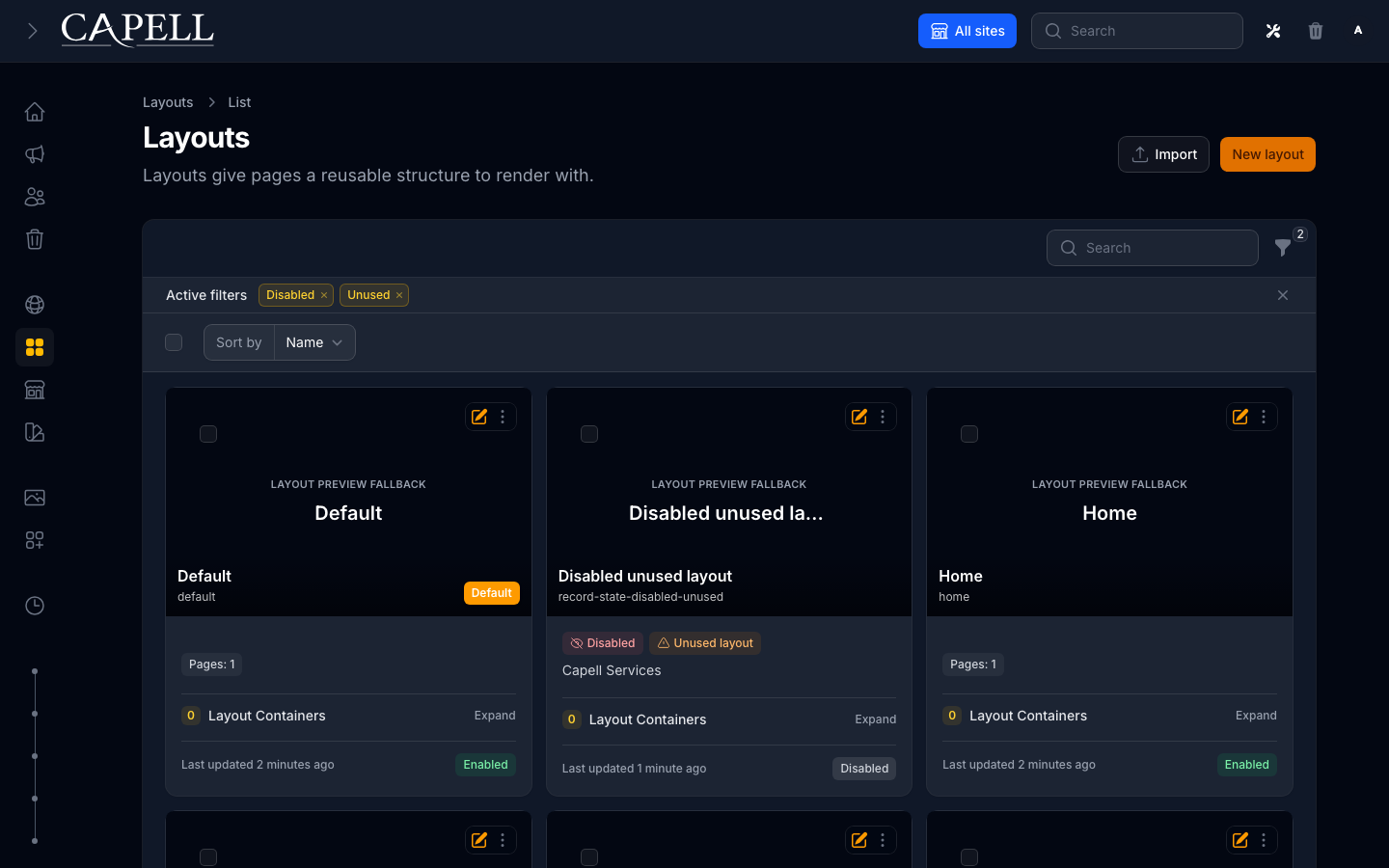
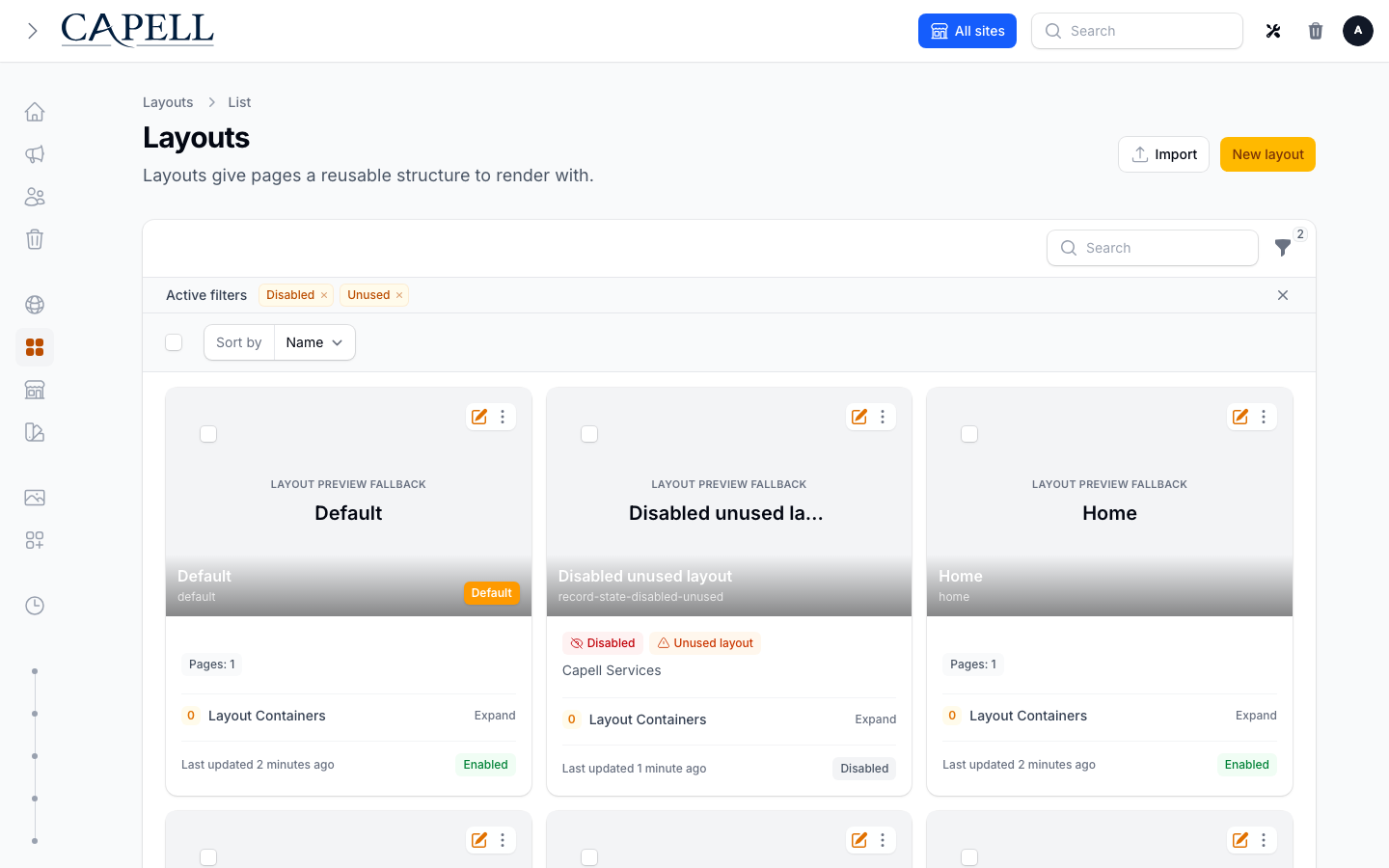
Record-state badges make it clear which layouts are active and which can be reviewed before assignment or removal.
The normal Admin package provides the core management screens. The optional Layout Builder package owns its richer layout editor, fixtures, and screenshot evidence.
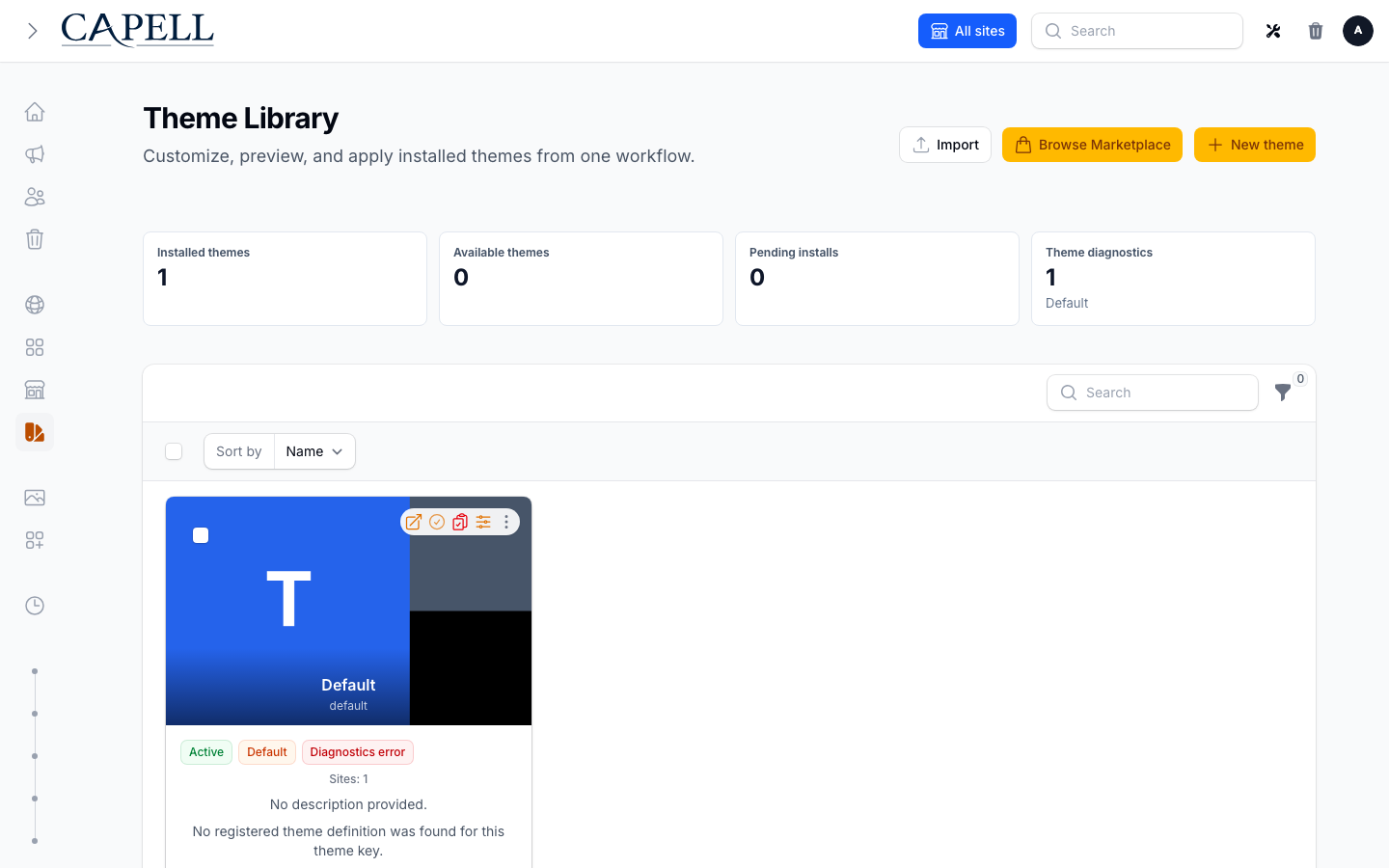
Example: a site owner can review installed themes, inspect diagnostics, customize brand settings, preview against a real page, then apply the theme globally or to selected sites. The Theme Library page covers that flow end to end.
Media manages uploaded files and their metadata.


The default backend uses Spatie MediaLibrary through Capell media contracts. If the Media Library package is installed, the editor workflow stays similar while the backend changes.
Settings
Section titled “Settings”Settings is the core Capell settings surface. Admin, Frontend, Marketplace, and optional packages expose their own settings or control pages from the Extensions area.
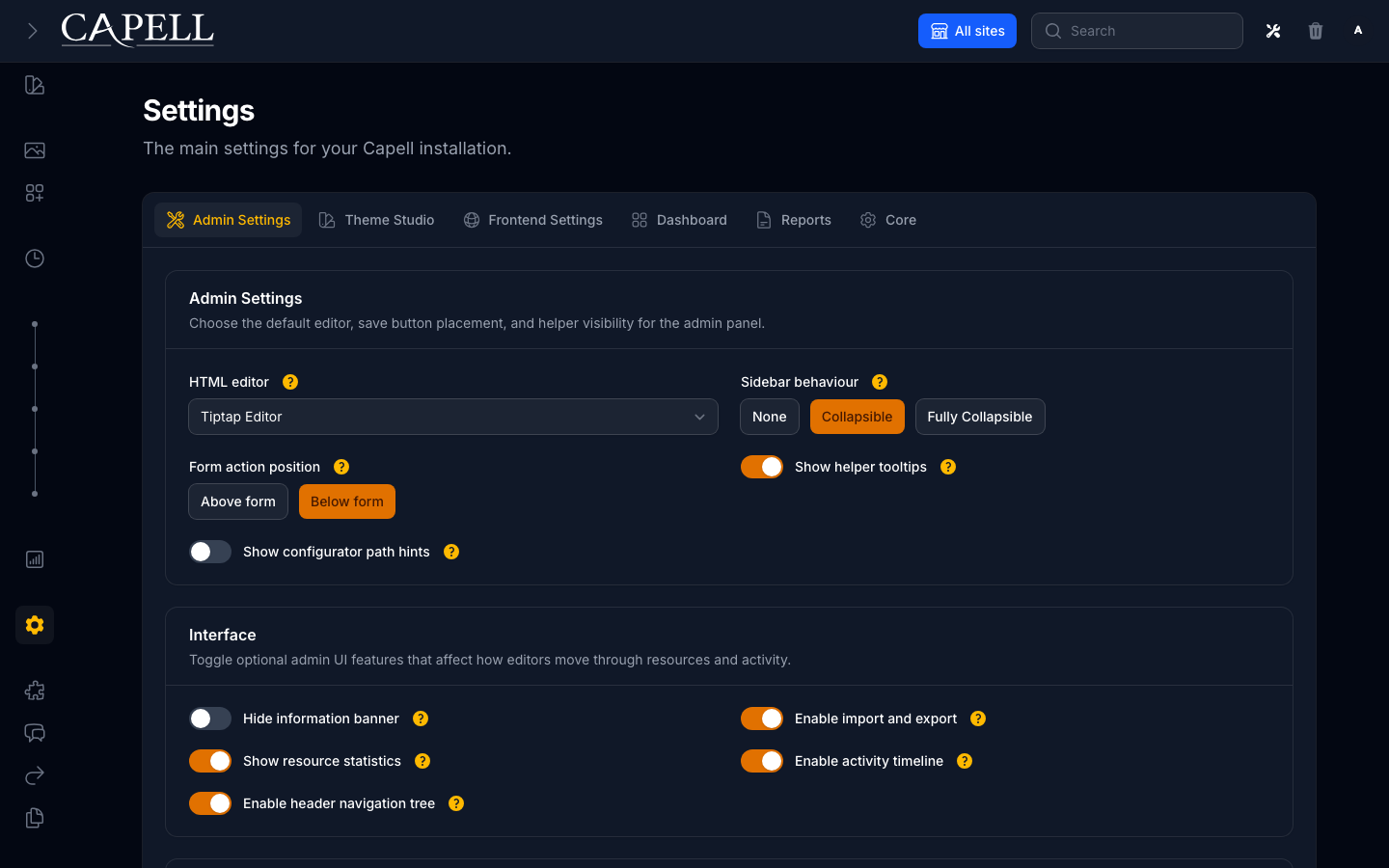
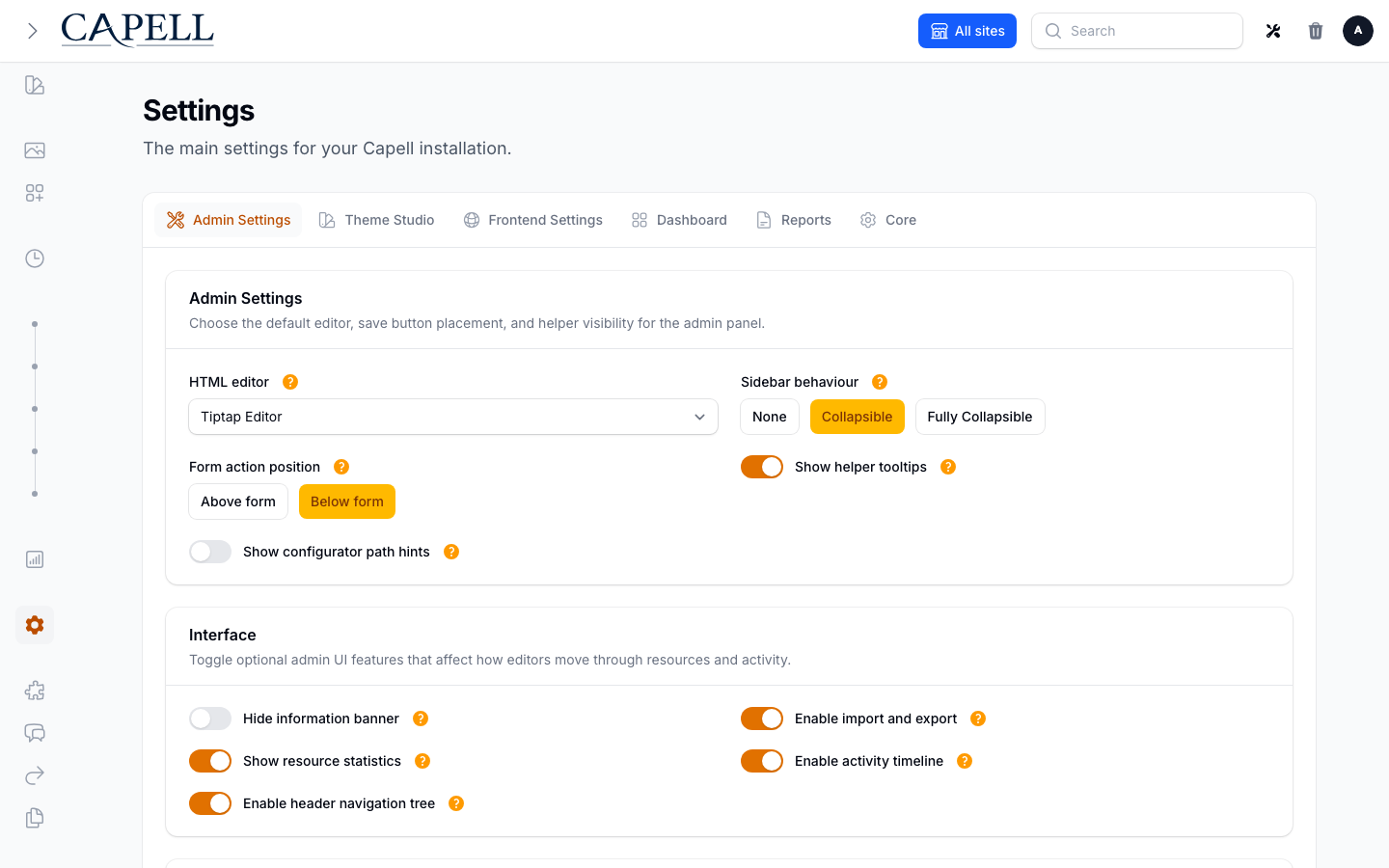
First-party groups share the Settings surface; optional packages keep their controls on package-owned extension pages.
Use the settings registry and a package-owned extension page instead of adding package fields to the core Settings screen.
Example: site-wide branding belongs on the Site record, while package-specific controls belong to the package settings page registered through the settings registry. That keeps the core Settings surface readable as more packages are installed.
Extensions And Marketplace
Section titled “Extensions And Marketplace”Extensions is the admin surface for installed package state, package settings/control pages, and optional Marketplace connection alerts. Local enable, disable, uninstall, and bulk package lifecycle actions stay on the installed Extensions surface.

Marketplace browsing, account connection, licence activation, diagnostics, heartbeat checks, and install authorization are available only when capell-app/marketplace is installed and enabled.
Reports
Section titled “Reports”Reports collect admin-only diagnostics that help teams find publishing, content, URL, cache, navigation, permission, and install issues before they affect public delivery. Report visibility can be changed per role from Settings, but that only controls navigation; page access still depends on permissions.
Publishing Readiness shows launch-focused page checks such as missing required translations, missing or disabled URLs, missing blueprint or layout dependencies, and publish-window warnings. It links editors back to the affected page when Capell can safely provide an edit URL.

Site Health
Section titled “Site Health”Site Health is the operations view for public delivery. It checks cache status, public-output safety, static generation state, optimizer readiness, queues, failed jobs, server config, and writable paths.

Use it before a production launch, after deployments that change frontend output, and after enabling packages that affect cache, themes, queues, or generated assets. Red checks are release blockers unless the team has made an explicit operational exception.
Recovery Center
Section titled “Recovery Center”The Recovery Center is the shell for import-session and recovery workflows. Admin owns the UI surface, while the capell-app/migration-assistant package owns the real export, import, and rollback implementation.

Users And Permissions
Section titled “Users And Permissions”Users, roles, and permissions are managed through Admin. Permissions are tied to the registered resources, pages, and package features available in the installation.

Activity And Sitemap
Section titled “Activity And Sitemap”Activity gives administrators a readable audit trail for record changes, including nested before-and-after details where supported.

The Sitemap page gives editors and developers a site-level view of the public page structure before handing the result to a dedicated sitemap package or frontend route.

Quick Reference
Section titled “Quick Reference”| Need | Screen |
|---|---|
| Create or edit structured content | Pages |
| Change domain or locale structure | Sites and Languages |
| Manage files | Media |
| Adjust core configuration | Settings |
| Adjust package-backed configuration | Extensions |
| Review package install intent | Marketplace |
| Review publishing and site health | Reports |
| Review import or recovery work | Recovery Center |