
Upgrading Capell
Frontend resource graph breaking change
Section titled “Frontend resource graph breaking change”The legacy asset manifest, Mix adapter, build-asset/npm vendor subtypes, loose resource builders, contributor contract, and renderer contract have been removed. Follow the Frontend Resources upgrade guide, add capellViteInputs() to the application Vite input array, run php artisan capell:frontend-after-install, and apply the reviewed plan explicitly.
After upgrading Frontend, republish capell-frontend-assets (or the conventional laravel-assets tag) so /vendor/capell-frontend/stylesheet-recovery.js exists. Hosts that cache HTML across deployments must also adopt the release-safe Vite asset contract before enabling long stale-serving windows.
Capell ships with a single upgrade entry point: php artisan capell:upgrade. Every operation is idempotent — re-running it is always safe.
Capell 1.x treats upgrades as durable operations. The CLI command remains the stable contract, but admin-triggered upgrades are tracked in the database, run through the queue when safe, and fall back to exact manual server commands when background work is not available.
Admin Upgrades
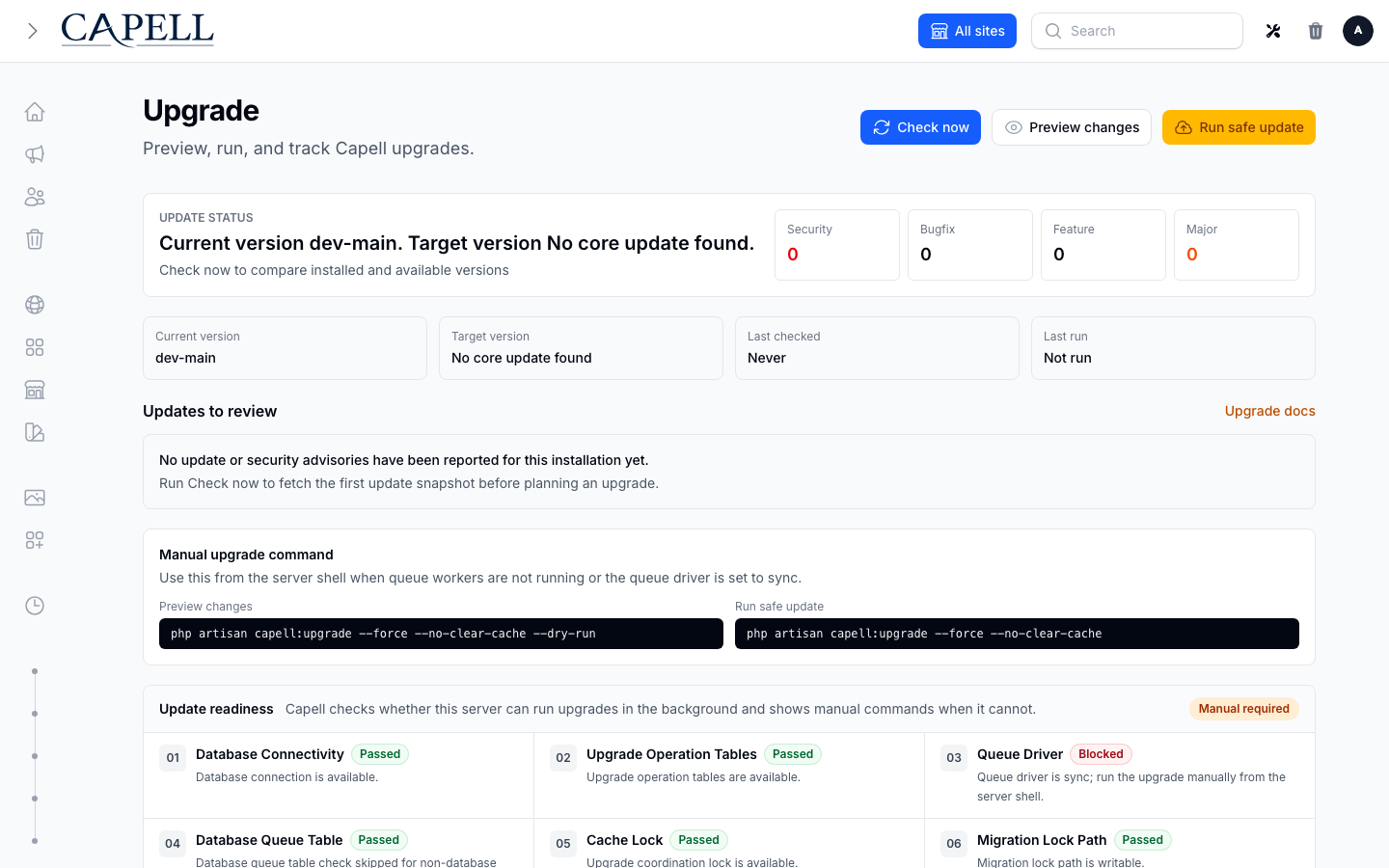
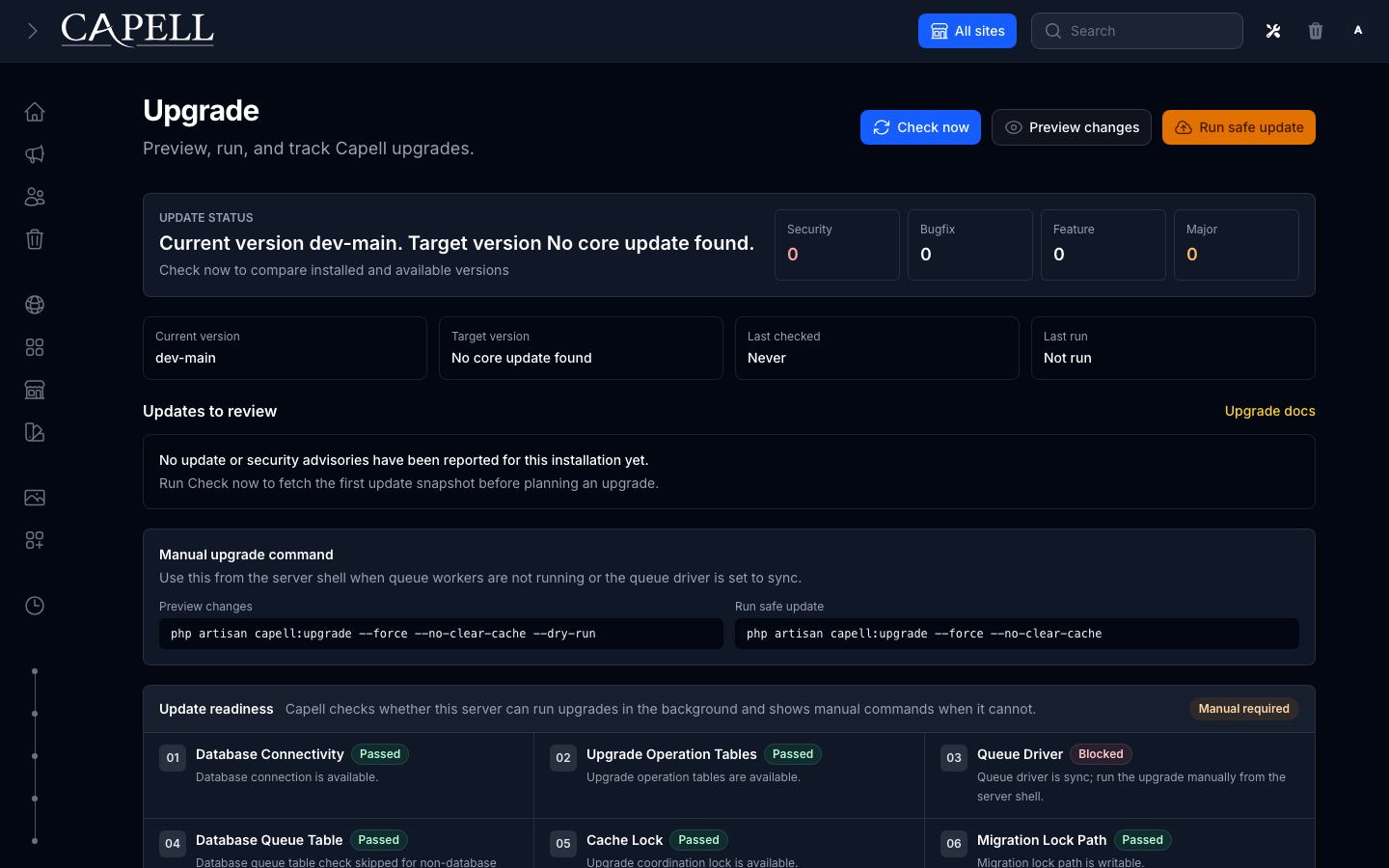
Section titled “Admin Upgrades”Open Administration → Upgrades in the Capell admin when you want the most visible upgrade path. The page shows the installed Capell version, links to these docs, explains the upgrade safety rails, and exposes two actions:
- Check for updates sends the installed Capell package snapshot to the Capell Marketplace heartbeat API and stores the returned update/security advisory snapshot locally.
- Preview changes creates a dry-run upgrade operation. If the server can run queue jobs safely, Capell queues it. If not, Capell records a manual-required operation and shows the exact command.
- Run safe update creates a production upgrade operation. It follows the same queue-first/manual-fallback path.
Manual commands stay visible at all times:
php artisan capell:upgrade --force --no-clear-cache --dry-runphp artisan capell:upgrade --force --no-clear-cacheThe dashboard Capell info widget also links to the Upgrades page so the upgrade path is visible immediately after signing in.
Durable Operation Tracking
Section titled “Durable Operation Tracking”Upgrade state is split between two responsibilities:
| Table | Purpose |
|---|---|
capell_upgrade_runs | One row per upgrade operation: queued, running, succeeded, failed, or manual-required. Stores user, options, stage, failure reason, manual commands, readiness warnings/errors, and a safe output excerpt. |
capell_upgrade_run_events | Append-only timeline for readiness checks, queue decisions, phase changes, warnings, errors, success events, and safe output excerpts. |
capell_upgrade_log | Step/version ledger only. Keeps UpgradeStepContract outcomes and package version snapshots. |
capell_upgrade_locks | Database-backed mutual exclusion for upgrades and rollbacks. Expired rows can be replaced safely after a hard process kill. |
Do not use capell_upgrade_log for queue state or admin operation status. A run can fail before a step writes to the ledger, and an admin needs to see that failure even when no upgrade step reached the log.
CLI/manual runs also write durable runs when the run tables exist. That gives operators a consistent history whether an upgrade was started from the admin panel, a queue worker, a deployment script, or an SSH session.
Readiness Checks
Section titled “Readiness Checks”Admin upgrades never execute inline in a web request. Before queueing, Capell checks:
- queue driver is not
sync; - upgrade operation tables exist;
- database queue table exists when the database queue driver is active;
- the upgrade coordination lock is available;
- migration lock path is writable;
- database connection is available;
- legacy package upgrade commands exist when installed packages still declare
commands.upgrade.
If any blocking check fails, Capell creates a manual_required run. The admin page shows the warnings/errors, keeps the manual commands visible, and does not try to run the upgrade through the web process.
If the new operation tables are not installed yet, the admin cannot record a durable run. In that bootstrap case it shows manual fallback and the CLI remains the source of truth:
php artisan capell:upgrade --force --no-clear-cacheUpdate And Security Notices
Section titled “Update And Security Notices”Capell shows WordPress-style notices without letting the browser run Composer. The installed site phones home to the marketplace, stores the latest response in capell_update_advisory_snapshots, and renders that local snapshot in the Upgrades page.
The heartbeat sends:
- the verified marketplace
instance_id; - the local
webhook_urlandapp_url; - the installed Capell version;
- official
capell-app/*Composer package names, slugs, and versions.
The marketplace returns:
- normal update notices for latest safe releases;
- bug advisories that match installed package constraints;
- security advisories that match installed package constraints;
- release notes and upgrade guide links where available.
Security advisories appear before bug advisories and normal updates. High and critical security advisories also surface as a persistent dashboard notice until the next successful check shows the affected package is no longer vulnerable.
Normal update notices may be dismissed temporarily. High and critical security notices cannot be permanently dismissed while the installed version remains affected.
Composer remains manual in Capell 1.x on purpose. Capell tells owners what needs upgrading and gives the suggested Composer command, but package updates still happen through your normal deploy workflow:
composer update capell-app/blogphp artisan capell:upgradeStandard flow
Section titled “Standard flow”composer update capell-app/core # corecomposer update 'capell-app/*' # core + every approved packagephp artisan capell:upgrade --dry-run # interactive CLI previewphp artisan capell:upgrade # interactive CLI applyThe admin/manual fallback commands skip confirmations and match what the Upgrades page shows. For unattended runs and automatic requirement reconciliation, also pass --no-interaction:
php artisan capell:upgrade --force --no-clear-cache --dry-runphp artisan capell:upgrade --force --no-clear-cacheThe upgrade pipeline runs once and walks every installed package — core and approved add-ons alike. You don’t need a separate command per package.
Why this future-proofs installs
Section titled “Why this future-proofs installs”Capell treats upgrades as part of the product, not a pile of release-note errands. Composer remains the source of truth for installed versions, while capell:upgrade provides one repeatable operation that packages can plug into.
- One visible entry point. Admins can use the Upgrades page; deploy scripts can use the same command.
- Package-aware by default. Core and approved packages publish their migrations, run their upgrade commands, and record their versions through the same pipeline.
- Safe to retry. Upgrade steps are idempotent, logged, and only considered applied after their data changes and success row commit together.
- Auditable later. The ledger records step outcomes and version snapshots, so future maintainers can see what happened without reverse-engineering deploy logs.
What capell:upgrade does
Section titled “What capell:upgrade does”capell:upgrade takes the database-backed capell:upgrade coordination lock for its
entire duration, so concurrent runs against the same database fail fast even when
application nodes do not share a cache. During the first upgrade from a version that
predates capell_upgrade_locks, it falls back to the configured cache lock until the
new table has been migrated. It then executes these phases:
- Version audit. Compares Composer’s installed versions against the last-known values in the
capell_upgrade_logtable. Flags new packages, removed packages, and downgrades. Downgrades abort unless--force-downgradeis passed. - Migrations. Publishes pending schema migrations into
database/migrations/and settings migrations intodatabase/settings/, then runsmigrate --forceandsettings:migrate --force. Already-applied migrations are skipped by Laravel’s and Spatie’s own tracking. - Package requirements. Rechecks the current
capell.jsonrequirements of every enabled package, including transitive requirements added since installation. The entire requirement closure is validated before migrations or lifecycle writes; installation and enabling happen after migrations so lifecycle hooks can use the updated schema. A non-interactive run installs or enables available first-party Capell requirements in dependency order. Missing source, third-party requirements, interactive runs and failed, quarantined or entitlement-blocked requirements fail with the dependent package and requirement named. An already installed, disabled requirement is enabled without rerunning its install lifecycle. This check also applies to partial upgrades; skipping the migration phase does not suppress a new requirement’s own install migrations. The CLI dry run reports unmet requirements without changing their state and returns exit 0 when the report is generated successfully; its warnings still describe upgrade readiness. - Upgrade steps. Each registered
UpgradeStepContractis evaluated against the currentUpgradeContext. Pending steps (not yet successfully applied,shouldRun()true, dependencies satisfied) run in priority order. Step body + log write happen atomically in one DB transaction. - Per-package commands. Each
$package->getUpgradeCommand()(e.g. asset publishing) is invoked for backward compatibility. These legacy manifest commands still run, but Capell records warnings and operation events so packages can migrate to tagged upgrade steps.
Finally, the current Composer versions are recorded as type=version_snapshot rows in the log for audit.
Deployment scripts should pass --no-interaction explicitly when automatic requirement reconciliation is needed; --force alone only skips confirmations. Core does not download missing requirement source during an upgrade. Before enabling an installed, disabled requirement, Capell publishes and runs its declared pending migrations, which are excluded from the normal enabled-package pass, without rerunning its install command. capell:doctor reports enabled packages whose runtime is blocked by unmet requirements, and installed-runtime activation logs the skipped package and requirement.
Ledger table
Section titled “Ledger table”Upgrade step and version ledger state lives in capell_upgrade_log. Each row has:
type=steporversion_snapshotkey= step id, or composer package namestatus=success|failed|skipped|rolled_back|superseded|recordedmeta(JSON) = duration, output, versions, dependencies, etc.
You can audit upgrades with plain SQL — no joins required.
| Flag | Purpose |
|---|---|
--dry-run | Print the plan; make no changes |
--force | Skip interactive confirmations |
--force-downgrade | Proceed even if Composer is older than the log says |
--force-step=ID (repeatable) | Re-run a specific step |
--skip-migrations | Don’t publish/run migrations |
--skip-steps | Don’t run upgrade steps |
--only-migrations | Run only the migrations phase |
--only-steps | Run only the upgrade-steps phase |
--no-clear-cache | Skip the cache-clear menu |
Rollback
Section titled “Rollback”Steps that implement rollback() can be reverted. Replace <step-id> with the recorded step ID:
php artisan capell:rollback --step='<step-id>'Writes a rolled_back row, then marks the original success row as superseded. Re-running capell:upgrade will re-apply the step.
Source of truth
Section titled “Source of truth”- Composer is authoritative for “what version is installed right now” (
Composer\InstalledVersions::getPrettyVersion()). capell_upgrade_runsanswers “what happened to this operation?”capell_upgrade_run_eventsanswers “what did Capell report while the operation moved through readiness, queue, migration, step, legacy-command, version-ledger, and cache-clear stages?”capell_upgrade_log(typeversion_snapshot, statusrecorded) is an audit trail — written at the end of each successful upgrade. Use it to answer “what version did we upgrade from?”capell_upgrade_log(typestep, statussuccessand notsuperseded) answers “which steps are currently applied?”
Retention
Section titled “Retention”capell_upgrade_runs and capell_upgrade_run_events are append-only operational records. Capell v1 does not prune them automatically. Keep successful dry-run records for at least 30 days, successful production records for at least 180 days, and failed/manual-required records until an operator has reviewed or exported them.
CI / automated deploys
Section titled “CI / automated deploys”php artisan capell:upgrade --force --no-interactionphp artisan optimizeKeep downgrade protection enabled for ordinary deploys. Pass --force-downgrade only when deliberately applying an older Composer version. --force skips confirmations; --no-interaction also enables automatic reconciliation of available first-party requirements.
Use --no-clear-cache only when the deployment pipeline clears and rebuilds its runtime caches afterwards. With optional HTML Cache installed, follow the stale public HTML refresh procedure before purging an edge cache. php artisan optimize alone does not refresh public HTML.
Exit code is 0 on success, 1 on failure (including lock contention and downgrade without --force-downgrade).
Pre-upgrade checklist
Section titled “Pre-upgrade checklist”- Back up the database,
.env, andstorage/. See Backups and restore. php artisan downif users could be affected.- Run in staging first.
- Use
--dry-runin CI before applying.
Troubleshooting
Section titled “Troubleshooting”“Another upgrade is running” — another upgrade or rollback holds the coordination lock. A database-backed lock expires automatically within 25 minutes after a hard process kill. On the one-time legacy fallback path, inspect the configured cache lock; do not delete a lock while an upgrade could still be active.
Admin shows manual required — check the readiness timeline on the Upgrades page. Common causes are QUEUE_CONNECTION=sync, a missing jobs table for the database queue driver, an unwritable storage/framework/cache directory, or a legacy package command that is no longer registered.
A step failed mid-run — find it with SELECT * FROM capell_upgrade_log WHERE type='step' AND status='failed';. Re-running capell:upgrade retries it — failures are not considered “applied”.
“Downgrade detected” — Composer has an older version than the log. Usually a deployment mistake. Restore the newer version, or pass --force-downgrade if truly intentional.