
Overview
What This Package Adds
Section titled “What This Package Adds”Available. Foundation package. No schema impact for package tables.
Capell Admin provides the Filament admin surface for Capell. It turns Core records into editor and operator screens for pages, sites, media, themes, users, permissions, reports, settings, package state, and site operations.
After install, admins and editors can manage content, review site health, configure package settings, manage installed extensions, inspect activity, run reports, and use package-contributed tools from one Filament panel.
Admin extends these Capell surfaces:
- Filament resources for Core records, including pages, sites, languages, layouts, themes, media, URLs, redirects, roles, users, activity, and extensions.
- Filament pages for dashboard, settings, reports, site health, sitemap, upgrade, and extension management.
- Admin header tools, user menu items, dashboard Filament widgets, resource actions, schema hooks, settings schemas, and report pages.
- Admin-facing package settings through the settings schema registry.
Why It Matters
Section titled “Why It Matters”- For developers: Admin is the package boundary for Filament resources, schema extension, policies, settings pages, dashboard Filament widgets, and admin events. Packages extend Admin through documented registries instead of editing core resources.
- For teams: Editors get a consistent publishing workflow, media library, settings surface, reports, and operational checks without each package inventing its own admin pattern.
Screens And Workflow
Section titled “Screens And Workflow”Select any screenshot to open the full-resolution image.
| Dashboard | Pages |
|---|---|
 Light · Dark |  Light · Dark |
| Media library | Site Health |
 Light · Dark |  Light · Dark |


Site metrics
Section titled “Site metrics”
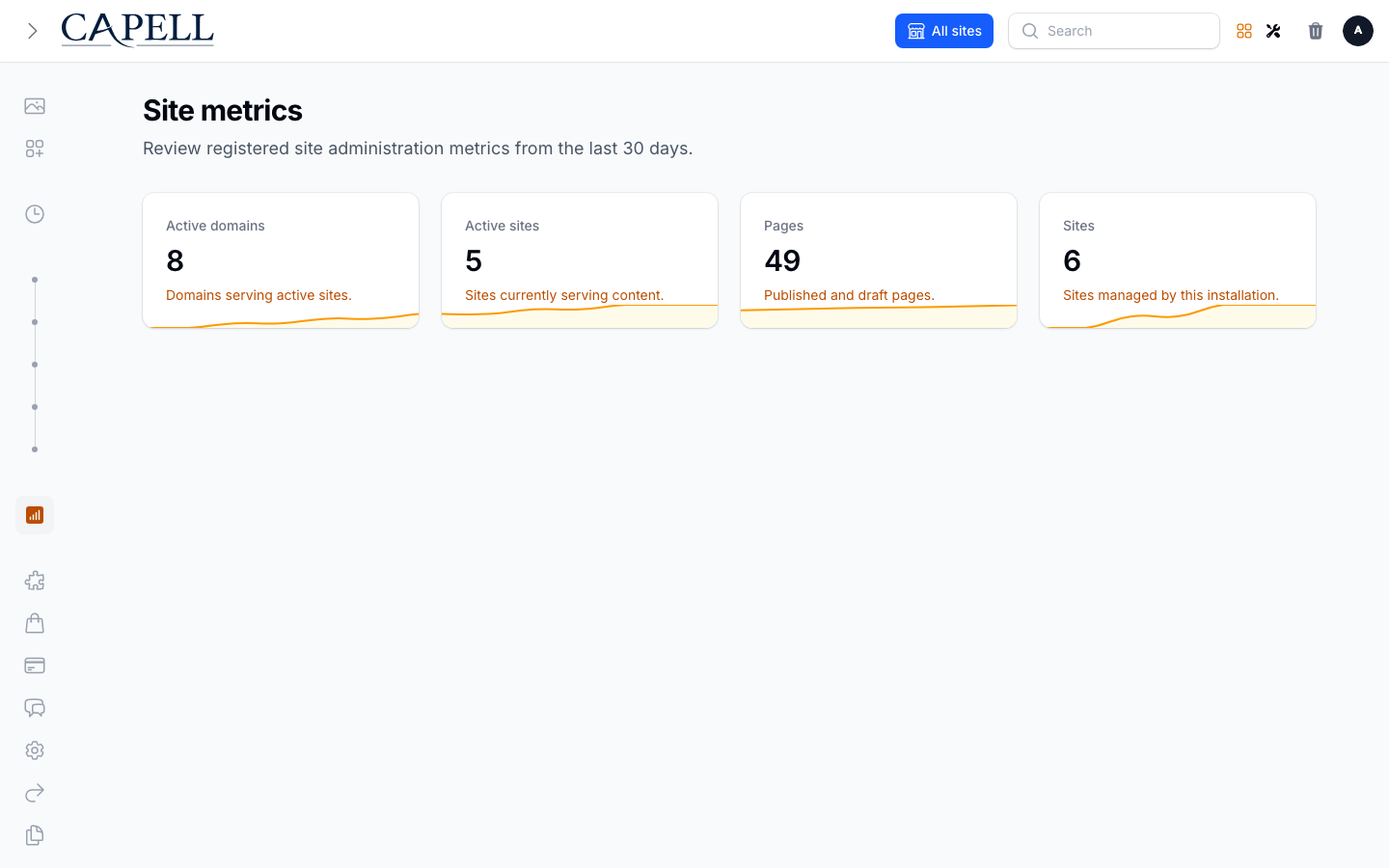
The Site metrics page keeps registered global metrics compact and comparable. Each card shows the current value, its definition, and a daily trend over the retained window.
Publishing workflow
Section titled “Publishing workflow”| Page status | Bulk publishing |
|---|---|
 |  |
| Revert selected pages to draft | Rollback preview |
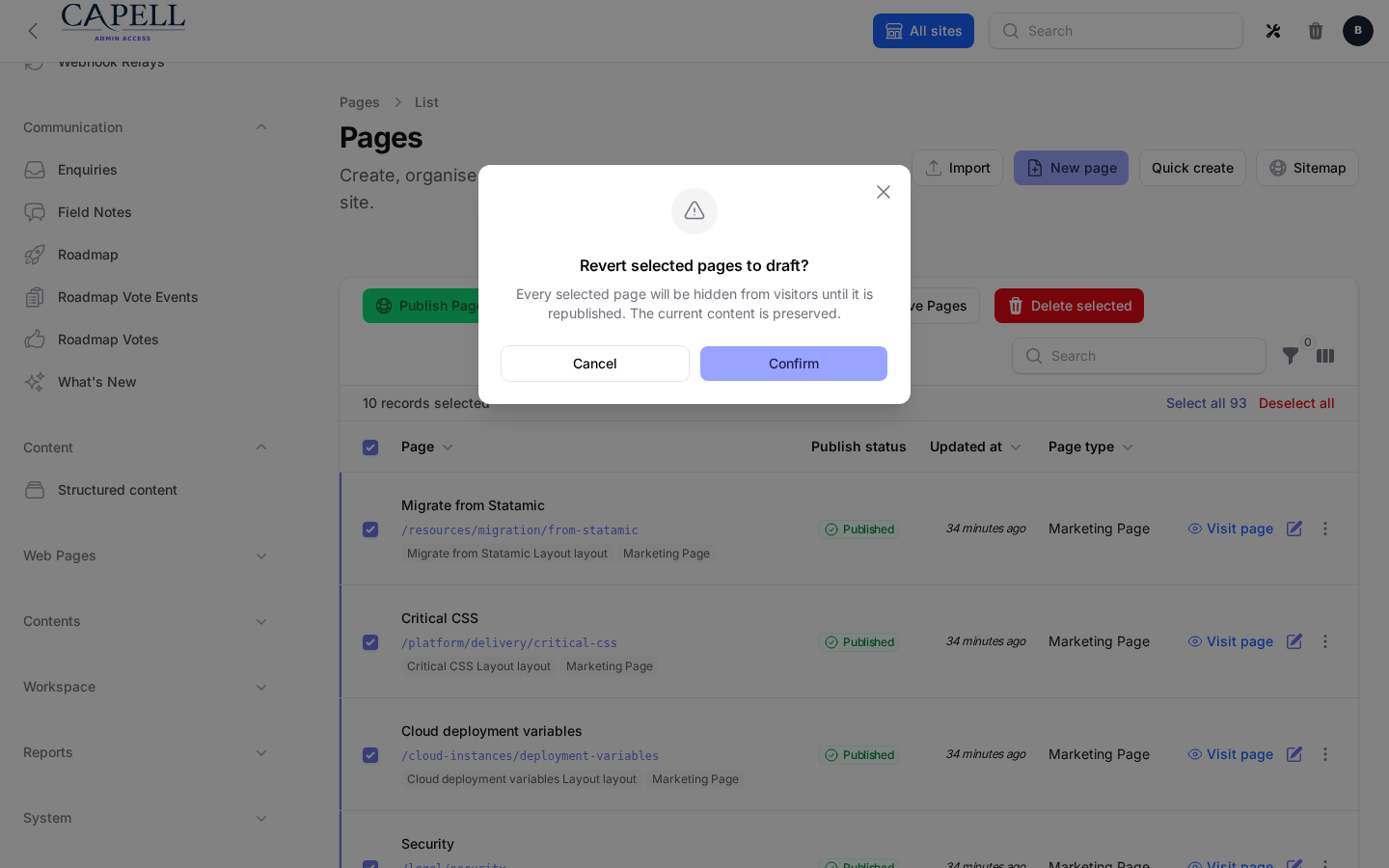 | [ |
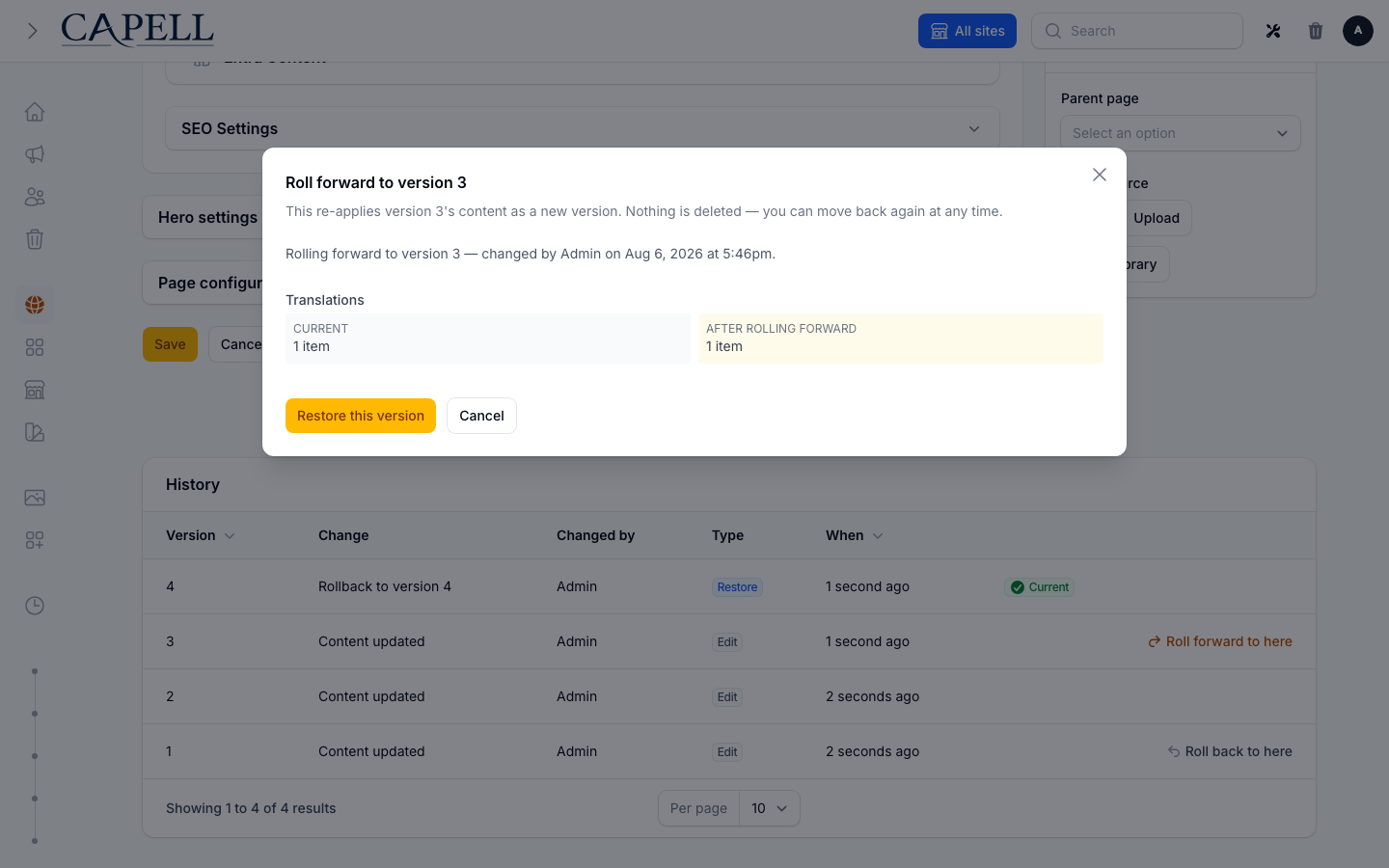
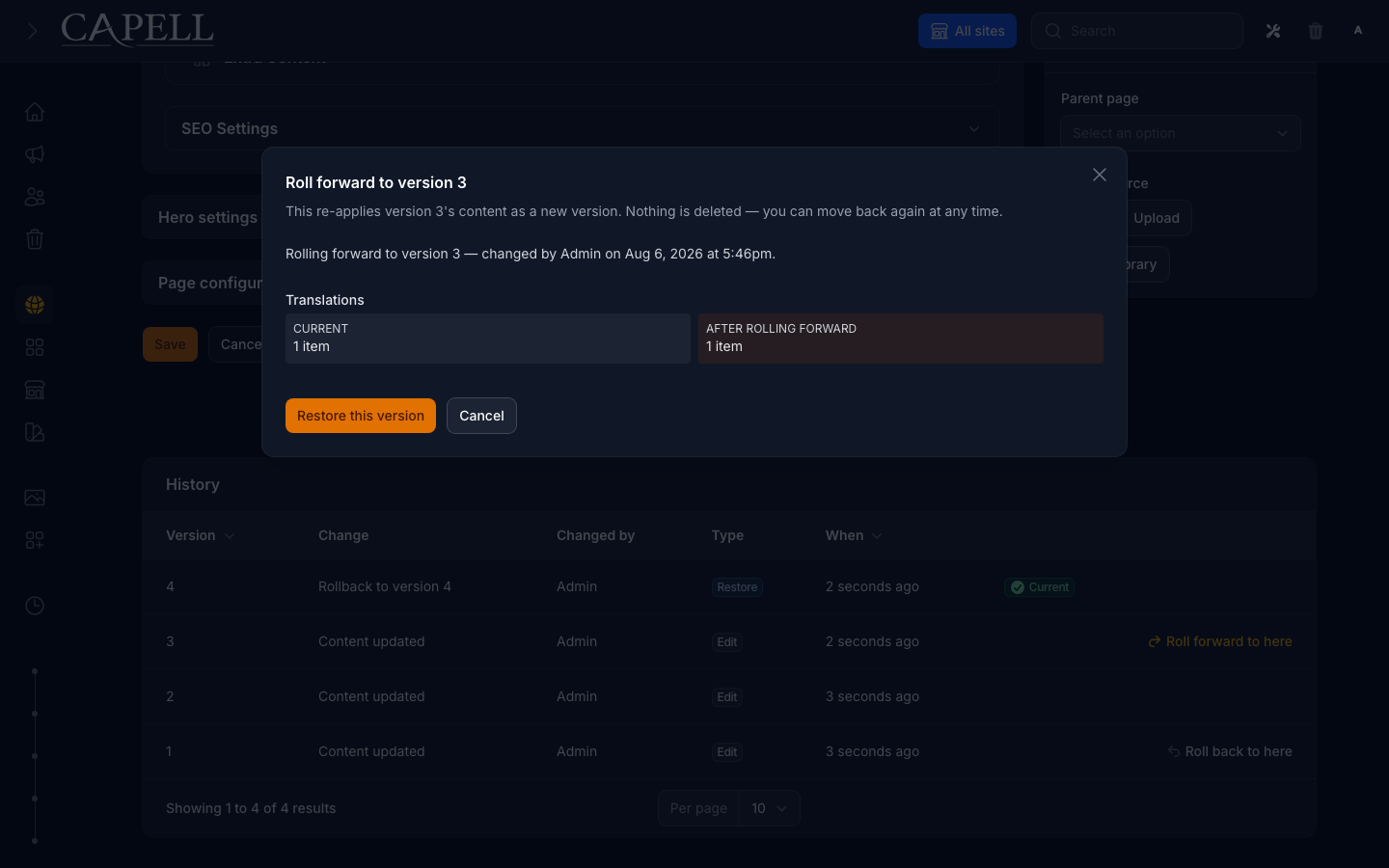
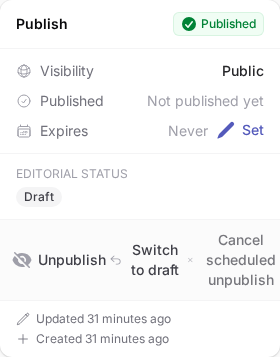
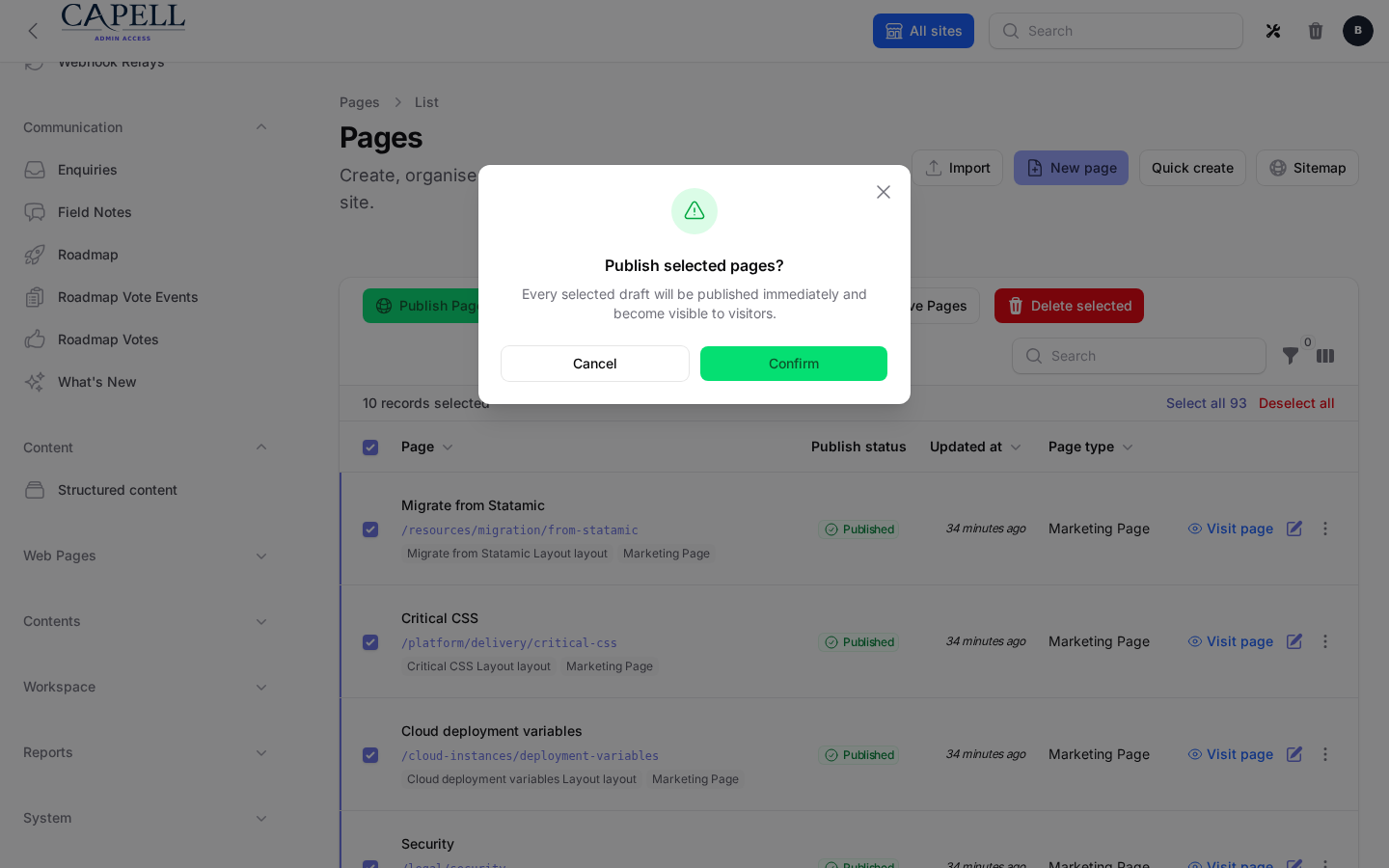
The bulk confirmation proves that reverting hides selected pages from visitors without discarding their content. The rollback preview proves the separate, append-only page-history recovery path.
Page history and layout choices
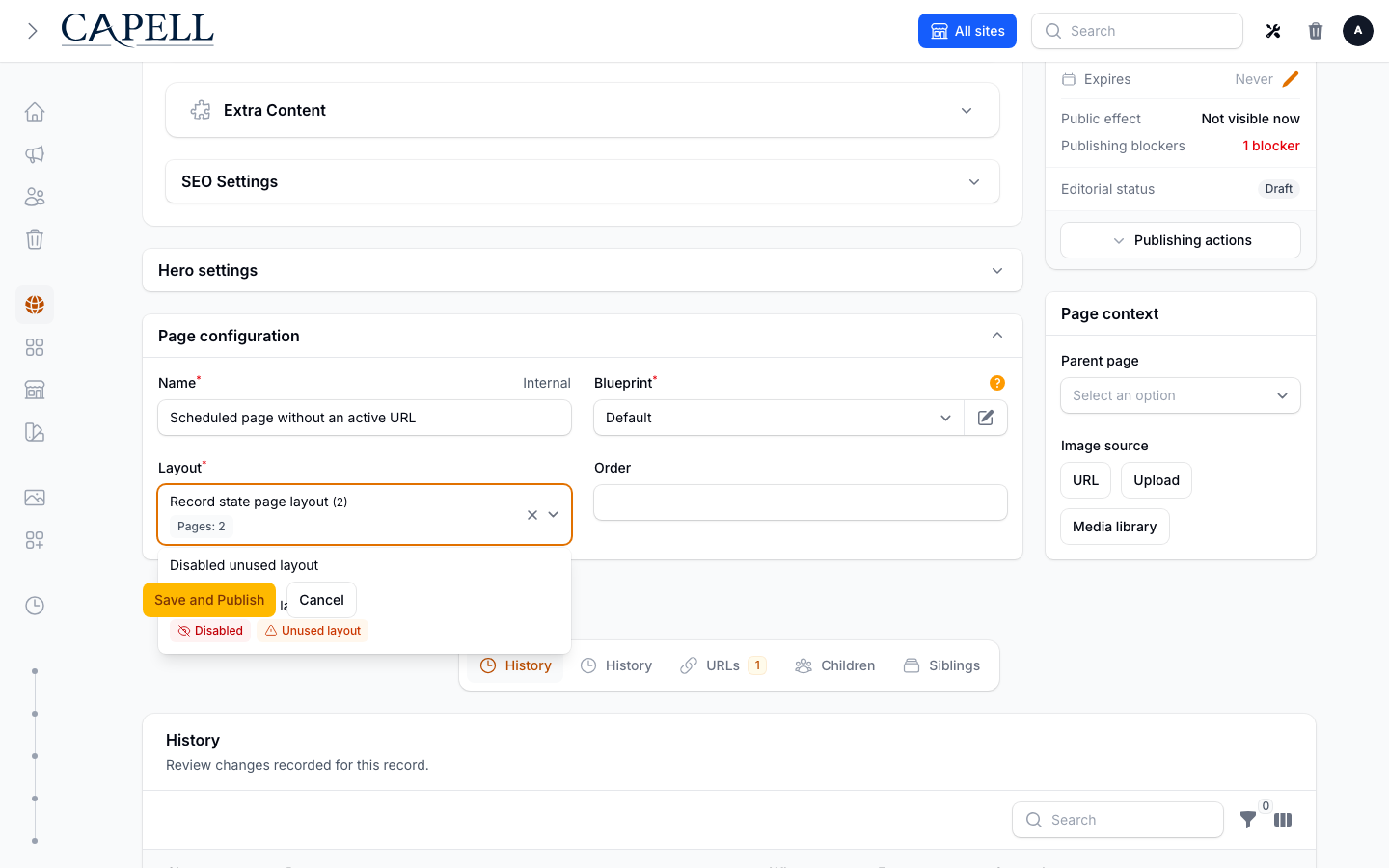
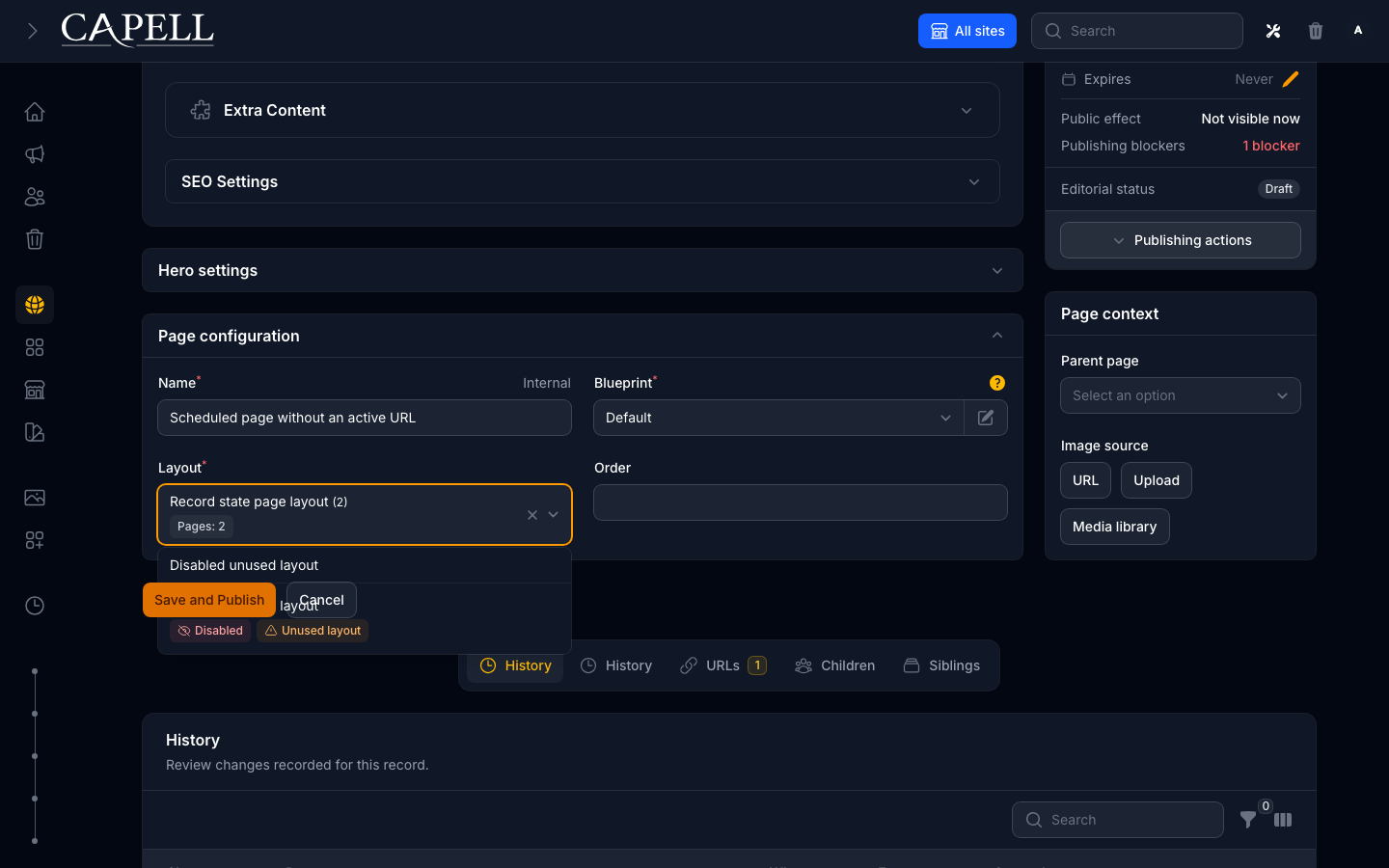
Section titled “Page history and layout choices”The history timeline shows saved changes before an editor opens the rollback preview. The layout selector identifies disabled and unused layouts before selection.
| Surface | Light | Dark |
|---|---|---|
| Page history timeline | Timeline | Timeline in dark mode |
| Rollback preview | Preview | Preview in dark mode |
| Layout selector | Layout choices | Layout choices in dark mode |
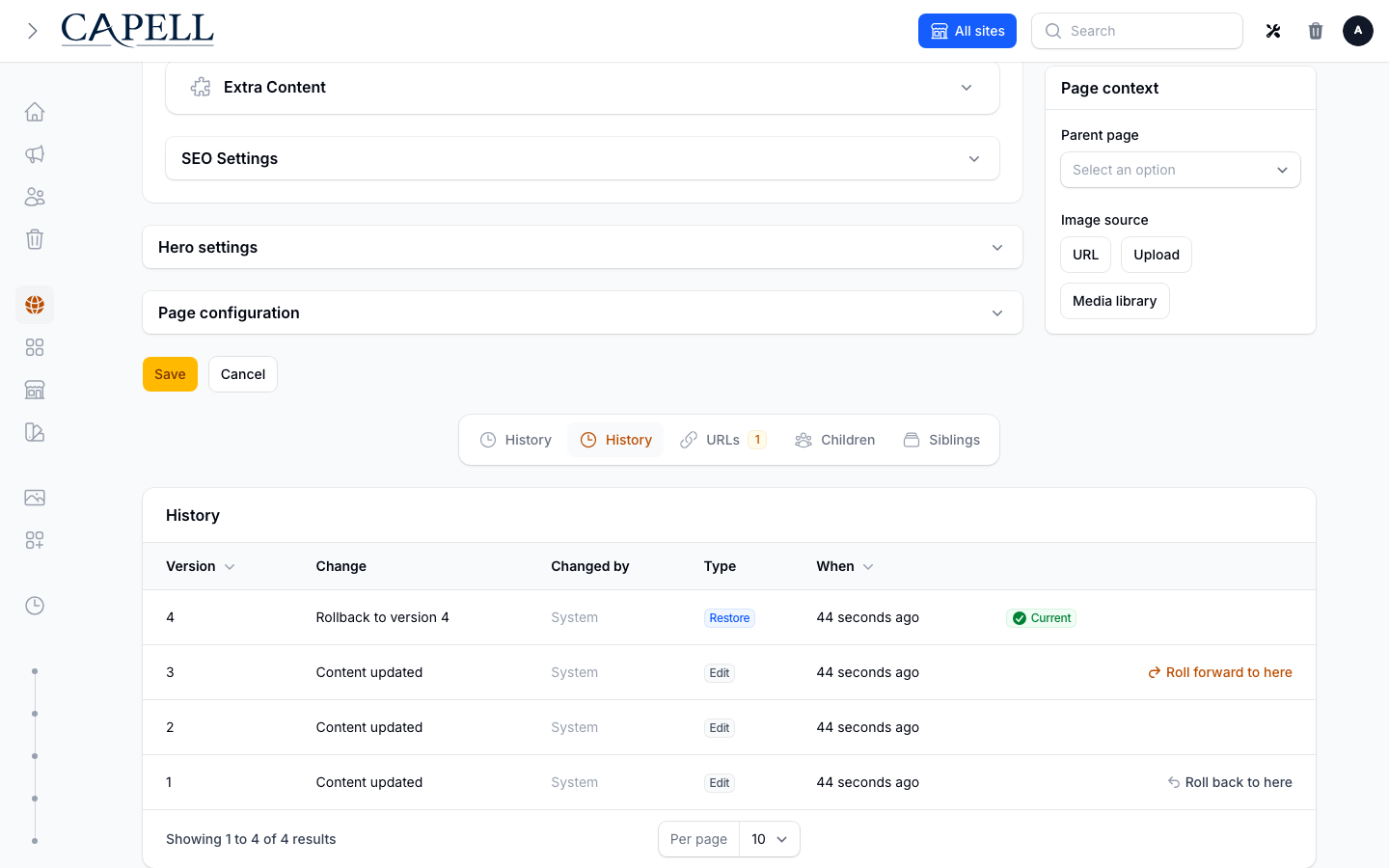
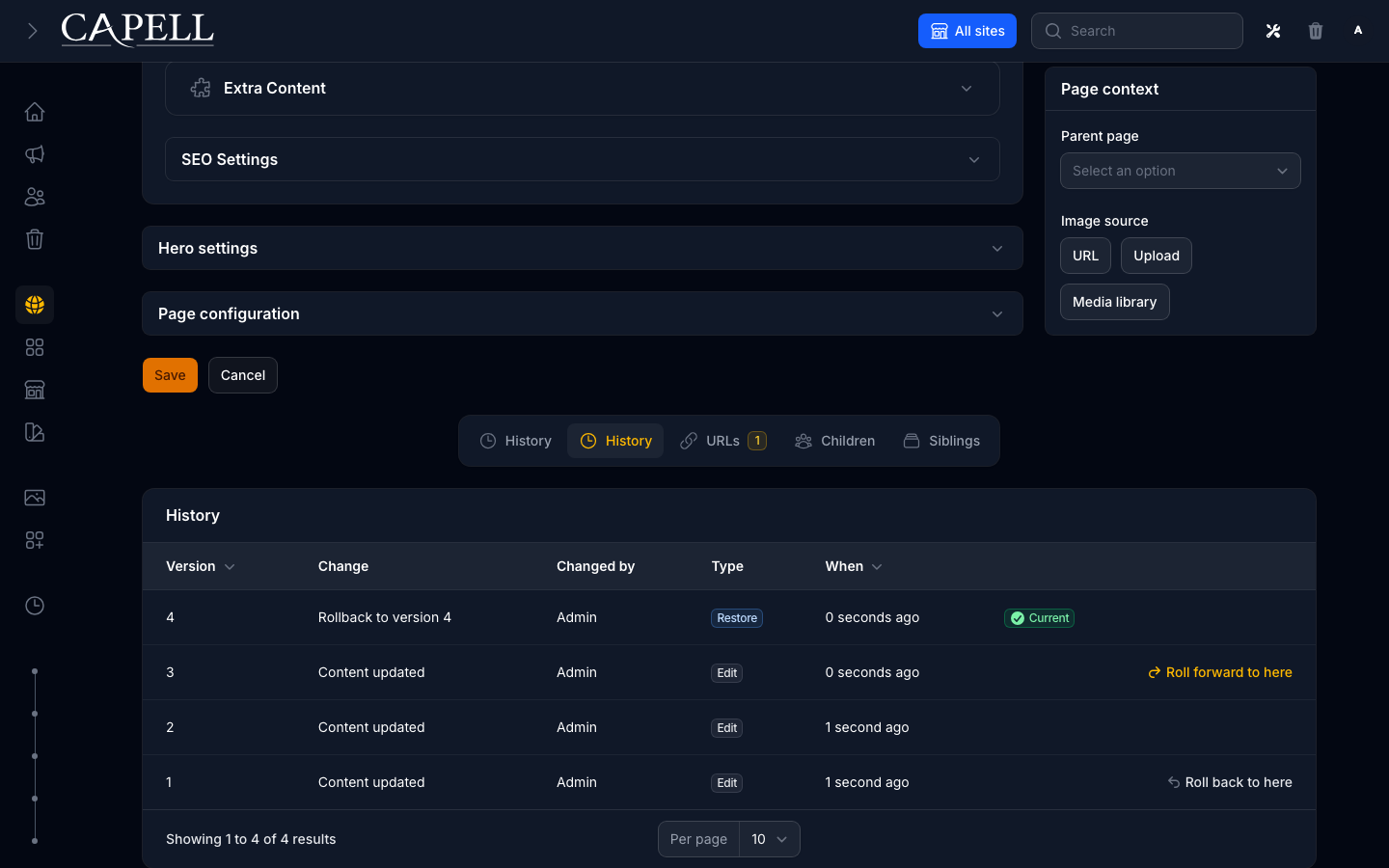
Media workflow
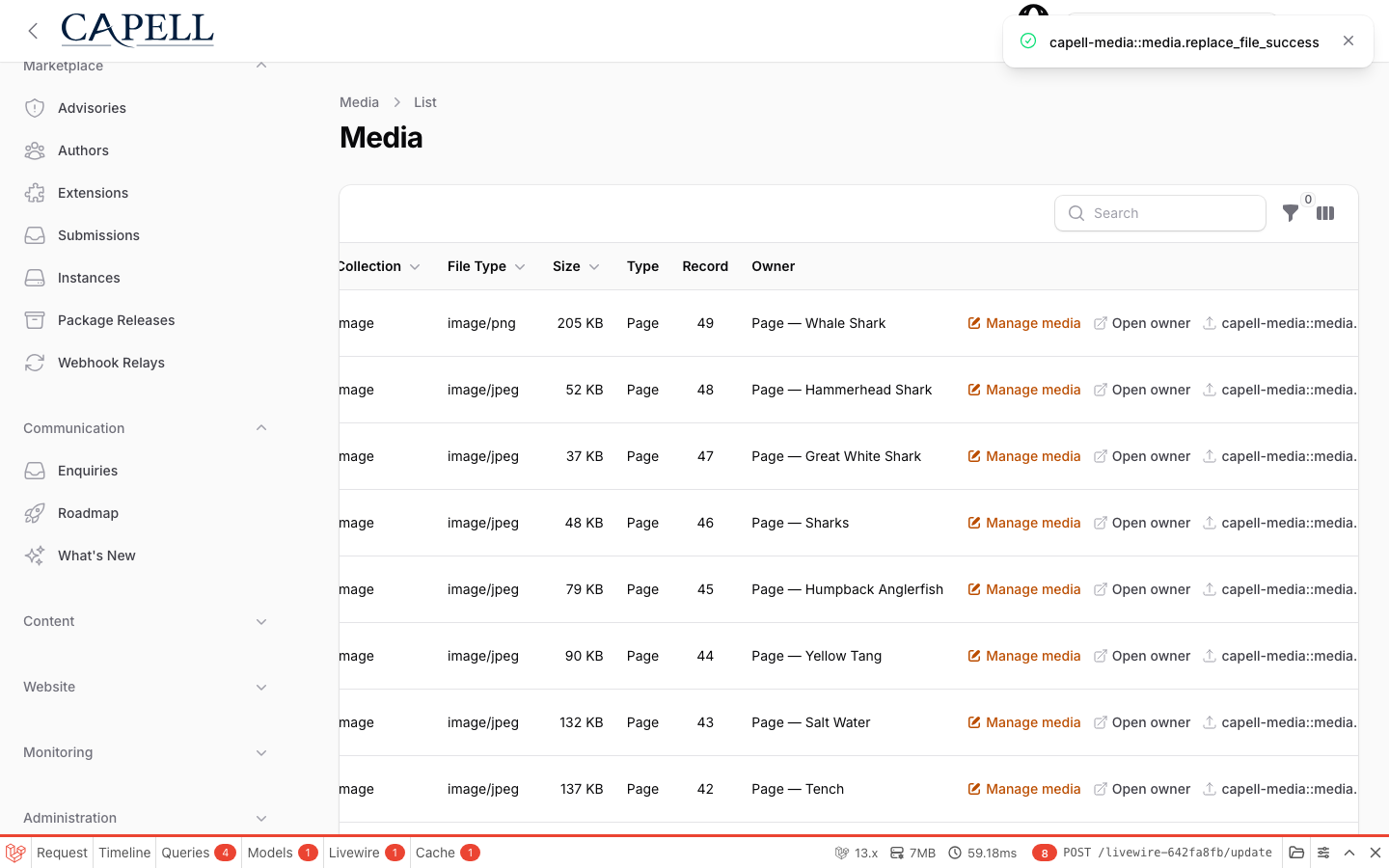
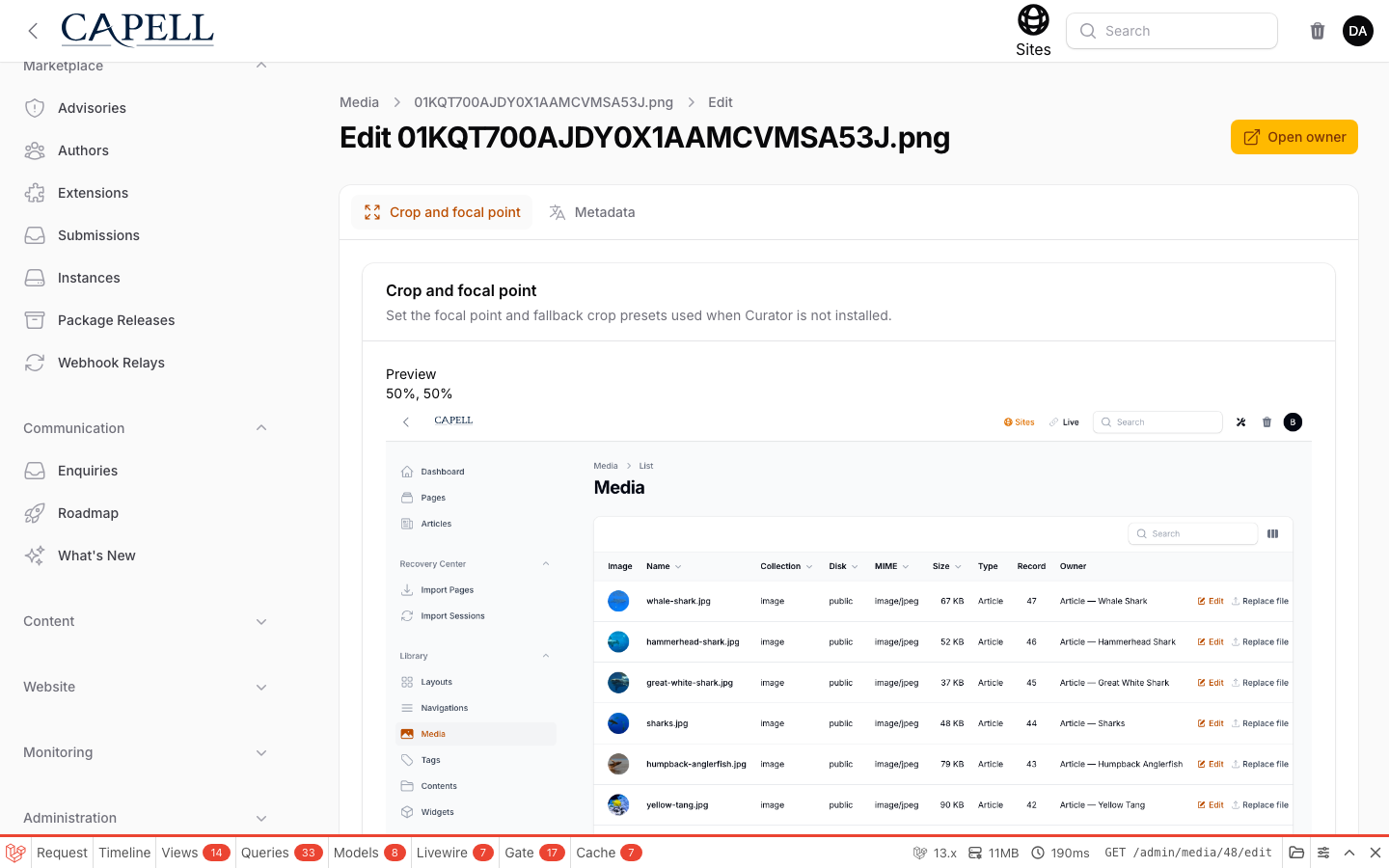
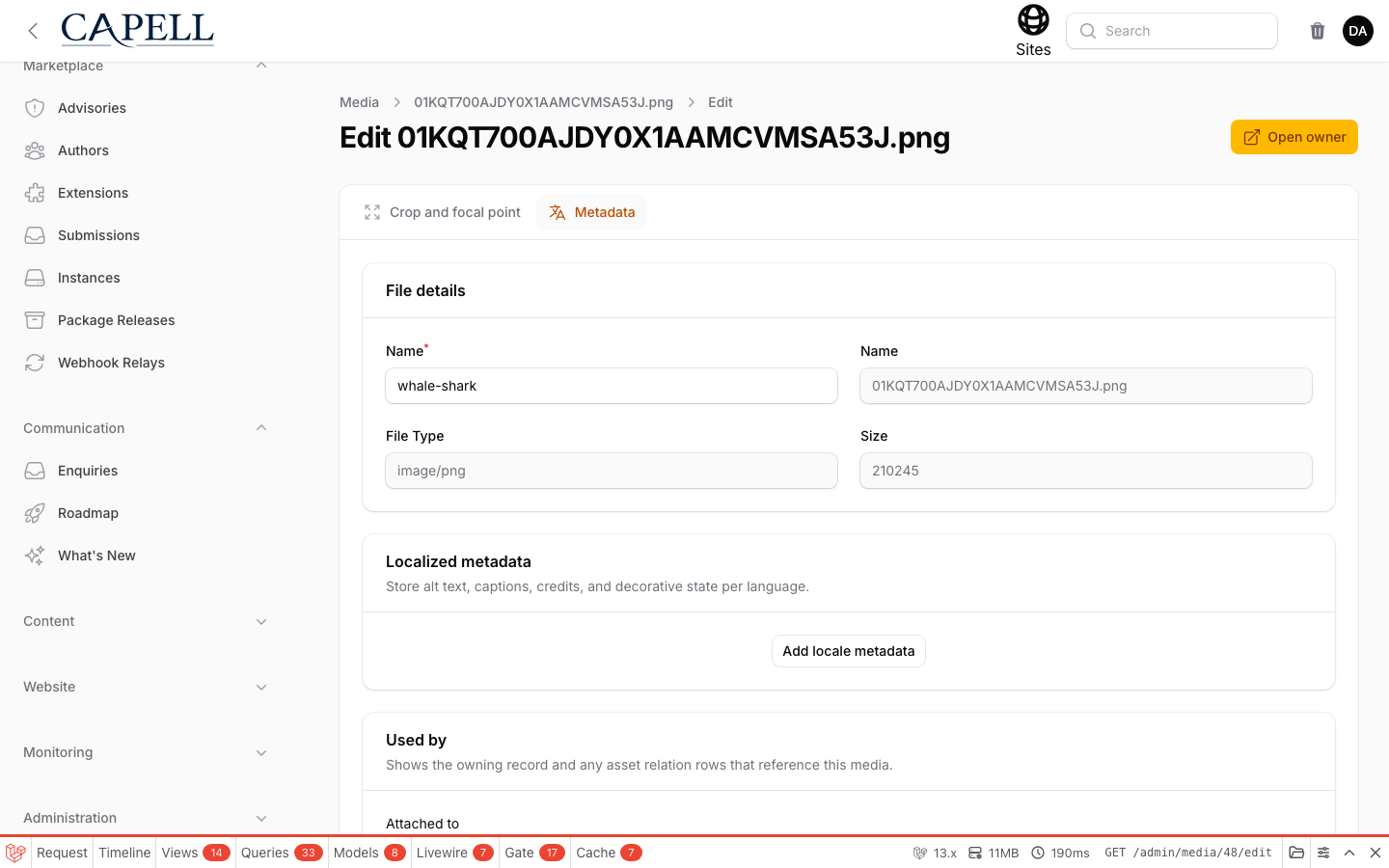
Section titled “Media workflow”| Replace an upload | Set a focal point |
|---|---|
 |  |
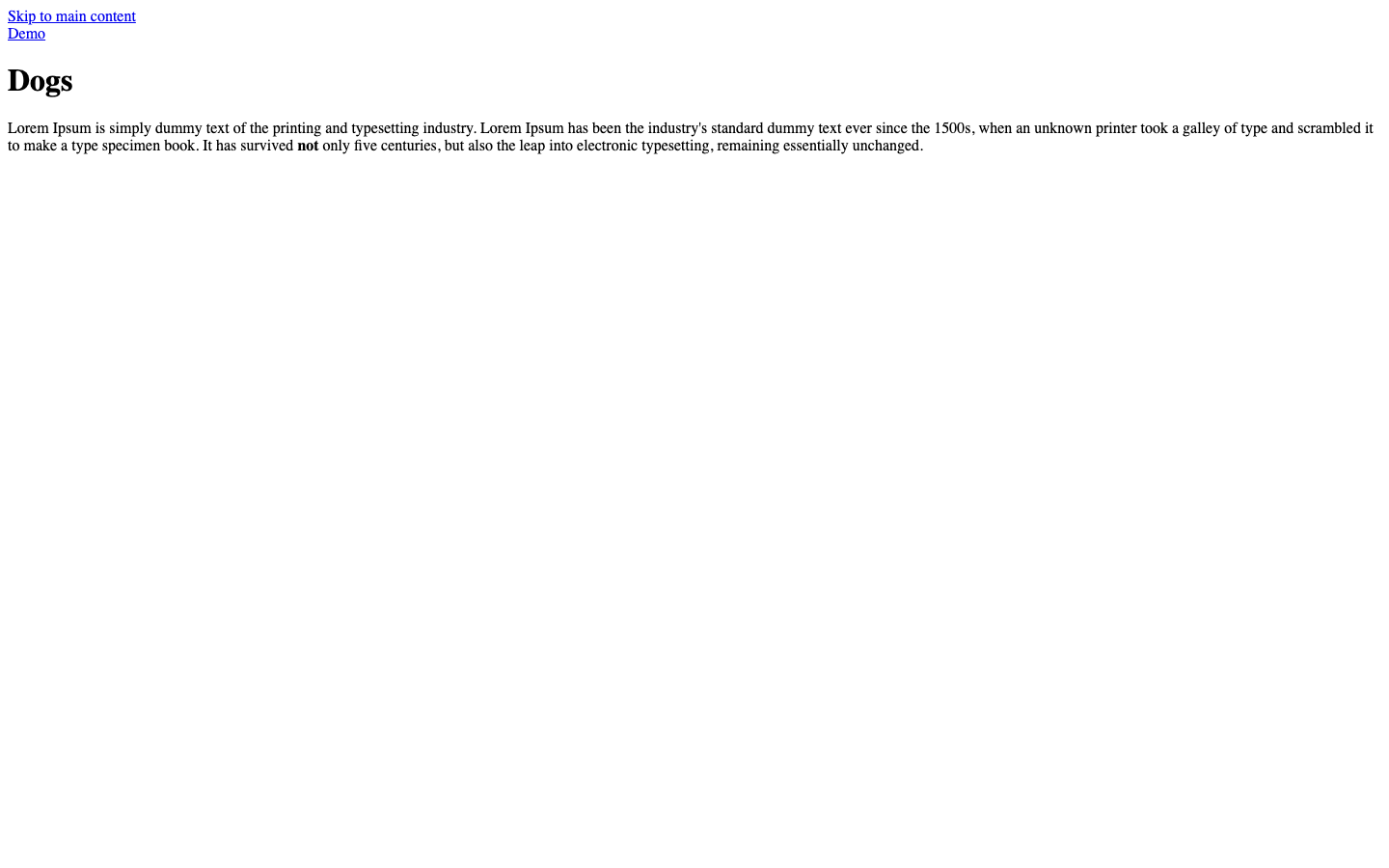
| Localized metadata | Frontend rendering |
 |  |
Screenshot contract:
- Admin index screen: dashboard, Pages index, Media index, Extensions index, and package reports.
- Create/edit screen: Pages create/edit, Media edit, Sites, Layouts, Themes, Users, Roles, and other resources.
- Settings/configuration screen: package-aware settings pages and settings schema contributors.
- Frontend output: not rendered by Admin. Preview and source-map actions hand off to Frontend or authoring packages.
- Package detail or install intent screen: Admin exposes extension entry points; Marketplace owns marketplace detail and install intent screens.
- Carousel steps: not applicable for Admin.
Technical Shape
Section titled “Technical Shape”- Service provider:
Capell\Admin\Providers\AdminServiceProvider. - Filament panel:
AdminPanelProviderregisters the Capell panel, resources, pages, widgets, middleware, auth, avatars, and plugin integration. - Config: admin settings, dashboard settings, report visibility, header navigation, and package extension registries.
- Settings migrations: Admin settings, header navigation tree, configurator path hints, and report visibility.
- Filament resources/pages: page, site, language, layout, theme, media, URL, redirect, role, user, activity, extensions, settings, reports, site health, sitemap, upgrade, and dashboard pages.
- Livewire components: command palette, info banner, header navigation tree, and admin tools.
- Routes: signed theme preview, page-tree API, profile language update, SVG avatars, and protected extension asset delivery.
- Policies/permissions: role and permission sync actions, Shield integration, default role permissions, and resource policies.
- Events/listeners: admin lifecycle events, event registry, dynamic event listeners, and activity actions.
- Jobs/queues: upgrade notification and admin operation jobs where required.
- Blade views/components: Filament pages, settings views, reports, widgets, and admin-only assets.
- Extension hooks: tool registry, user menu registry, resource registration, schema hooks, dashboard Filament widgets, settings schema registry, report registration, and resource header actions.
Data Model
Section titled “Data Model”Admin does not own the main CMS schema.
Admin connects to Core records and package records through Filament resources:
- Core content records: pages, sites, languages, media, layouts, themes, URLs, redirects, translations, extensions, and permissions.
- Admin notification subscriptions and failed job inspection models.
- Settings records installed from Admin settings migrations.
Migration impact:
- Admin has settings migrations only.
- Core creates shared tables used by Admin, including admin notification subscriptions.
Deletion and retention:
- Admin delegates destructive content operations to Core Actions and package Actions.
- Activity, audit, failed-job, and notification data are retained by their owning tables and policies.
Install Impact
Section titled “Install Impact”- Admin navigation: adds the Capell Filament panel, resource navigation, dashboard Filament widgets, system pages, reports, settings, and extension management.
- Permissions: syncs Capell permissions and default role permissions.
- Public routes: none. Admin routes are authenticated or signed as appropriate.
- Database changes: installs Admin settings records; Core owns the data tables.
- Config keys: admin panel path, settings, report visibility, dashboard Filament widgets, header navigation, and package extension registries.
- Queues or scheduled tasks: upgrade notifications and package-contributed admin jobs may run through the queue.
- Cache tags or invalidation paths: admin widgets, configurators, settings schemas, resources, permissions, and package caches can be cleared by Admin commands.
Common Pitfalls
Section titled “Common Pitfalls”- Skipping
php artisan capell:admin-sync-permissionscan hide resources or actions for non-super-admin users. - Adding user-facing strings directly to Filament classes bypasses translation conventions.
- Adding package UI by editing Admin resources directly makes upgrades harder; use schema hooks, resource registration, or tagged extenders.
- Rendering admin identifiers, field paths, signed editor URLs, or package internals in public output violates frontend authoring safety.
- Testing Admin only at the login screen misses permission, navigation, and policy regressions.
- Dashboard Filament widgets and reports should use Actions for domain work rather than embedding queries in the widget class.
Filament CSS layer order
Section titled “Filament CSS layer order”Applications with a non-trivial admin design should use Filament’s custom Vite theme flow: import Filament’s theme stylesheet in the application’s resources/css/filament/{panel}/theme.css, add @source entries for the application’s and package-provided Blade/PHP class producers, register it with the panel’s viteTheme() call, and build it with Vite. That file owns normal admin tokens, components, utilities, and custom styles.
The application theme cannot, however, repair the order of a separately registered Filament stylesheet. Filament renders registered extension stylesheets before the panel’s Vite theme, and CSS layer order is fixed by the first layer declaration encountered. An extension stylesheet that starts with @layer components can therefore make the later theme’s base reset override component utilities. Admin registers resources/css/filament/admin/layer-order.css as a request-loaded Css asset and emits it at PanelsRenderHook::STYLES_BEFORE, establishing Tailwind’s order before any registered package styles load.
Keep this prelude in the Filament asset pipeline. Do not copy it into an application’s Vite theme or replace it with an inline style: both are too late when another registered stylesheet declared a layer first. The Admin install and upgrade commands run filament:assets, which publishes the asset; the application Vite build produces the hashed custom theme separately. After installing or upgrading Admin, verify both the published prelude and the Vite theme independently, then inspect their order in the rendered authenticated admin HTML if styling is missing.
Quick Start
Section titled “Quick Start”- Install the package with
composer require capell-app/admin. - Run setup with
php artisan migrateandphp artisan capell:admin-sync-permissions. - Open the Capell admin panel and verify the dashboard, Pages resource, Media resource, Settings, and Site Health page.
Next Steps
Section titled “Next Steps”- Admin multi-language
- Admin tool registry
- Dashboard Filament widget customization
- Event registry
- Header navigation tree
- Marketing dashboard contributions
- User resource customization
- Resource registration
- Settings schema registry
- Presentation and interactions
- User menu registry
- Schema hooks
- Permissions and approval
- Reports