
AI Orchestrator
Package docs status
Section titled “Package docs status”This page is generated from package source documentation in the Capell packages repository and the checked-in manifest. Source documentation is not distribution status. Before running a Composer command, verify that the exact package and compatible 1.x release are available through public Packagist or the authenticated marketplace account.
| Field | Value |
|---|---|
| Composer package | capell-app/ai-orchestrator |
| Package slug | ai-orchestrator |
| Product group | Capell AI |
| Tier | free |
| Bundle | ai |
| Runtime contexts | admin |
| Capell version | ^1.0 |
| Catalogue role | extension |
| Release channel | Beta |
| Source repository | capell-app/ai-orchestrator |
| Docs source | packages/ai-orchestrator/docs |
| Manifest | capell.json |
Set up an AI service once and the AI Assistant button on the page editing screen is ready to use. An editor picks the fields, adds a few keywords and keeps working while titles, meta descriptions or body text are drafted in the background. Nothing reaches the live site until the editor reviews a suggestion and saves the page.
AI Orchestrator is the shared setup behind that button. An administrator picks the AI service, adds your own key and lists the models allowed. They also set a brand voice with a tone, words to avoid and examples.
You need your own account with an AI service, or a self-hosted Ollama, and the site’s background processing has to be running. By default, emails and phone numbers are swapped for placeholders before text is sent, but names and addresses are not. What comes back is a set of title and description options to choose from and a content draft to edit, in the language version the editor picked.
- Price and availability: Check current availability and price on the Capell Marketplace listing.
- Licence: Check the licence terms on the Capell Marketplace listing.
- Requires:
PHP ^8.4,capell-app/admin ^1.0.78,capell-app/core ^1.0.79,lorisleiva/laravel-actions ^2.8,prism-php/prism ^0.100,spatie/laravel-data ^4.5,spatie/laravel-package-tools ^1.14.1. - Install:
composer require capell-app/ai-orchestrator.
Quick Start
Section titled “Quick Start”- Install the package:
composer require capell-app/ai-orchestrator. - Open the package admin page or resource and verify AI Orchestrator is available.
For Developers
Section titled “For Developers”Packages implement AIOrchestratorModule and register typed capabilities, while RunAIOrchestratorCapabilityAction enforces runnable actions, authorisation, and policy guardrails in one place.
Configure
Section titled “Configure”- Configuration files:
config/capell-ai-orchestrator.php. - Admin settings:
Capell\AIOrchestrator\Settings\AIOrchestratorSettings. - Commands:
php artisan capell:ai-orchestrator:prune-generation-payloads.
Limits And Pitfalls
Section titled “Limits And Pitfalls”- Install the required Capell packages at the versions in
composer.json:capell-app/admin ^1.0.78,capell-app/core ^1.0.79. - Run migrations before opening package resources or public routes.
- Keep the host Laravel scheduler running so package-registered schedules can execute:
capell:ai-orchestrator:prune-generation-payloads (daily; package registered).
Screens And Workflow
Section titled “Screens And Workflow”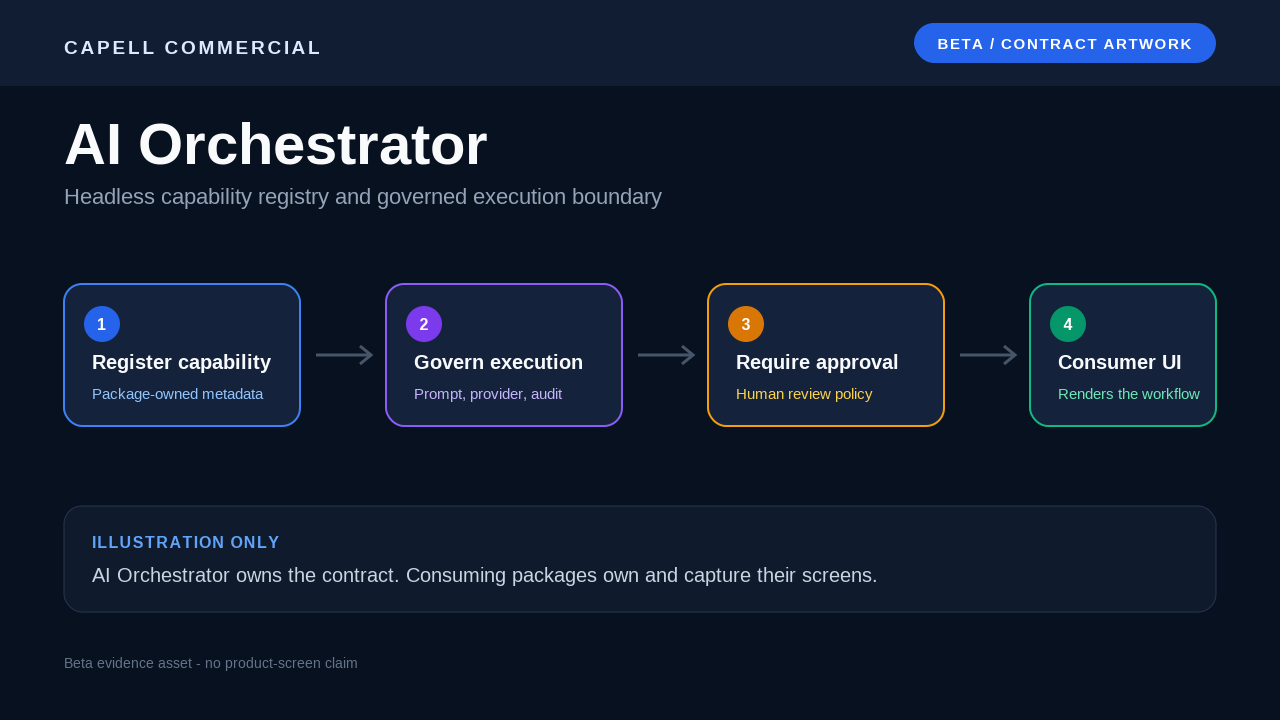
- AI Orchestrator beta contract artwork (marketplace).
Install Impact
Section titled “Install Impact”- Required packages:
capell-app/admin,capell-app/core. - Admin navigation: declares
admin-page: AiOrchestratorAdminPageContribution; each Filament page or resource controls its own navigation visibility. - Admin/editor extensions: none declared.
- Permissions: no package permission declarations or Shield gates detected; host access rules still apply.
- Public routes: none declared.
- Database changes: package migrations are declared.
- Config:
config/capell-ai-orchestrator.php. - Settings:
Capell\AIOrchestrator\Settings\AIOrchestratorSettings. - Queues or schedules: scheduled commands
capell:ai-orchestrator:prune-generation-payloads (daily; package registered); queue jobsRunAiAssistantGenerationJob. - Cache tags: none declared.
- Commands:
capell:ai-orchestrator:prune-generation-payloads.
Troubleshooting
Section titled “Troubleshooting”| Symptom | Likely cause | Check | Fix |
|---|---|---|---|
| Package surface is missing after install | Provider or manifest is not loaded | Confirm capell.json, package composer.json, and provider registration | Reinstall the package, refresh Composer autoload, and clear host caches |
| Admin screen or command fails on missing table | Package migrations have not run | Check the tables listed in Data Model | Run host migrations and rerun the focused package test |
| Background work does not run | Queue worker or declared schedule is not active | Check the jobs and scheduled commands listed in Technical Shape | Start the queue worker or host scheduler, then run the focused command or package test |
Upgrading
Section titled “Upgrading”Read CHANGELOG.md before upgrading.
Unreleased: 2.0 migration
Section titled “Unreleased: 2.0 migration”-
Remove calls to
AiSpendGuard,AiSpendReservationData,AssertAiModelPriceConfiguredAction,AssertAiRequestBudgetAction, andEstimateAiGenerationCostAction. -
Move financial authorisation and settlement to the consuming application. Pass only caller-issued execution allowances and opaque
reservation_referenceevidence to managed provider calls. -
Stop treating legacy
ai_generation_histories.cost_microsandcost_currencycolumns as live producer-owned cost authority. They remain in historical schemas only for upgrade compatibility. -
Prepared package metadata and documentation for ongoing Capell 0.0.x package work.
Next Steps
Section titled “Next Steps”- Package docs
- Overview
- Worked extension examples
- Configuration files:
config/capell-ai-orchestrator.php. - Troubleshooting
- Developer reference
- Marketplace assets
- Capell content language plan
- Capell documentation design system
- Capell and package ERD notes
- Related packages: AI Creator, Content Sections, Media AI, SEO Checks, Translation Manager.