
Theme Catalogue
Package docs status
Section titled “Package docs status”This page is generated from package source documentation in the Capell packages repository and the checked-in manifest. Source documentation is not distribution status. Before running a Composer command, verify that the exact package and compatible 1.x release are available through public Packagist or the authenticated marketplace account.
| Field | Value |
|---|---|
| Composer package | capell-app/theme-catalogue |
| Package slug | theme-catalogue |
| Product group | Capell Themes |
| Tier | premium |
| Bundle | themes |
| Runtime contexts | frontend |
| Capell version | ^1.0 |
| Catalogue role | extension |
| Release channel | Beta |
| Source repository | capell-app/packages |
| Source path | packages/theme-catalogue |
| Docs source | packages/theme-catalogue/docs |
| Manifest | capell.json |
What This Plugin Adds
Section titled “What This Plugin Adds”Theme Catalogue is an Available, No schema impact Capell theme in the Capell Themes product group. It ships as capell-app/theme-catalogue and extends these surfaces: frontend.
Theme Catalogue adds taxonomy filters, dense listing grids, and featured-design sections for catalogue-style Capell sites. It supplies presentation templates only; Capell remains responsible for page and content data.
When the theme is selected, visitors see a reference-library presentation with taxonomy-led browsing. Editors continue to manage the underlying content through Capell.
Status details:
- Status: Available
- Tier: premium
- Bundle: themes
- Composer package:
capell-app/theme-catalogue - Namespace:
Capell\ThemeCatalogue - Theme key:
catalogue
Why It Matters
Section titled “Why It Matters”For developers: The service provider registers a Foundation-derived theme definition and maps catalogue section keys to package Blade views.
For teams: Teams can present large reference collections with consistent filters and listing views without maintaining a separate catalogue frontend.
Screens And Workflow
Section titled “Screens And Workflow”Screenshot contract: docs/screenshots.json.


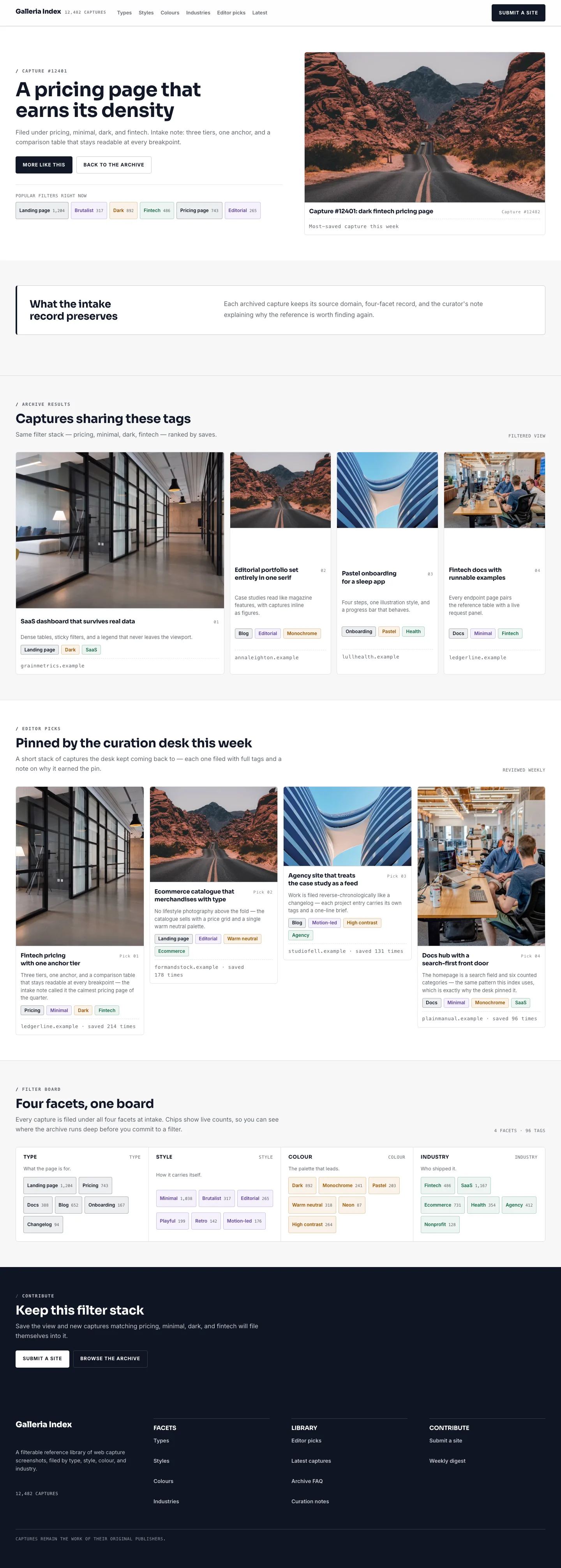
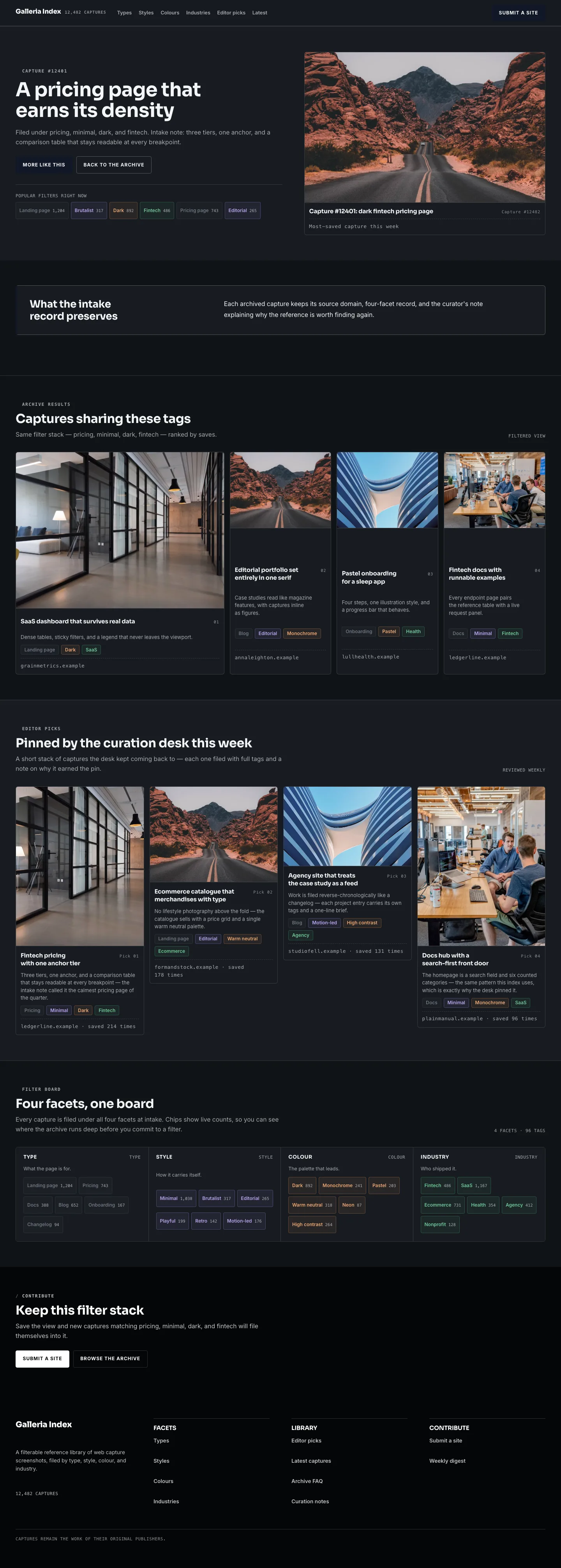
Desktop, tablet, and mobile variants remain defined in the screenshot contract; this list groups them by workflow.
- Catalogue Homepage (frontend, required evidence).
- Catalogue Landing page (frontend, required evidence).
- Catalogue Filter archive (frontend, required evidence).
- Catalogue Search results (frontend, required evidence).
- Catalogue Contact form (frontend, required evidence).
- Catalogue Page Not Found (frontend, supplementary evidence).
- Catalogue Call To Action (frontend, supplementary evidence).
Technical Shape
Section titled “Technical Shape”Service providers
Section titled “Service providers”Capell\ThemeCatalogue\CatalogueThemeServiceProviderCapell\ThemeCatalogue\Providers\ConsoleServiceProvider
Actions
Section titled “Actions”InstallCatalogueThemeDemoAction
Command signatures
Section titled “Command signatures”capell:theme-catalogue-demo
Console command classes
Section titled “Console command classes”DemoCommand
Manifest contributions
Section titled “Manifest contributions”admin-page: Capell\ThemeCatalogue\Manifest\ThemeManagementPageContribution
Health checks
Section titled “Health checks”Capell\ThemeCatalogue\Health\ThemeCatalogueHealthCheck
Blade views
Section titled “Blade views”packages/theme-catalogue/resources/views/page.blade.phppackages/theme-catalogue/resources/views/sections/blog-mission.blade.phppackages/theme-catalogue/resources/views/sections/content-listing.blade.phppackages/theme-catalogue/resources/views/sections/cta--browse.blade.phppackages/theme-catalogue/resources/views/sections/cta.blade.phppackages/theme-catalogue/resources/views/sections/editor-picks--alternating.blade.phppackages/theme-catalogue/resources/views/sections/editor-picks.blade.phppackages/theme-catalogue/resources/views/sections/faq-archives--two-column.blade.phppackages/theme-catalogue/resources/views/sections/faq-archives.blade.phppackages/theme-catalogue/resources/views/sections/filter-hero.blade.phppackages/theme-catalogue/resources/views/sections/footer.blade.phppackages/theme-catalogue/resources/views/sections/hero.blade.phppackages/theme-catalogue/resources/views/sections/latest-designs--showcase-wide.blade.phppackages/theme-catalogue/resources/views/sections/latest-designs.blade.phppackages/theme-catalogue/resources/views/sections/navigation.blade.phppackages/theme-catalogue/resources/views/sections/newsletter.blade.phppackages/theme-catalogue/resources/views/sections/proof.blade.phppackages/theme-catalogue/resources/views/sections/taxonomy-grid-browser--compact.blade.phppackages/theme-catalogue/resources/views/sections/taxonomy-grid-browser.blade.phppackages/theme-catalogue/resources/views/sections/taxonomy-navigation.blade.phppackages/theme-catalogue/resources/views/widget/section.blade.php
Cache tags
Section titled “Cache tags”theme-catalogue
Data Model
Section titled “Data Model”This theme has no schema impact. It relies on core Capell site, page, locale, and theme records instead of declaring package-owned tables.
Install Impact
Section titled “Install Impact”- Required packages:
capell-app/core,capell-app/theme-foundation,capell-app/frontend. - Admin navigation: declares
admin-page: ThemeManagementPageContribution; each Filament page or resource controls its own navigation visibility. - Admin/editor extensions: none declared.
- Permissions: no package permission declarations or Shield gates detected; host access rules still apply.
- Public routes: none declared.
- Database changes: no package migrations declared.
- Config: no package config files.
- Settings: no package settings declared.
- Queues or schedules: none declared.
- Cache tags:
theme-catalogue. - Commands:
capell:theme-catalogue-demo.
Common Pitfalls
Section titled “Common Pitfalls”- Keep required Capell packages on compatible v4 releases:
capell-app/core,capell-app/theme-foundation,capell-app/frontend. - Keep public Blade and cached HTML free of authoring markers, model IDs, permissions, signed editor URLs, and lazy database queries.
- Custom write integrations must preserve invalidation for
theme-cataloguecache tags.
Troubleshooting
Section titled “Troubleshooting”| Symptom | Likely cause | Check | Fix |
|---|---|---|---|
| Package surface is missing after install | Provider or manifest is not loaded | Confirm capell.json, package composer.json, and provider registration | Reinstall the package, refresh Composer autoload, and clear host caches |
| Public output leaks unexpected state | Render data, cache variation, or authoring boundary has regressed | Check public Blade, cache tags, and public-output safety tests | Move data loading out of Blade and rerun the package public-output tests |
Quick Start
Section titled “Quick Start”- Install the package:
composer require capell-app/theme-catalogue. - See it working: run
php artisan capell:theme-catalogue-demo. - Open
/theme-catalogueand confirm the public output renders without admin state.