
Dashboard Reports
Package docs status
Section titled “Package docs status”This page is generated from package source documentation in the Capell packages repository and the checked-in manifest. Source documentation is not distribution status. Before running a Composer command, verify that the exact package and compatible 1.x release are available through public Packagist or the authenticated marketplace account.
| Field | Value |
|---|---|
| Composer package | capell-app/dashboard-reports |
| Package slug | dashboard-reports |
| Product group | Capell Publishing |
| Tier | premium |
| Bundle | publishing |
| Runtime contexts | admin |
| Capell version | ^1.0 |
| Catalogue role | extension |
| Release channel | Beta |
| Source repository | capell-app/packages |
| Source path | packages/dashboard-reports |
| Docs source | packages/dashboard-reports/docs |
| Manifest | capell.json |
What This Plugin Adds
Section titled “What This Plugin Adds”Dashboard Reports is an Available, No schema impact Capell package in the Capell Publishing product group. It ships as capell-app/dashboard-reports and extends these surfaces: admin.
Dashboard Reports adds content health and publishing trend reports to the Capell admin dashboard, with CSV export and scheduled digest support.
Editors see page health and publishing activity when they open the dashboard, and site owners can control which report widgets are visible.
Status details:
- Status: Available
- Tier: premium
- Bundle: publishing
- Composer package:
capell-app/dashboard-reports - Namespace:
Capell\DashboardReports - Theme key: not applicable
Why It Matters
Section titled “Why It Matters”For developers: Report queries, settings resolution, and exports live in focused Actions and providers, leaving the widgets thin and testable.
For teams: Teams can spot scheduled, expired, stale, or incomplete page records early and share the underlying data by export or digest.
Screens And Workflow
Section titled “Screens And Workflow”Screenshot contract: docs/screenshots.json.
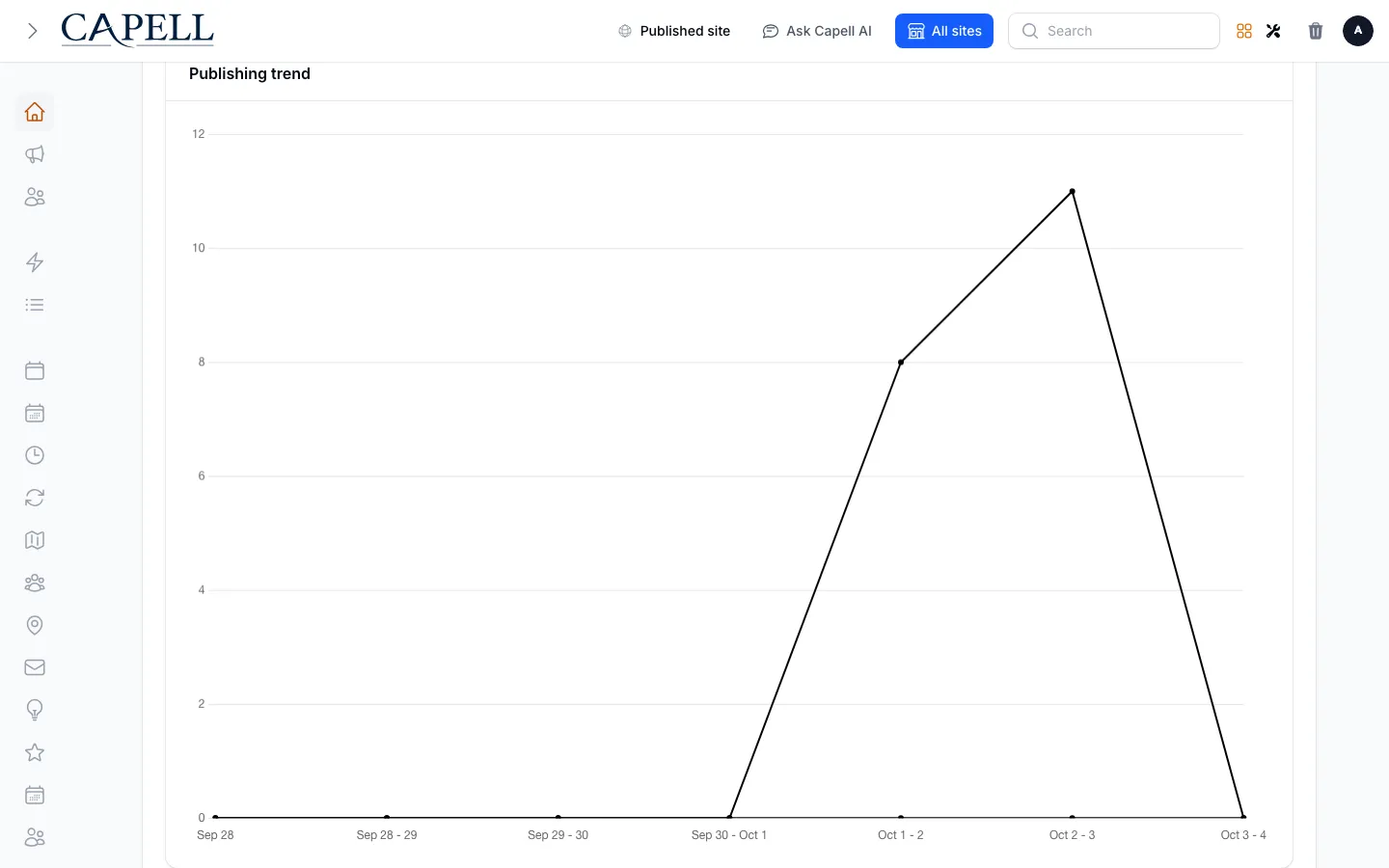
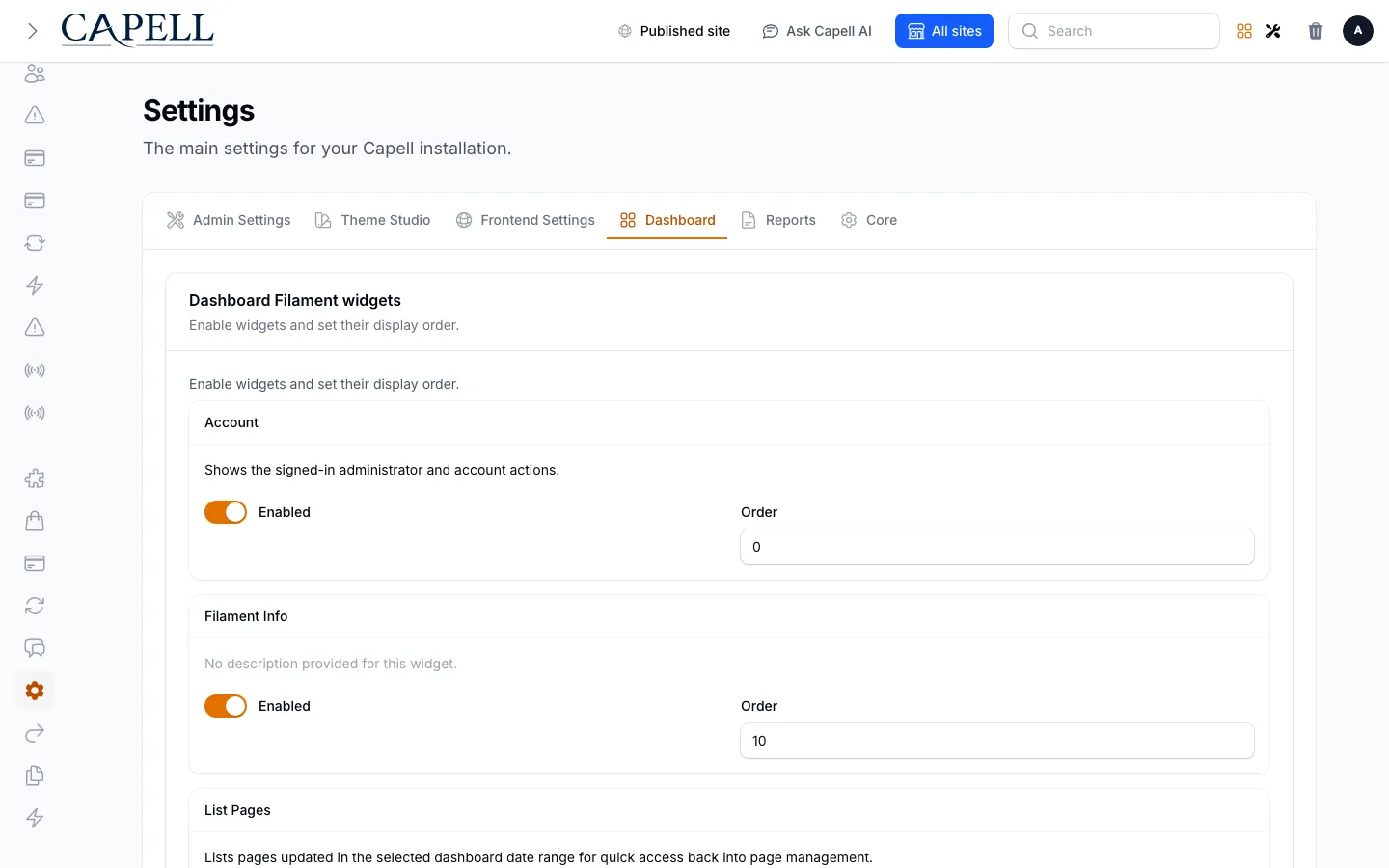
- Publishing trend dashboard widget (admin, required evidence).
- Content health dashboard widget (admin, supplementary evidence).
- Dashboard report visibility settings (admin, required evidence).
- Publishing trend dashboard widget with admin sidebar menu open (admin, supplementary evidence).
Technical Shape
Section titled “Technical Shape”Service providers
Section titled “Service providers”Capell\DashboardReports\Providers\DashboardReportsServiceProviderCapell\DashboardReports\Providers\AdminServiceProvider
Config files
Section titled “Config files”packages/dashboard-reports/config/capell-dashboard-reports.php
Filament classes
Section titled “Filament classes”DashboardReportsPageTableExtenderDashboardReportsDashboardSettingsContributorContentHealthFilamentWidgetPublishingTrendChartFilamentWidget
Actions
Section titled “Actions”BuildDefaultContentHealthActionBuildPublishingTrendActionExportContentHealthCsvActionExportPublishingTrendCsvActionSendDashboardReportDigestAction
Data objects
Section titled “Data objects”PublishingTrendDataPublishingTrendPointDataResolvedDashboardReportsSettingsData
Command signatures
Section titled “Command signatures”capell:dashboard-reports:exportcapell:dashboard-reports:send-digest
Console command classes
Section titled “Console command classes”ExportDashboardReportCommandSendDashboardReportDigestCommand
Manifest contributions
Section titled “Manifest contributions”dashboard-widget: Capell\DashboardReports\Manifest\DashboardReportsDashboardFilamentWidgetsContribution
Health checks
Section titled “Health checks”Capell\DashboardReports\Health\DashboardReportsHealthCheck
Blade views
Section titled “Blade views”packages/dashboard-reports/resources/views/widgets/content-health.blade.php
Data Model
Section titled “Data Model”This package has no schema impact. It extends Capell through dashboard-widget contributions instead of declaring package-owned tables.
Install Impact
Section titled “Install Impact”- Required packages:
capell-app/admin,capell-app/core. - Admin navigation: no admin page or resource contribution is declared.
- Admin/editor extensions:
dashboard-widget: DashboardReportsDashboardFilamentWidgetsContribution. - Permissions: no package permission declarations or Shield gates detected; host access rules still apply.
- Public routes: none declared.
- Database changes: no package migrations declared.
- Config:
config/capell-dashboard-reports.php. - Settings: no package settings declared.
- Queues or schedules: none declared.
- Cache tags: none declared.
- Commands:
capell:dashboard-reports:export,capell:dashboard-reports:send-digest.
Common Pitfalls
Section titled “Common Pitfalls”- Keep required Capell packages on compatible v4 releases:
capell-app/admin,capell-app/core. - Review package configuration before production-like verification:
config/capell-dashboard-reports.php.
Troubleshooting
Section titled “Troubleshooting”| Symptom | Likely cause | Check | Fix |
|---|---|---|---|
| Package surface is missing after install | Provider or manifest is not loaded | Confirm capell.json, package composer.json, and provider registration | Reinstall the package, refresh Composer autoload, and clear host caches |
Quick Start
Section titled “Quick Start”- Install the package:
composer require capell-app/dashboard-reports. - Open the package admin surface at
/adminand confirm Dashboard Reports is available.