
Theme Liquid Glass
Package docs status
Section titled “Package docs status”This page is generated from package source documentation in the Capell packages repository and the checked-in manifest. Source documentation is not distribution status. Before running a Composer command, verify that the exact package and compatible 1.x release are available through public Packagist or the authenticated marketplace account.
| Field | Value |
|---|---|
| Composer package | capell-app/theme-liquid-glass |
| Package slug | theme-liquid-glass |
| Product group | Capell Themes |
| Tier | free |
| Bundle | themes |
| Runtime contexts | frontend |
| Capell version | ^1.0 |
| Catalogue role | extension |
| Release channel | Released |
| Source repository | capell-app/packages |
| Source path | packages/theme-liquid-glass |
| Docs source | packages/theme-liquid-glass/docs |
| Manifest | capell.json |
What This Plugin Adds
Section titled “What This Plugin Adds”Theme Liquid Glass is an Available, No schema impact Capell theme in the Capell Themes product group. It ships as capell-app/theme-liquid-glass and extends these surfaces: frontend.
Theme Liquid Glass adds translucent layers, depth, refraction grids, and floating navigation to Capell page presentation. Capell and Layout Builder retain ownership of the page data.
When selected, Layout Builder pages render with the theme’s glass-layered visual system while preserving the existing content structure.
Status details:
- Status: Available
- Tier: free
- Bundle: themes
- Composer package:
capell-app/theme-liquid-glass - Namespace:
Capell\ThemeLiquidGlass - Theme key:
liquid-glass
Why It Matters
Section titled “Why It Matters”For developers: Typed widget keys and a layout-native provider connect bespoke presentation to the shared Layout Builder container pipeline.
For teams: Design teams can apply a consistent glass treatment across hero, grid, and navigation sections without relocating content into theme-specific storage.
Screens And Workflow
Section titled “Screens And Workflow”Screenshot contract: docs/screenshots.json.
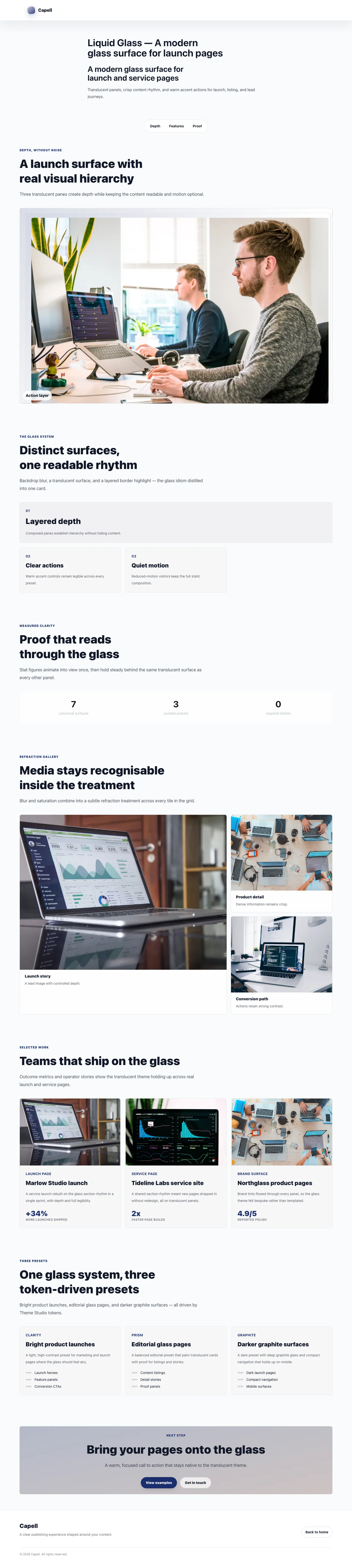
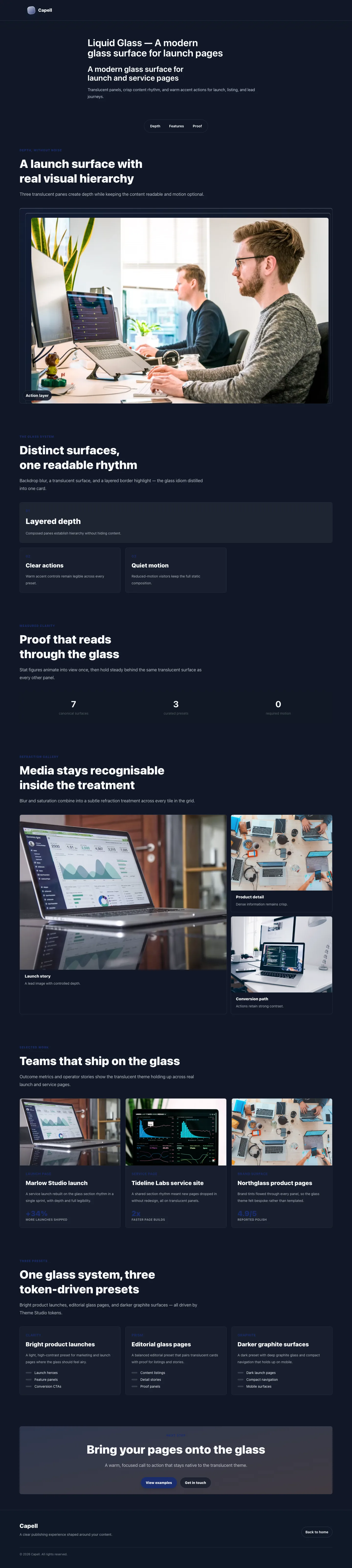
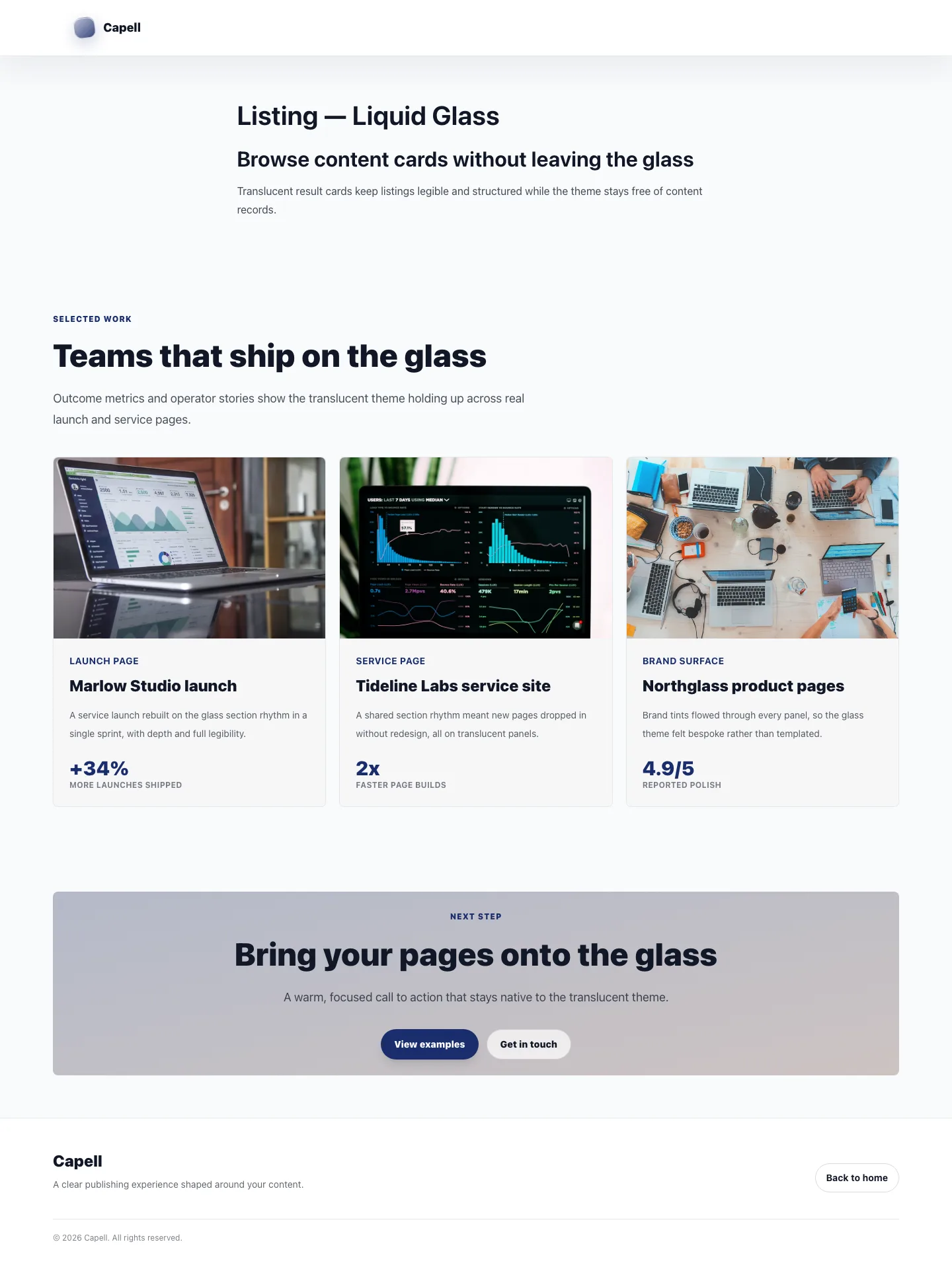
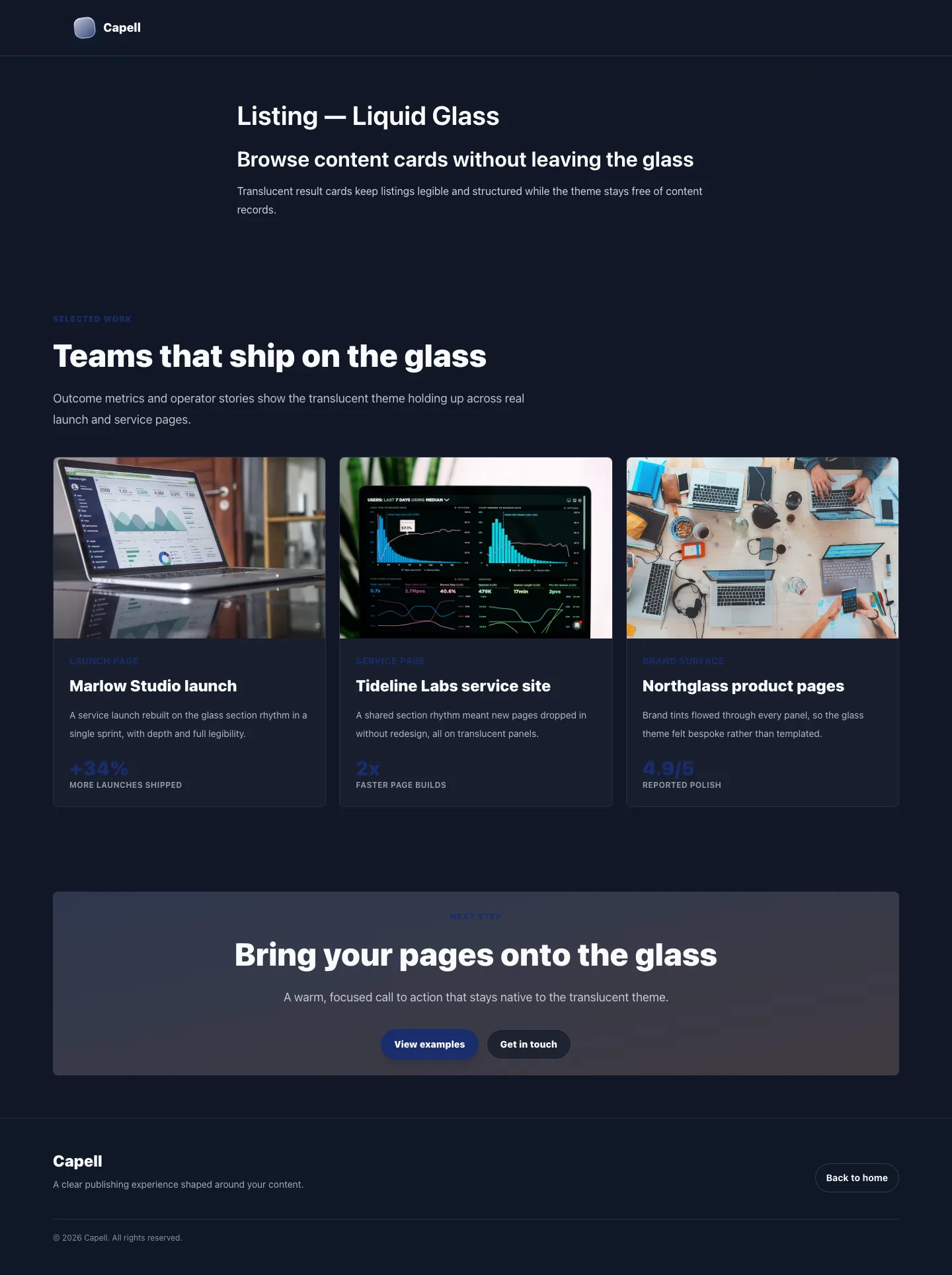
Desktop, tablet, and mobile variants remain defined in the screenshot contract; this list groups them by workflow.
- Liquid Glass Homepage (frontend, required evidence).
- Liquid Glass Directory (frontend, required evidence).
- Liquid Glass Detail Article (frontend, required evidence).
- Liquid Glass Contact (frontend, required evidence).
- Liquid Glass Empty State (frontend, required evidence).
- Liquid Glass Page Not Found (frontend, supplementary evidence).
- Liquid Glass Call To Action (frontend, supplementary evidence).
Technical Shape
Section titled “Technical Shape”Service providers
Section titled “Service providers”Capell\ThemeLiquidGlass\LiquidGlassThemeServiceProviderCapell\ThemeLiquidGlass\Providers\ConsoleServiceProvider
Actions
Section titled “Actions”InstallLiquidGlassThemeDemoAction
Command signatures
Section titled “Command signatures”capell:theme-liquid-glass-demo
Console command classes
Section titled “Console command classes”DemoCommand
Manifest contributions
Section titled “Manifest contributions”admin-page: Capell\ThemeLiquidGlass\Manifest\ThemeManagementPageContribution
Health checks
Section titled “Health checks”Capell\ThemeLiquidGlass\Health\ThemeLiquidGlassHealthCheck
Blade views
Section titled “Blade views”packages/theme-liquid-glass/resources/views/footer.blade.phppackages/theme-liquid-glass/resources/views/header/index.blade.phppackages/theme-liquid-glass/resources/views/sections/content-listing.blade.phppackages/theme-liquid-glass/resources/views/sections/cta.blade.phppackages/theme-liquid-glass/resources/views/sections/features.blade.phppackages/theme-liquid-glass/resources/views/sections/footer.blade.phppackages/theme-liquid-glass/resources/views/sections/hero.blade.phppackages/theme-liquid-glass/resources/views/sections/navigation.blade.phppackages/theme-liquid-glass/resources/views/sections/presets.blade.phppackages/theme-liquid-glass/resources/views/sections/proof.blade.phppackages/theme-liquid-glass/resources/views/sections/showcase.blade.phppackages/theme-liquid-glass/resources/views/widget/cta.blade.phppackages/theme-liquid-glass/resources/views/widget/floating-glass-nav.blade.phppackages/theme-liquid-glass/resources/views/widget/glass-feature-card.blade.phppackages/theme-liquid-glass/resources/views/widget/layered-depth-hero.blade.phppackages/theme-liquid-glass/resources/views/widget/presets.blade.phppackages/theme-liquid-glass/resources/views/widget/refraction-grid.blade.phppackages/theme-liquid-glass/resources/views/widget/showcase.blade.phppackages/theme-liquid-glass/resources/views/widget/translucent-stat-band.blade.php
Cache tags
Section titled “Cache tags”theme-liquid-glass
Data Model
Section titled “Data Model”This theme has no schema impact. It relies on core Capell site, page, locale, and theme records instead of declaring package-owned tables.
Install Impact
Section titled “Install Impact”- Required packages:
capell-app/core,capell-app/theme-foundation,capell-app/frontend,capell-app/layout-builder. - Admin navigation: declares
admin-page: ThemeManagementPageContribution; each Filament page or resource controls its own navigation visibility. - Admin/editor extensions: none declared.
- Permissions: no package permission declarations or Shield gates detected; host access rules still apply.
- Public routes: none declared.
- Database changes: no package migrations declared.
- Config: no package config files.
- Settings: no package settings declared.
- Queues or schedules: none declared.
- Cache tags:
theme-liquid-glass. - Commands:
capell:theme-liquid-glass-demo.
Common Pitfalls
Section titled “Common Pitfalls”- Keep required Capell packages on compatible v4 releases:
capell-app/core,capell-app/theme-foundation,capell-app/frontend,capell-app/layout-builder. - Keep public Blade and cached HTML free of authoring markers, model IDs, permissions, signed editor URLs, and lazy database queries.
- Custom write integrations must preserve invalidation for
theme-liquid-glasscache tags.
Troubleshooting
Section titled “Troubleshooting”| Symptom | Likely cause | Check | Fix |
|---|---|---|---|
| Package surface is missing after install | Provider or manifest is not loaded | Confirm capell.json, package composer.json, and provider registration | Reinstall the package, refresh Composer autoload, and clear host caches |
| Public output leaks unexpected state | Render data, cache variation, or authoring boundary has regressed | Check public Blade, cache tags, and public-output safety tests | Move data loading out of Blade and rerun the package public-output tests |
Quick Start
Section titled “Quick Start”- Install the package:
composer require capell-app/theme-liquid-glass. - See it working: run
php artisan capell:theme-liquid-glass-demo. - Open
/theme-liquid-glassand confirm the public output renders without admin state.