
Theme SaaS
Package docs status
Section titled “Package docs status”This page is generated from package source documentation in the Capell packages repository and the checked-in manifest. Source documentation is not distribution status. Before running a Composer command, verify that the exact package and compatible 1.x release are available through public Packagist or the authenticated marketplace account.
| Field | Value |
|---|---|
| Composer package | capell-app/theme-saas |
| Package slug | theme-saas |
| Product group | Capell Themes |
| Tier | premium |
| Bundle | themes |
| Runtime contexts | frontend |
| Capell version | ^1.0 |
| Catalogue role | extension |
| Release channel | Beta |
| Source repository | capell-app/packages |
| Source path | packages/theme-saas |
| Docs source | packages/theme-saas/docs |
| Manifest | capell.json |
What This Plugin Adds
Section titled “What This Plugin Adds”Theme SaaS is an Available, No schema impact Capell theme in the Capell Themes product group. It ships as capell-app/theme-saas and extends these surfaces: frontend.
Theme SaaS adds landing-page and template-gallery presentation with screenshot cards, pricing, votes, and related offers. It renders Capell-managed content without taking ownership of product or page data.
When selected, visitors can browse visual examples and paid templates in a product-oriented gallery experience.
Status details:
- Status: Available
- Tier: premium
- Bundle: themes
- Composer package:
capell-app/theme-saas - Namespace:
Capell\ThemeSaas - Theme key:
saas
Why It Matters
Section titled “Why It Matters”For developers: A typed theme definition maps SaaS section keys to package Blade views and keeps public rendering covered by focused tests.
For teams: Marketing teams can present examples, prices, and related offers in one consistent site treatment while retaining Capell’s editing workflow.
Screens And Workflow
Section titled “Screens And Workflow”Screenshot contract: docs/screenshots.json.
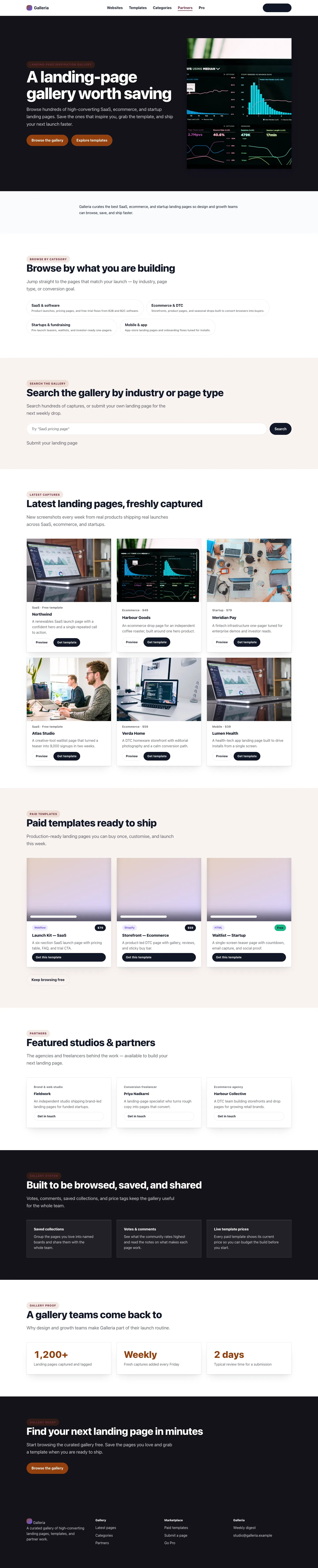
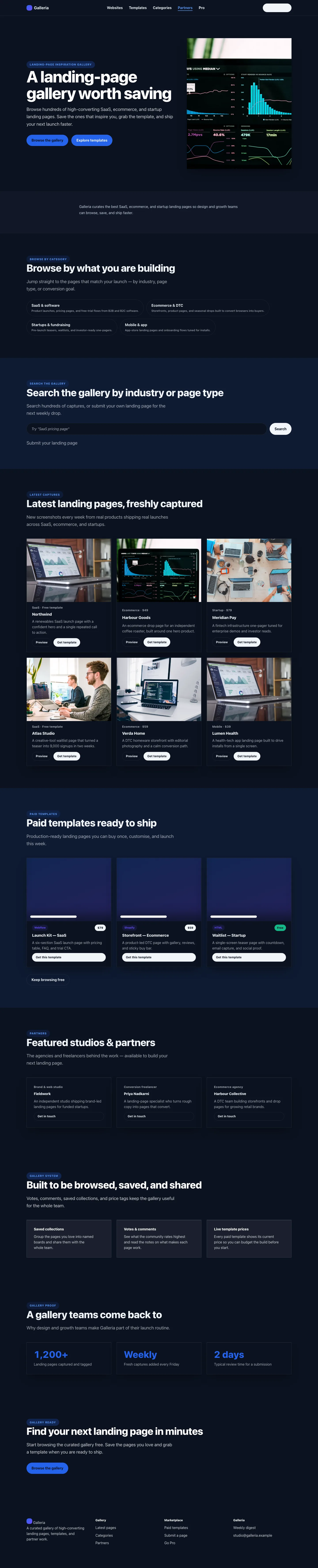
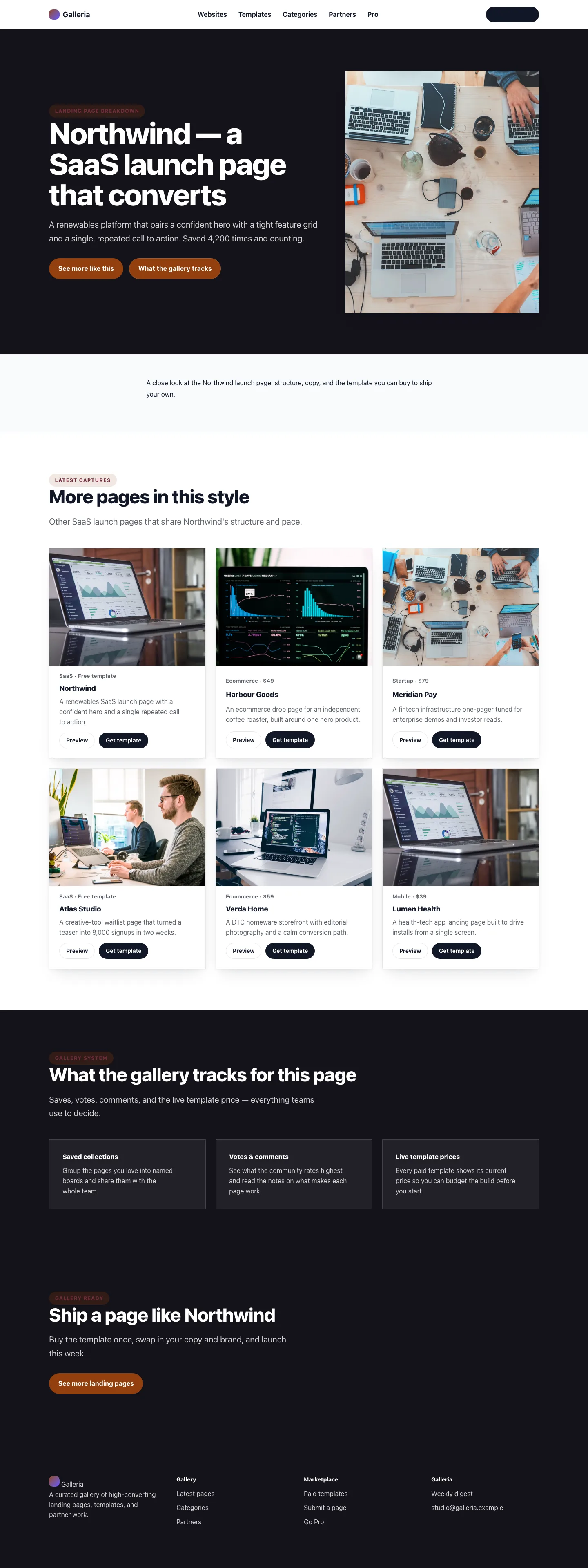
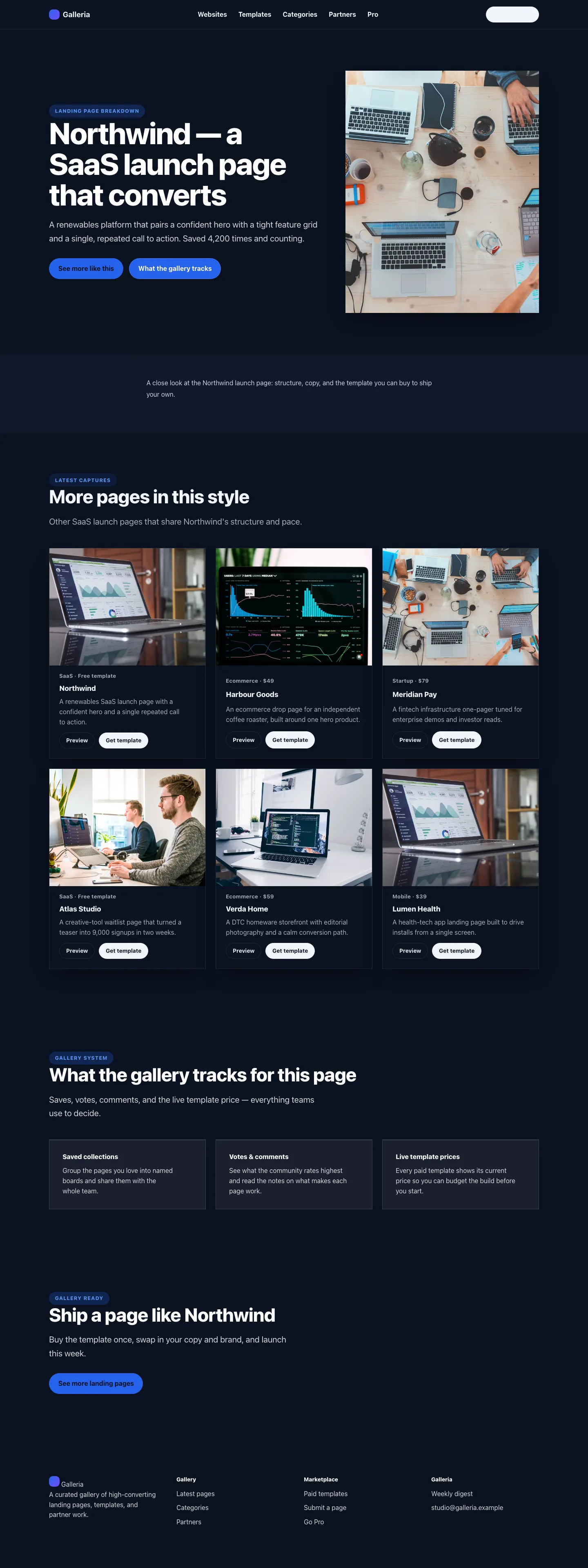
Desktop, tablet, and mobile variants remain defined in the screenshot contract; this list groups them by workflow.
- SaaS Homepage (frontend, required evidence).
- SaaS Landing page (frontend, required evidence).
- SaaS Archive page (frontend, required evidence).
- SaaS Search results (frontend, required evidence).
- SaaS Contact form (frontend, supplementary evidence).
- SaaS Page Not Found (frontend, supplementary evidence).
- SaaS Call To Action (frontend, supplementary evidence).
Technical Shape
Section titled “Technical Shape”Service providers
Section titled “Service providers”Capell\ThemeSaas\SaasThemeServiceProviderCapell\ThemeSaas\Providers\ConsoleServiceProvider
Actions
Section titled “Actions”InstallSaasThemeDemoActionResolveSaasFaqActionResolveSaasPricingTableAction
Data objects
Section titled “Data objects”FaqDataFaqItemDataPricingTableDataPricingTierData
Command signatures
Section titled “Command signatures”capell:theme-saas-demo
Console command classes
Section titled “Console command classes”DemoCommand
Manifest contributions
Section titled “Manifest contributions”admin-page: Capell\ThemeSaas\Manifest\ThemeManagementPageContribution
Health checks
Section titled “Health checks”Capell\ThemeSaas\Health\ThemeSaasHealthCheck
Blade views
Section titled “Blade views”packages/theme-saas/resources/views/page.blade.phppackages/theme-saas/resources/views/sections/category-navigation--sequence.blade.phppackages/theme-saas/resources/views/sections/category-navigation.blade.phppackages/theme-saas/resources/views/sections/content-listing.blade.phppackages/theme-saas/resources/views/sections/cta--sequence.blade.phppackages/theme-saas/resources/views/sections/cta.blade.phppackages/theme-saas/resources/views/sections/footer.blade.phppackages/theme-saas/resources/views/sections/gallery-system.blade.phppackages/theme-saas/resources/views/sections/hero--sequence.blade.phppackages/theme-saas/resources/views/sections/hero.blade.phppackages/theme-saas/resources/views/sections/navigation.blade.phppackages/theme-saas/resources/views/sections/newsletter.blade.phppackages/theme-saas/resources/views/sections/paid-templates--sequence.blade.phppackages/theme-saas/resources/views/sections/paid-templates.blade.phppackages/theme-saas/resources/views/sections/partner-blocks.blade.phppackages/theme-saas/resources/views/sections/proof.blade.phppackages/theme-saas/resources/views/sections/utility-hero.blade.phppackages/theme-saas/resources/views/sections/website-examples--sequence.blade.phppackages/theme-saas/resources/views/sections/website-examples.blade.phppackages/theme-saas/resources/views/widget/faq.blade.phppackages/theme-saas/resources/views/widget/pricing-table.blade.phppackages/theme-saas/resources/views/widget/resolved/faq.blade.phppackages/theme-saas/resources/views/widget/resolved/pricing-table.blade.phppackages/theme-saas/resources/views/widget/section.blade.php
Cache tags
Section titled “Cache tags”theme-saas
Data Model
Section titled “Data Model”This theme has no schema impact. It relies on core Capell site, page, locale, and theme records instead of declaring package-owned tables.
Install Impact
Section titled “Install Impact”- Required packages:
capell-app/core,capell-app/theme-foundation,capell-app/frontend. - Admin navigation: declares
admin-page: ThemeManagementPageContribution; each Filament page or resource controls its own navigation visibility. - Admin/editor extensions: none declared.
- Permissions: no package permission declarations or Shield gates detected; host access rules still apply.
- Public routes: none declared.
- Database changes: no package migrations declared.
- Config: no package config files.
- Settings: no package settings declared.
- Queues or schedules: none declared.
- Cache tags:
theme-saas. - Commands:
capell:theme-saas-demo.
Common Pitfalls
Section titled “Common Pitfalls”- Keep required Capell packages on compatible v4 releases:
capell-app/core,capell-app/theme-foundation,capell-app/frontend. - Keep public Blade and cached HTML free of authoring markers, model IDs, permissions, signed editor URLs, and lazy database queries.
- Custom write integrations must preserve invalidation for
theme-saascache tags.
Troubleshooting
Section titled “Troubleshooting”| Symptom | Likely cause | Check | Fix |
|---|---|---|---|
| Package surface is missing after install | Provider or manifest is not loaded | Confirm capell.json, package composer.json, and provider registration | Reinstall the package, refresh Composer autoload, and clear host caches |
| Public output leaks unexpected state | Render data, cache variation, or authoring boundary has regressed | Check public Blade, cache tags, and public-output safety tests | Move data loading out of Blade and rerun the package public-output tests |
Quick Start
Section titled “Quick Start”- Install the package:
composer require capell-app/theme-saas. - See it working: run
php artisan capell:theme-saas-demo. - Open
/theme-saasand confirm the public output renders without admin state.