
Document Lifecycle
Package docs status
Section titled “Package docs status”This page is generated from package source documentation in the Capell packages repository and the checked-in manifest. Source documentation is not distribution status. Before running a Composer command, verify that the exact package and compatible 1.x release are available through public Packagist or the authenticated marketplace account.
| Field | Value |
|---|---|
| Composer package | capell-app/document-lifecycle |
| Package slug | document-lifecycle |
| Product group | Capell Publishing |
| Tier | paid |
| Bundle | publishing |
| Runtime contexts | admin, console, frontend |
| Capell version | ^1.0 |
| Catalogue role | extension |
| Release channel | Beta |
| Docs source | packages/document-lifecycle/docs |
| Manifest | capell.json |
Keep each published version of your policies, terms and contracts, with a record of who accepted it.
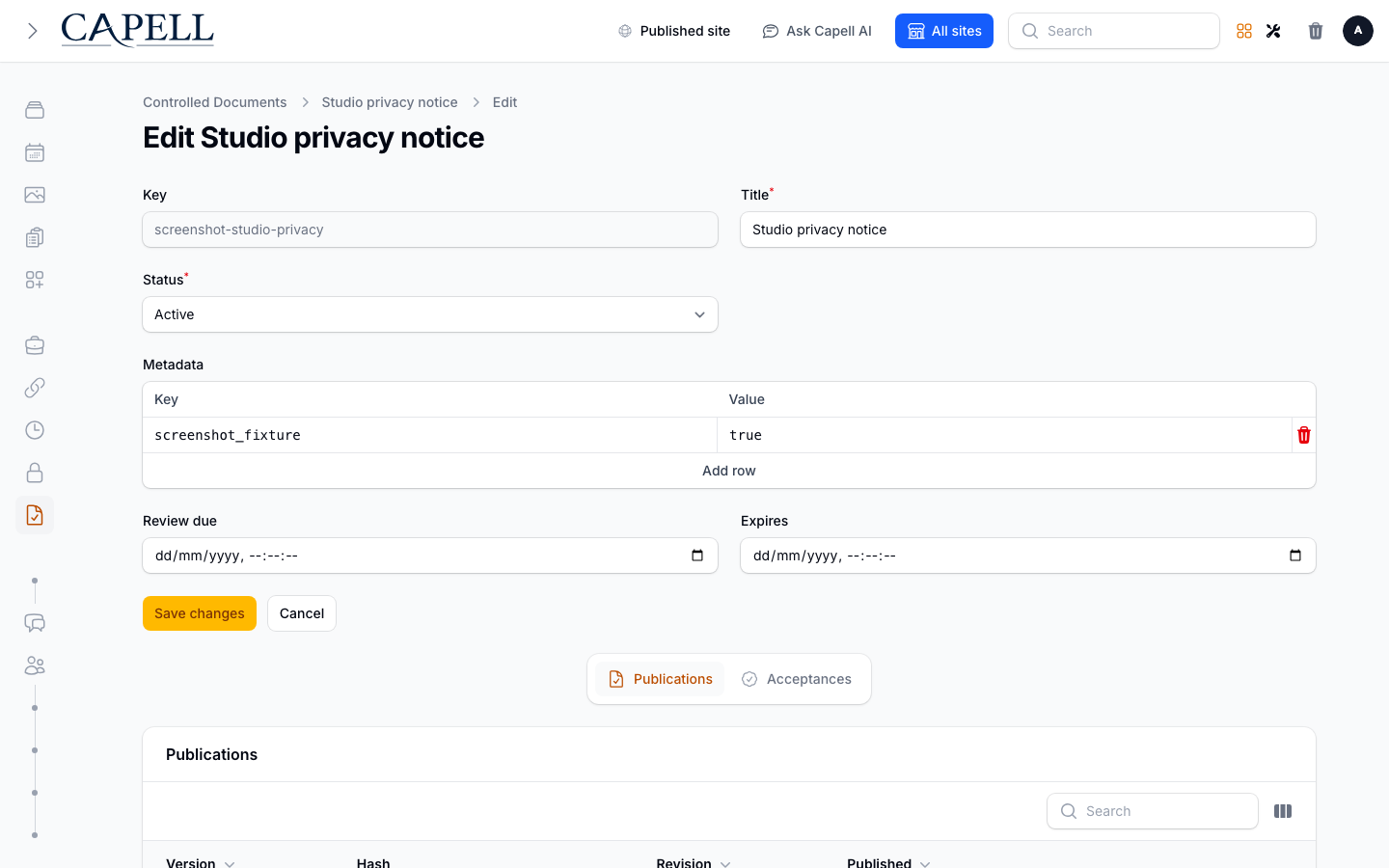
Staff add a document in the admin, paste in its text and press Publish version. Each version keeps its exact words and a fingerprint of that text. It can’t be edited or deleted. Once a document has versions, it can be archived but not removed. Compare with previous shows the changed lines and lets you download the full difference. Publishing Studio is needed for Document Lifecycle to run.
Record acceptance logs the signed-in staff member’s acceptance of the latest version. Your site can also send a customer or visitor a private link to read and accept it. With Customer Portal, signed-in customers are offered newer versions of documents they accepted before. Your developer can require signed-in users to accept selected documents before they continue. This is off by default and leaves guests alone. Acceptance records can’t be changed later.
A review date is shown for reference and starts no tasks. The Acceptances tab lets you download a spreadsheet of who accepted each version, or a signed file for one record.
- Price and availability: Check current availability and price on the Capell Marketplace listing.
- Licence: Check the licence terms on the Capell Marketplace listing.
- Requires:
PHP ^8.4,capell-app/admin ^1.0.78,capell-app/core ^1.0.78,capell-app/publishing-studio ^1.0. - Install:
composer require capell-app/document-lifecycle.
Quick Start
Section titled “Quick Start”- Install the package:
composer require capell-app/document-lifecycle. - Open the package admin surface at
/admin/document-lifecycle/documentsand confirm Document Lifecycle is available.
For Developers
Section titled “For Developers”Publication, hashing, acceptance, and re-acceptance rules are implemented as Actions, with Publishing Studio and Customer Portal integrations registered at package boundaries.
Configure
Section titled “Configure”- Configuration files:
config/capell-document-lifecycle.php. - Commands:
php artisan capell:document-lifecycle:archive-expired.
Limits And Pitfalls
Section titled “Limits And Pitfalls”- Install the required Capell packages at the versions in
composer.json:capell-app/admin ^1.0.78,capell-app/core ^1.0.78,capell-app/publishing-studio ^1.0. - Run migrations before opening package resources or public routes.
- Review middleware, throttling, signatures, and public-output safety in
routes/web.phpbefore exposing routes. - Keep the host Laravel scheduler running so package-registered schedules can execute:
capell:document-lifecycle:archive-expired (daily; package registered). - Keep public Blade and cached HTML free of authoring markers, model IDs, permissions, signed editor URLs, and lazy database queries.
Screens And Workflow
Section titled “Screens And Workflow”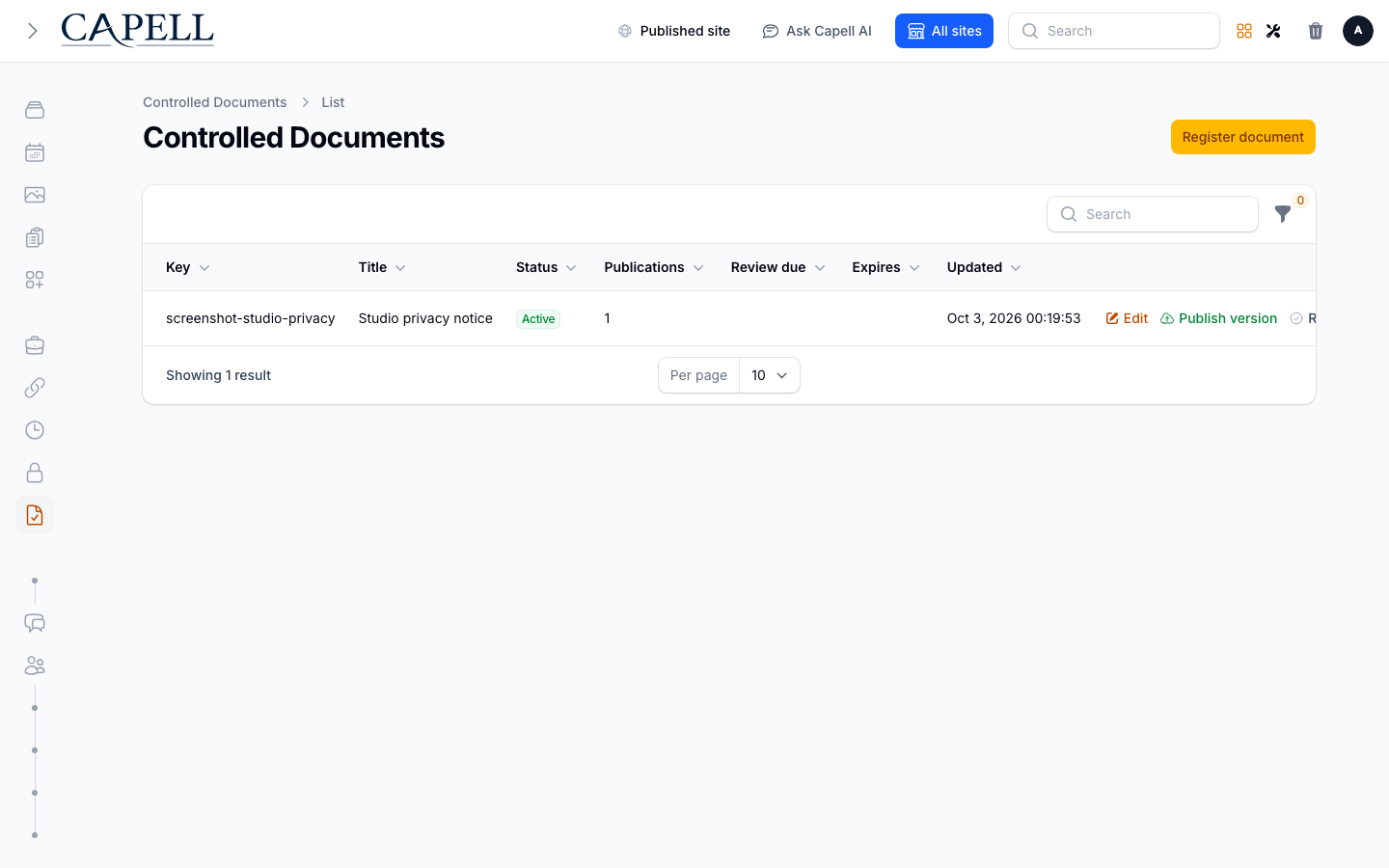
- Controlled documents index (admin).
- Controlled document edit form (admin).
- Document publications relation manager (admin).
- Document acceptances relation manager (admin).
- Controlled document publish action (admin).
- Controlled documents customer portal feed (frontend).
- Controlled documents index with admin sidebar menu open (admin).
Install Impact
Section titled “Install Impact”- Required packages:
capell-app/admin,capell-app/core,capell-app/publishing-studio. - Admin navigation: declares
admin-resource: DocumentResourceContribution; each Filament page or resource controls its own navigation visibility. - Admin/editor extensions: none declared.
- Permissions:
ViewAny:Document,View:Document,Create:Document,Update:Document,Delete:Document,DeleteAny:Document,Restore:Document,ForceDelete:Document,Replicate:Document,Reorder:Document; access also governed by package policies:DocumentAcceptancePolicy,DocumentPolicy,DocumentPublicationPolicy. - Public routes: loads
routes/web.php; registersDocumentAcceptanceRoutesContribution. - Database changes: package migrations are declared.
- Config:
config/capell-document-lifecycle.php. - Settings: no package settings declared.
- Queues or schedules: scheduled commands
capell:document-lifecycle:archive-expired (daily; package registered). - Cache tags: none declared.
- Commands:
capell:document-lifecycle:archive-expired.
Troubleshooting
Section titled “Troubleshooting”| Symptom | Likely cause | Check | Fix |
|---|---|---|---|
| Package surface is missing after install | Provider or manifest is not loaded | Confirm capell.json, package composer.json, and provider registration | Reinstall the package, refresh Composer autoload, and clear host caches |
| Admin screen or command fails on missing table | Package migrations have not run | Check the tables listed in Data Model | Run host migrations and rerun the focused package test |
| Route returns unexpected output | Route cache, middleware, or signed URL setup does not match the package route file | Check the route files listed in Technical Shape | Clear route cache and verify middleware before exposing public routes |
| Background work does not run | Queue worker or declared schedule is not active | Check the jobs and scheduled commands listed in Technical Shape | Start the queue worker or host scheduler, then run the focused command or package test |
| Public output leaks unexpected state | Render data, cache variation, or authoring boundary has regressed | Check public Blade, cache tags, and public-output safety tests | Move data loading out of Blade and rerun the package public-output tests |
Upgrading
Section titled “Upgrading”No manual steps between minor versions.
Read CHANGELOG.md before upgrading.
Next Steps
Section titled “Next Steps”- Package docs
- Overview
- Admin guide
- Configuration files:
config/capell-document-lifecycle.php. - Troubleshooting
- Developer reference
- Marketplace assets
- Capell content language plan
- Capell documentation design system
- Capell and package ERD notes
- Related packages: Publishing Studio, Customer Portal, Privacy Centre.