
Layout Builder
Package docs status
Section titled “Package docs status”This page is generated from package source documentation in the Capell packages repository and the checked-in manifest. Source documentation is not distribution status. Before running a Composer command, verify that the exact package and compatible 1.x release are available through public Packagist or the authenticated marketplace account.
| Field | Value |
|---|---|
| Composer package | capell-app/layout-builder |
| Package slug | layout-builder |
| Product group | Capell Essentials |
| Tier | free |
| Bundle | foundation |
| Runtime contexts | admin, frontend, console |
| Capell version | ^1.0 |
| Catalogue role | extension |
| Release channel | Released |
| Source repository | capell-app/layout-builder |
| Docs source | packages/layout-builder/docs |
| Manifest | capell.json |
An editor opens a page and drags a call to action into the spot where it should go. Layout Builder, the page builder, puts pages together from widgets. A widget is a piece of content with its own settings, such as a call to action or an image with a headline. Capell’s widget packages, such as a countdown or a slideshow, are placed on pages through it.
Inside a page there is a content editor, where you change text and images in place, and a layout view, where you add, move and remove widgets. Your permissions decide which you get, and a role that edits layouts may need access to Widgets as well. Widget changes, including adding and removing, can be undone before you Save Layout. Edits to a widget’s own content save at once. Several pages can share one layout, and a shared layout links to the pages that use it, so you can see what an edit will touch.
To swap a widget across many layouts, choose Move or replace widgets on the Layouts list. Runs that reach 50 layouts or 250 pages wait for background jobs, which your developer or host keeps running, and smaller runs apply at once. You see a preview first, and nothing changes until you approve it.
- Price and availability: Check current availability and price on the Capell Marketplace listing.
- Licence: Check the licence terms on the Capell Marketplace listing.
- Requires:
PHP ^8.4,capell-app/admin ^1.0.78,capell-app/block-library ^1.0,capell-app/core ^1.0.79,capell-app/frontend ^1.0.79. - Install:
composer require capell-app/layout-builder.
Quick Start
Section titled “Quick Start”- Install the package:
composer require capell-app/layout-builder. - Run the package setup:
php artisan capell:layout-builder-install. - Open the package admin surface at
/admin/layout-builder/widgetsand confirm Layout Builder is available.
For Developers
Section titled “For Developers”Registries and typed Actions provide stable extension points for widget definitions, layout widgets, presets, and public render data.
Configure
Section titled “Configure”- Configuration files:
config/capell-layout-builder.php. - Commands:
php artisan capell:layout-builder-install,php artisan capell:layout-builder-widget-visual-regression,php artisan capell:layout-builder:prune-bulk-change-runs,php artisan capell:layouts:bulk-change,php artisan capell:widget-snapshots:prune,php artisan layout-builder:resync-preset.
Limits And Pitfalls
Section titled “Limits And Pitfalls”- Install the required Capell packages at the versions in
composer.json:capell-app/admin ^1.0.78,capell-app/block-library ^1.0,capell-app/core ^1.0.79,capell-app/frontend ^1.0.79. - Run migrations before opening package resources or public routes.
- Keep the host Laravel scheduler running so package-registered schedules can execute:
capell:layout-builder:prune-bulk-change-runs (daily; manifest declared),capell:widget-snapshots:prune (daily; manifest declared). - Keep public Blade and cached HTML free of authoring markers, model IDs, permissions, signed editor URLs, and lazy database queries.
- Custom write integrations must preserve invalidation for
layout-buildercache tags.
Screens And Workflow
Section titled “Screens And Workflow”Content Composition
Section titled “Content Composition”
The Page and its blueprint remain Core inputs. Layout Builder owns the areas, widget keys, widget definitions, and widget assets that BuildPublicLayoutGraphAction turns into a public layout graph; Frontend owns the final public render contract.
What changes when you edit an article, its layout, or its theme? In this illustrative example, A day on the coast uses main for an article content widget and sidebar for a related-reading widget; these are example choices, not seeded defaults.
- Content edit: revise the article title or body in its blueprint-defined content; the example keeps its
mainandsidebarplacements. - Layout edit: move or reorder widget placements in the selected layout; this changes composition and may affect other pages sharing that layout.
- Theme change: change templates, typography, spacing and area presentation. Check the theme’s available areas and widget support; switching themes does not guarantee an identical composition.
Source: BuildPublicLayoutGraphAction maps layout containers and ordered widgets into public data; LayoutLoader resolves widgets and their assets. Page, Blueprint, Translation, Layout and Theme remain Core models; Widget and WidgetAsset belong to optional Layout Builder.
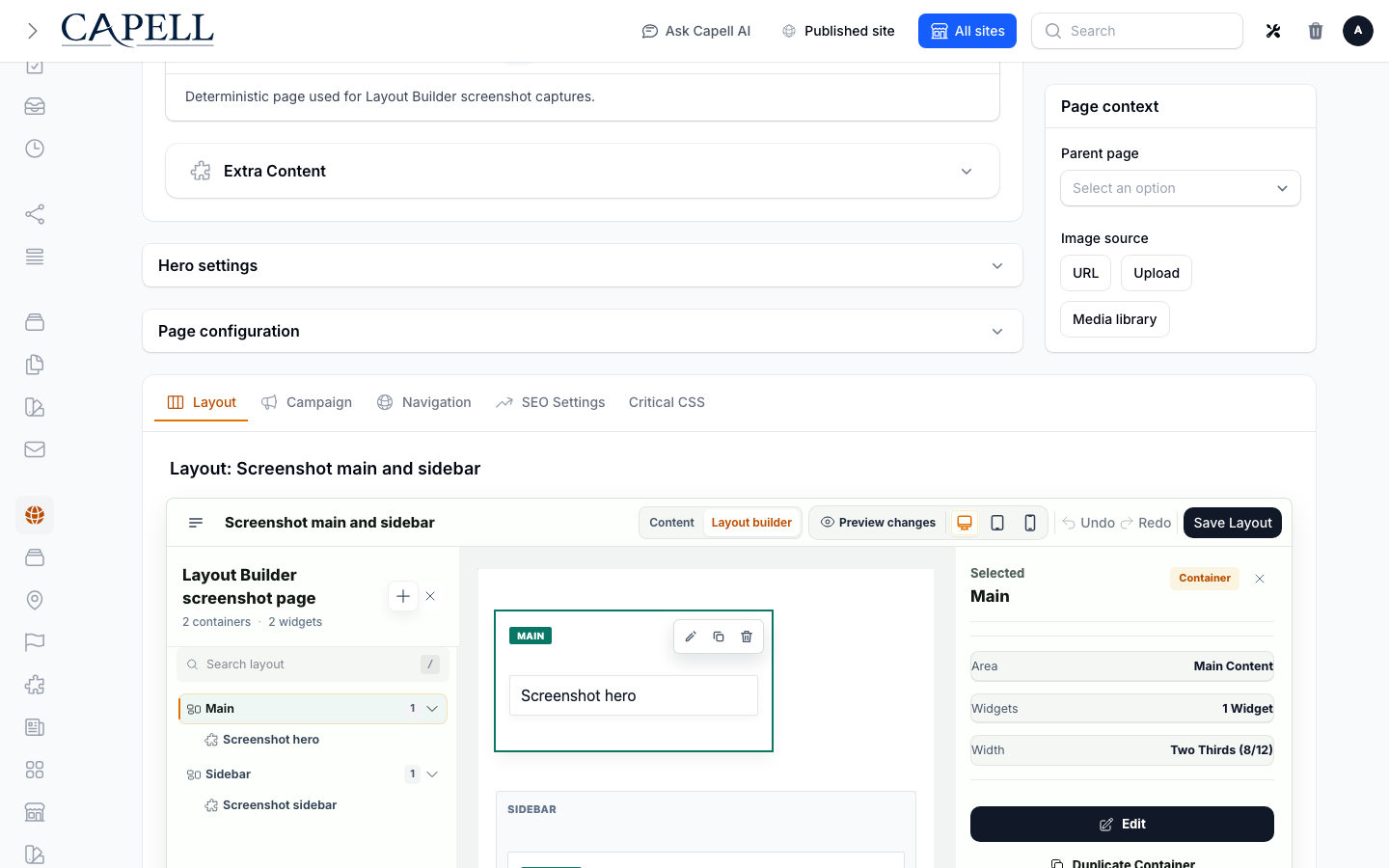
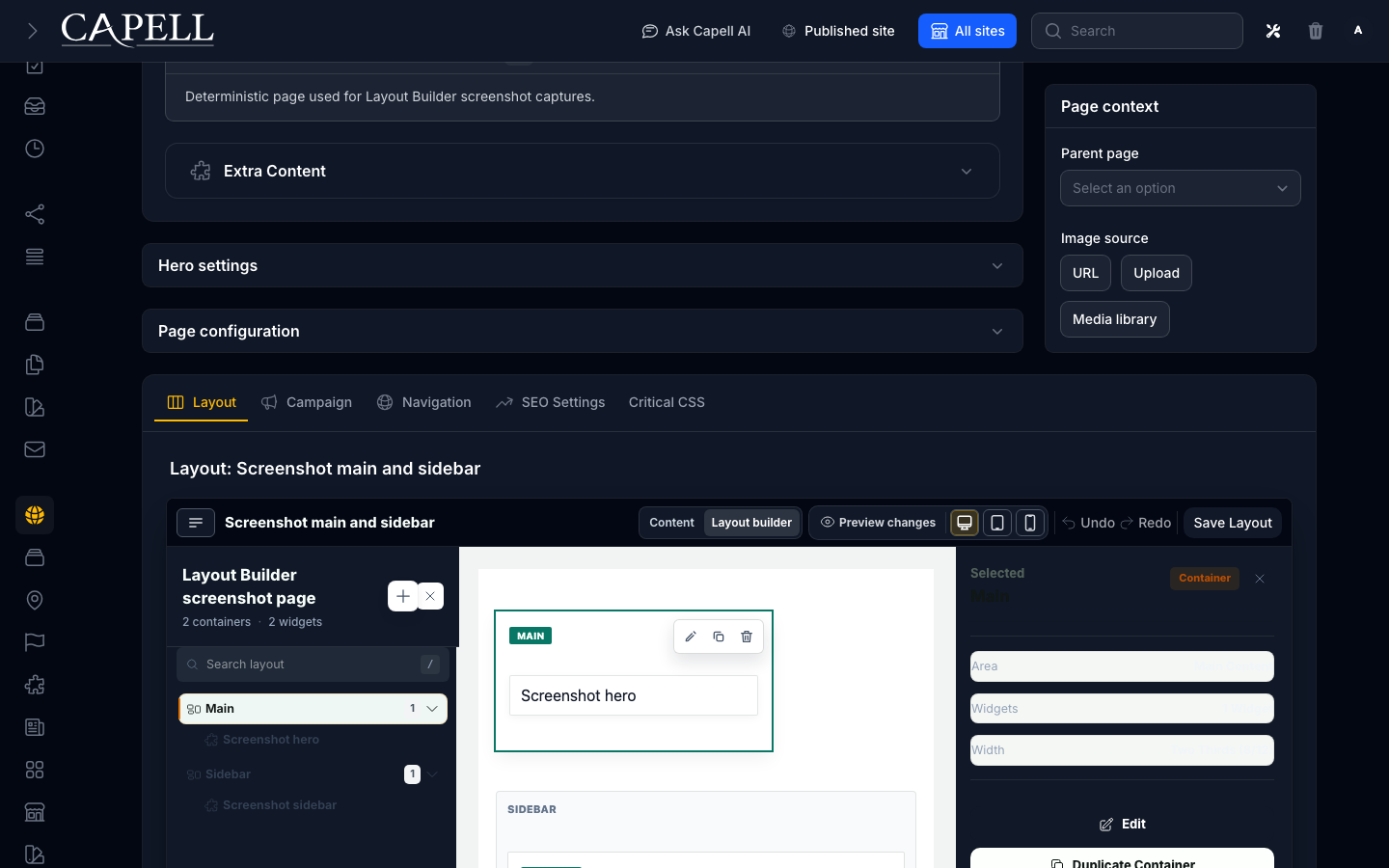
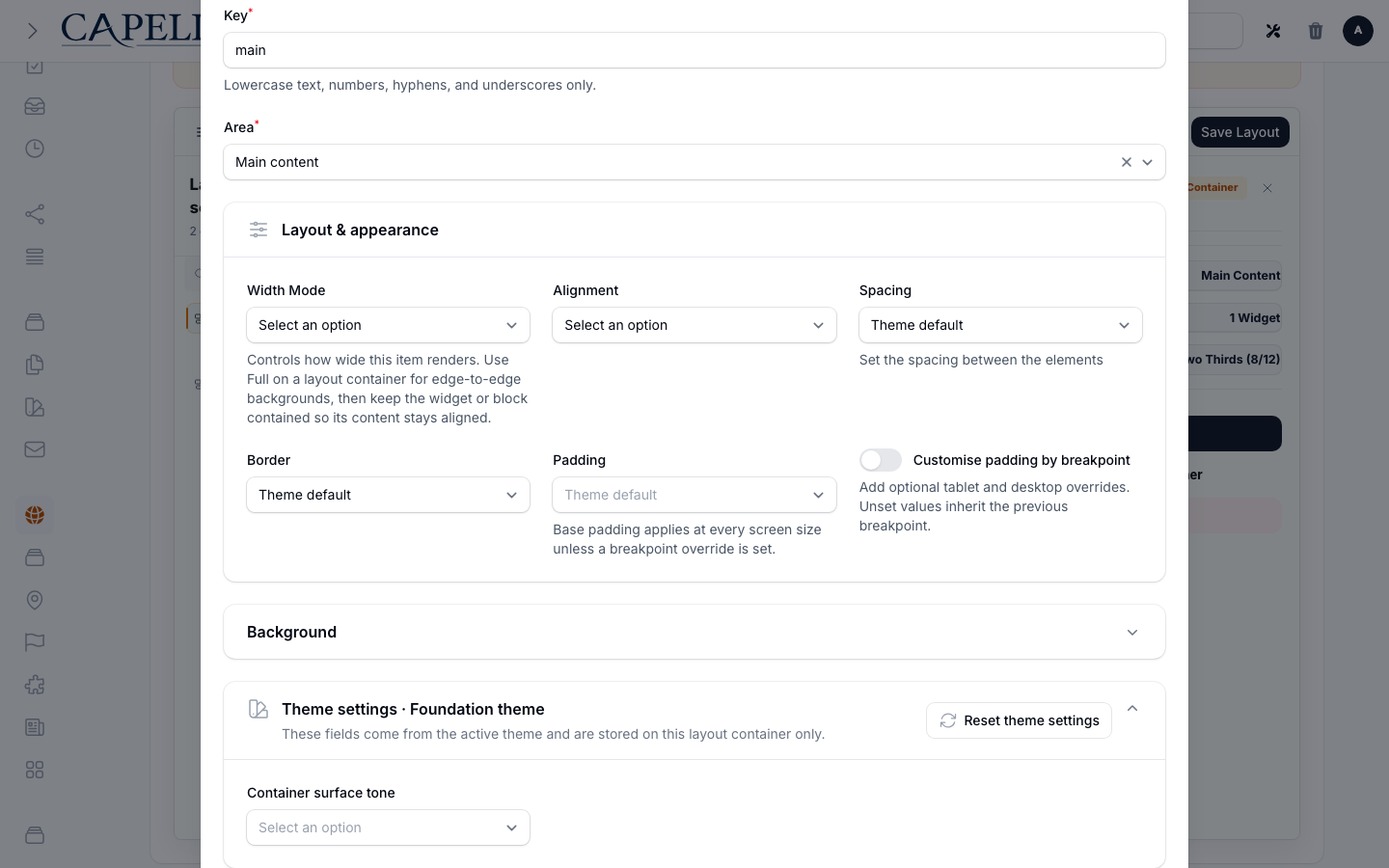
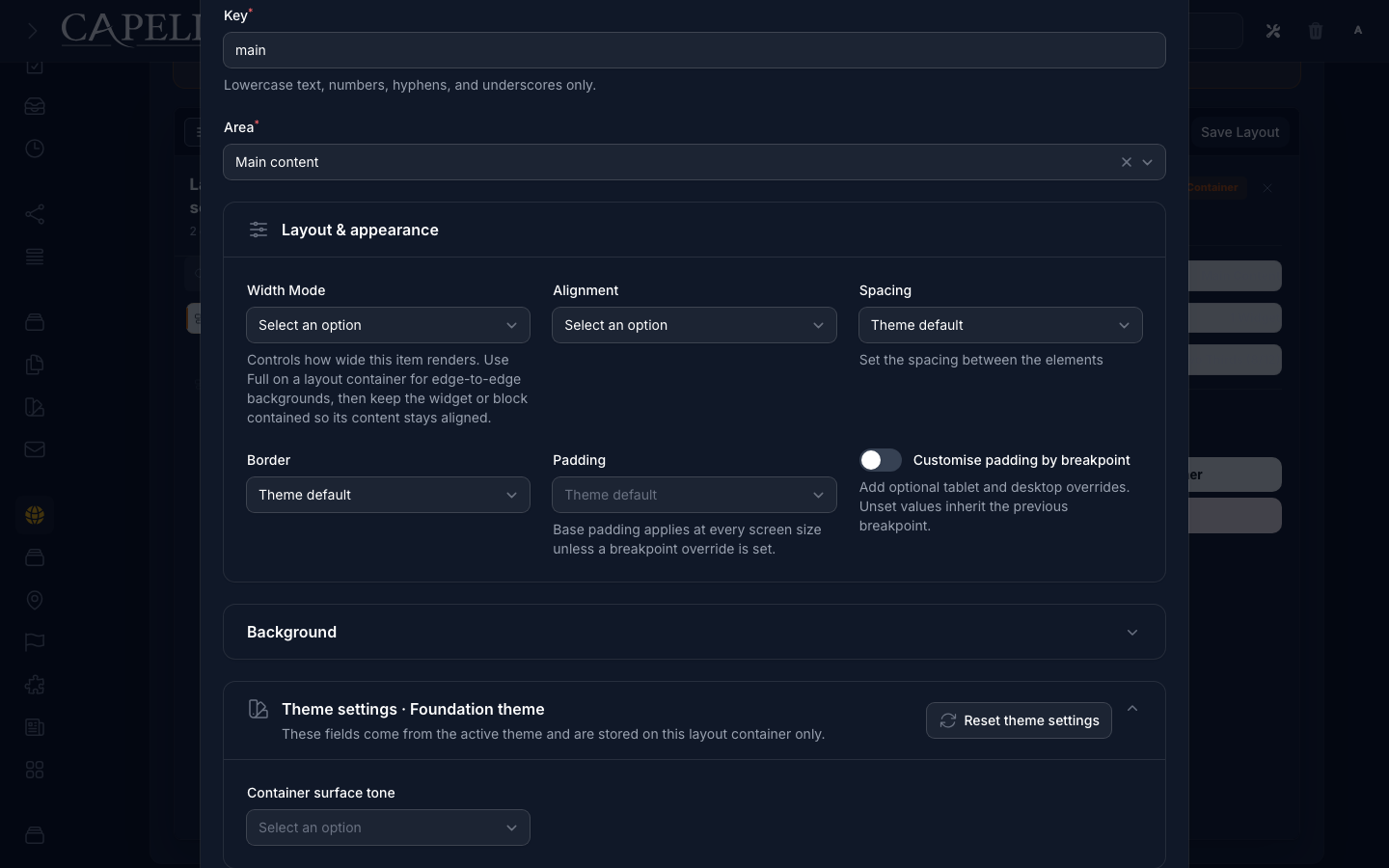
- Layout Builder visual editor with main and sidebar containers (admin).
- Layout Builder content-first editing mode (admin).
- Layout Builder add widget action (admin).
- Layout Builder add container action (admin).
- Layout Builder edit widget action (admin).
- Layout Builder edit container action (admin).
- Layout Builder active-theme container settings (admin).
- Layout Builder responsive padding controls on mobile (admin).
- Layout Builder active-theme container settings on mobile (admin).
- Layout Builder responsive preview (admin).
- Layout Builder tree selection (admin).
- Layout Builder filtered tree keyboard navigation (admin).
- Layout Builder preset action fixture (frontend).
- Layout Builder undo and redo actions fixture (frontend).
- Layout Builder native bulk-change criteria (admin).
- Layout Builder native bulk-change review (admin).
- Layout Builder main and sidebar public example (frontend).
- Layout Builder full-width public example (frontend).
- Widgets admin index (admin).
- Create and edit widget form with widget assets (admin).
- Unused and disabled widget integrity state (admin).
- Broken and unscoped widget asset integrity states (admin).
- Sections admin index (admin).
- Widgets admin index with admin sidebar menu open (admin).
Works With
Section titled “Works With”- Ai Orchestrator: optional integration backed by the interop evidence map.
- Content Sections: optional integration backed by the interop evidence map.
- Filament Peek: optional integration backed by the interop evidence map.
- Frontend Authoring: optional integration backed by the interop evidence map.
- Html Cache: optional integration backed by the interop evidence map.
- Navigation: optional integration backed by the interop evidence map.
- Publishing Studio: optional integration backed by the interop evidence map.
- Structured Content Library: optional integration backed by the interop evidence map.
- Theme Foundation: optional integration backed by the interop evidence map.
Install Impact
Section titled “Install Impact”- Required packages:
capell-app/core,capell-app/admin,capell-app/block-library,capell-app/frontend. - Admin navigation: declares
admin-resource: LayoutBuilderAdminRegistrar; each Filament page or resource controls its own navigation visibility. - Admin/editor extensions:
configurator: LayoutBuilderAdminRegistrar,schema-extender: LayoutBuilderAdminRegistrar. - Permissions:
ViewAny:Layout,View:Layout,Create:Layout,EditContent:Layout,EditLayout:Layout,Update:Layout,Delete:Layout,DeleteAny:Layout,Restore:Layout,ForceDelete:Layout,Replicate:Layout,Reorder:Layout,BulkMutate:Layout,ViewAny:Widget,View:Widget,Create:Widget,Update:Widget,Delete:Widget,DeleteAny:Widget,Restore:Widget,RestoreAny:Widget,ForceDelete:Widget,ForceDeleteAny:Widget,Replicate:Widget,Reorder:Widget; permission contributions:Capell\LayoutBuilder\Manifest\LayoutBuilderPermissionsContribution; access also governed by package policies:LayoutPresetPolicy,WidgetPolicy. - Public routes: registers
LayoutBuilderRoutesContribution. - Database changes: package migrations are declared.
- Config:
config/capell-layout-builder.php. - Settings: no package settings declared.
- Queues or schedules: scheduled commands
capell:layout-builder:prune-bulk-change-runs (daily; manifest declared),capell:widget-snapshots:prune (daily; manifest declared); queue jobsApplyLayoutBulkChangeRunJob,SyncLinkedLayoutPresetJob. - Cache tags:
layout-builder. - Commands:
capell:layout-builder-install,capell:layout-builder-widget-visual-regression,capell:layout-builder:prune-bulk-change-runs,capell:layouts:bulk-change,capell:widget-snapshots:prune,layout-builder:resync-preset.
Troubleshooting
Section titled “Troubleshooting”| Symptom | Likely cause | Check | Fix |
|---|---|---|---|
| Package surface is missing after install | Provider or manifest is not loaded | Confirm capell.json, package composer.json, and provider registration | Reinstall the package, refresh Composer autoload, and clear host caches |
| Admin screen or command fails on missing table | Package migrations have not run | Check the tables listed in Data Model | Run host migrations and rerun the focused package test |
| Background work does not run | Queue worker or declared schedule is not active | Check the jobs and scheduled commands listed in Technical Shape | Start the queue worker or host scheduler, then run the focused command or package test |
| Public output leaks unexpected state | Render data, cache variation, or authoring boundary has regressed | Check public Blade, cache tags, and public-output safety tests | Move data loading out of Blade and rerun the package public-output tests |
Upgrading
Section titled “Upgrading”No manual steps between minor versions.
Read CHANGELOG.md before upgrading.
Next Steps
Section titled “Next Steps”- Package docs
- Overview
- Worked extension examples
- Admin guide
- Configuration files:
config/capell-layout-builder.php. - Troubleshooting
- Developer reference
- Marketplace assets
- Capell content language plan
- Capell documentation design system
- Capell and package ERD notes
- Related packages: Block Library, AI Orchestrator, Content Sections, Filament Peek, Frontend Authoring, HTML Cache, Navigation, Publishing Studio, Structured Content Library, Foundation Theme.