
Foundation Theme
Package docs status
Section titled “Package docs status”This page is generated from package source documentation in the Capell packages repository and the checked-in manifest. Source documentation is not distribution status. Before running a Composer command, verify that the exact package and compatible 1.x release are available through public Packagist or the authenticated marketplace account.
| Field | Value |
|---|---|
| Composer package | capell-app/theme-foundation |
| Package slug | theme-foundation |
| Product group | Capell Themes |
| Tier | free |
| Bundle | themes |
| Runtime contexts | admin, frontend |
| Capell version | ^1.0 |
| Catalogue role | extension |
| Release channel | Released |
| Source repository | capell-app/theme-foundation |
| Docs source | packages/theme-foundation/docs |
| Manifest | capell.json |
A documentation site or a general publishing site gets a very pale green-grey page with near-black text, and links and buttons in a deep green-teal. The header stays in view as visitors scroll, and the footer shows your menu, or your latest pages if you have no menu.
This is the plain starting theme that other Capell themes build on, and they bring it with them when you install them. Pages are put together from ready-made sections. One is a hero, the large opening area at the top, and another is a call to action, which asks visitors to do something. Others cover features, content lists and search results. A form section is there too, and it needs the Form Builder package. You set colours and spacing on the theme’s settings page.
Developers get a command that moves sites off a retired theme onto its replacement. It shows a preview first and writes a report that can undo the move, though custom CSS, hero media and differing theme settings are not carried over. The dark version is a very dark green page with mint buttons. It appears when a visitor presses the dark button in the header, and not from the device’s own dark setting. The browser remembers the choice for later visits.
- Price and availability: Check current availability and price on the Capell Marketplace listing.
- Licence: Check the licence terms on the Capell Marketplace listing.
- Requires:
PHP ^8.4,capell-app/admin ^1.0.66,capell-app/core ^1.0.79,capell-app/frontend ^1.0.79,capell-app/layout-builder ^1.0,capell-app/navigation ^1.0,lorisleiva/laravel-actions ^2.8,spatie/laravel-data ^4.0,spatie/laravel-package-tools ^1.0. - Install:
composer require capell-app/theme-foundation.
Quick Start
Section titled “Quick Start”- Install the package:
composer require capell-app/theme-foundation. - Run the package setup:
php artisan capell:theme-foundation-setup. - See it working on a disposable site: run
php artisan capell:theme-foundation-demo --site="Theme demo". Choose a new site name so the demo never touches a customer site. - Run
php artisan listand verify the package command signatures are registered.
For Developers
Section titled “For Developers”The package centralizes theme registration, token resolution, layout defaults, and public-output safety contracts for the theme fleet.
Configure
Section titled “Configure”- Configuration files:
config/capell-theme-foundation.php. - Admin settings:
Capell\FoundationTheme\Settings\FoundationThemeSettings. - Commands:
php artisan capell:frontend-tailwind-assets,php artisan capell:make-foundation-theme,php artisan capell:theme-catalogue-report,php artisan capell:theme-foundation-demo,php artisan capell:theme-foundation-setup,php artisan capell:theme-migrate,php artisan capell:validate-themes.
Limits And Pitfalls
Section titled “Limits And Pitfalls”- Install the required Capell packages at the versions in
composer.json:capell-app/admin ^1.0.66,capell-app/core ^1.0.79,capell-app/frontend ^1.0.79,capell-app/layout-builder ^1.0,capell-app/navigation ^1.0. - Keep public Blade and cached HTML free of authoring markers, model IDs, permissions, signed editor URLs, and lazy database queries.
- Custom write integrations must preserve invalidation for
theme-foundationcache tags.
Screens And Workflow
Section titled “Screens And Workflow”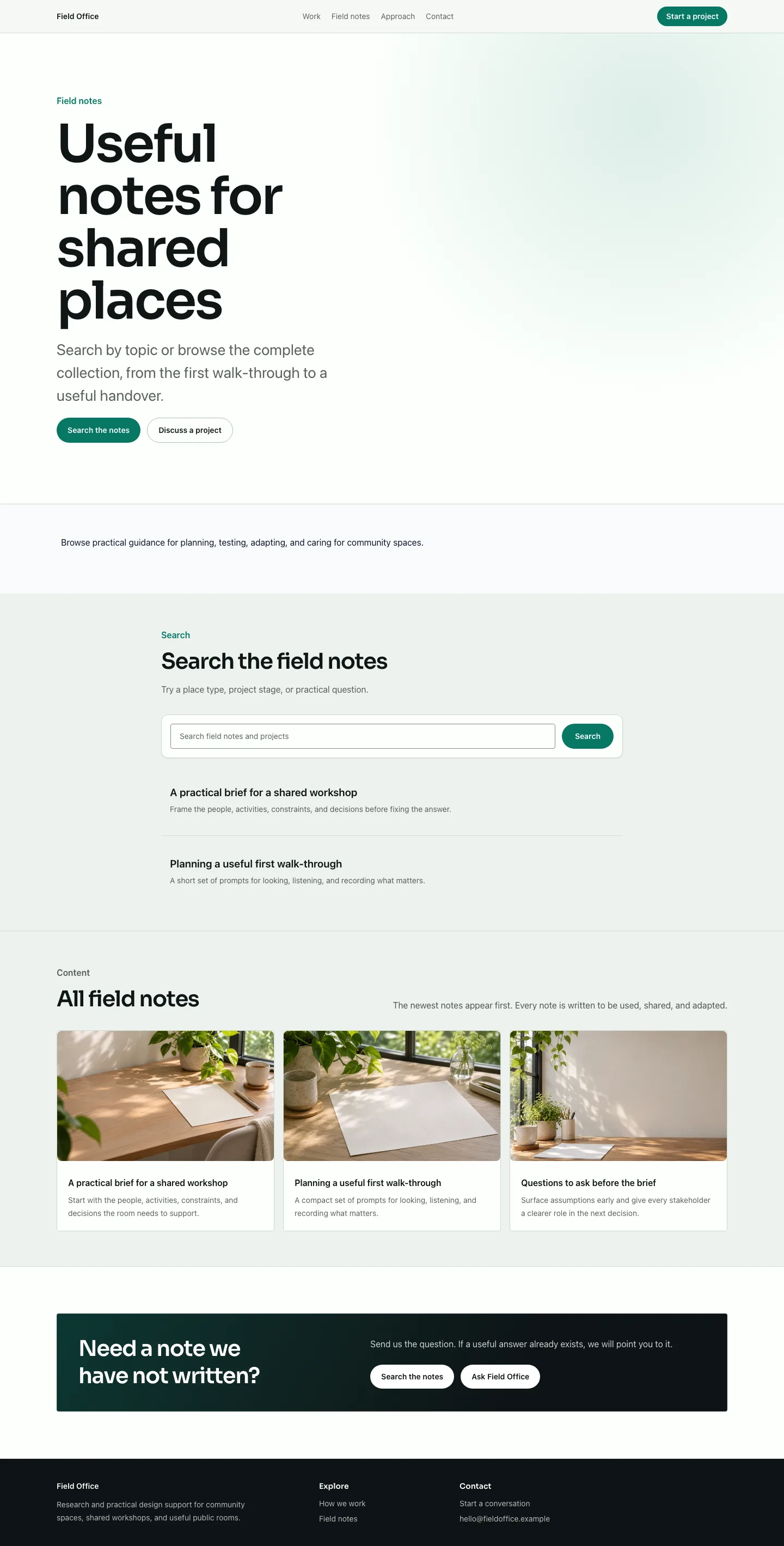
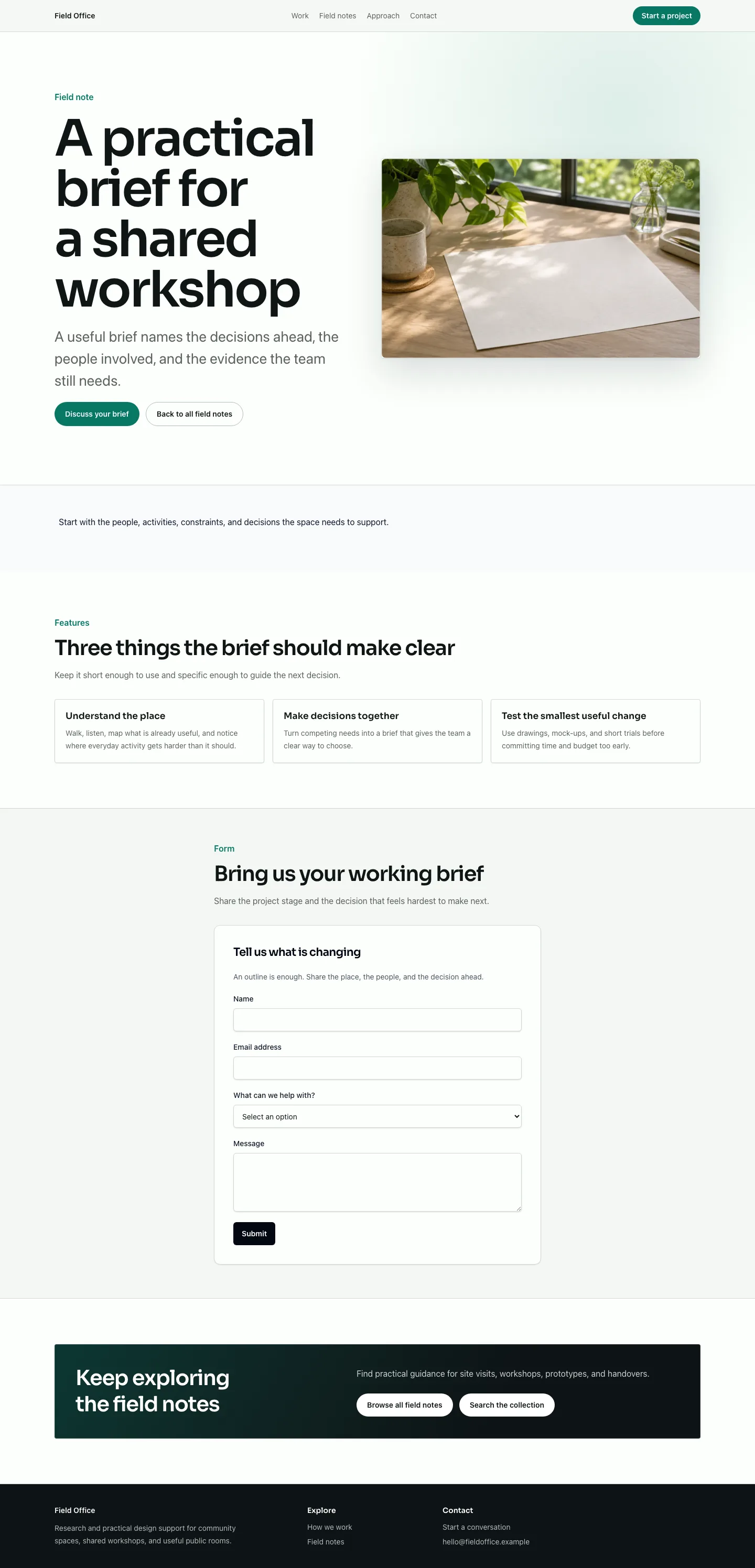
- Foundation Homepage (frontend).
- Foundation Directory (frontend).
- Foundation Detail Article (frontend).
- Foundation Contact (frontend).
- Foundation Empty State (frontend).
- Foundation Page Not Found (frontend).
- Foundation Call To Action (frontend).
- Foundation Chrome Homepage (frontend).
Child Theme Override Contract
Section titled “Child Theme Override Contract”Foundation Theme owns the stable child theme override surface for Capell themes. Child themes should declare extends: 'default' and override documented sections, views, tokens, and chrome areas instead of replacing the whole public rendering path.
Stable contract points:
- Theme Studio sections:
navigation,hero,features,proof,content-listing,search,pagination,form,contact-split,cta,footer. - Shared views:
capell::theme.page,capell::layout.area,capell::media.svg. - Runtime tokens:
--foundation-page-bg,--foundation-section-spacing,--foundation-widget-gap. - Layout Builder chrome areas:
header. - Public-output rule: child themes must not expose authoring metadata, editor controls, model IDs, field paths, permissions, or signed editor URLs.
Install Impact
Section titled “Install Impact”- Required packages:
capell-app/admin,capell-app/core,capell-app/frontend,capell-app/layout-builder,capell-app/navigation. - Admin navigation: no admin page or resource contribution is declared.
- Admin/editor extensions: none declared.
- Permissions: no package permission declarations or Shield gates detected; host access rules still apply.
- Public routes: none declared.
- Database changes: no package migrations declared.
- Config:
config/capell-theme-foundation.php. - Settings:
Capell\FoundationTheme\Settings\FoundationThemeSettings. - Queues or schedules: none declared.
- Cache tags:
theme-foundation. - Commands:
capell:frontend-tailwind-assets,capell:make-foundation-theme,capell:theme-catalogue-report,capell:theme-foundation-demo,capell:theme-foundation-setup,capell:theme-migrate,capell:validate-themes.
Troubleshooting
Section titled “Troubleshooting”| Symptom | Likely cause | Check | Fix |
|---|---|---|---|
| Package surface is missing after install | Provider or manifest is not loaded | Confirm capell.json, package composer.json, and provider registration | Reinstall the package, refresh Composer autoload, and clear host caches |
| Public output leaks unexpected state | Render data, cache variation, or authoring boundary has regressed | Check public Blade, cache tags, and public-output safety tests | Move data loading out of Blade and rerun the package public-output tests |
Upgrading
Section titled “Upgrading”No manual steps between minor versions.
Read CHANGELOG.md before upgrading.
Next Steps
Section titled “Next Steps”- Package docs
- Overview
- Worked extension examples
- Configuration files:
config/capell-theme-foundation.php. - Troubleshooting
- Developer reference
- Marketplace assets
- Capell content language plan
- Capell documentation design system
- Capell and package ERD notes
- Related packages: Layout Builder, Navigation, Search.