
Capell Installer
Package docs status
Section titled “Package docs status”This page is generated from package source documentation in the Capell foundation repository and the checked-in manifest. Source documentation is not distribution status. Before running a Composer command, verify that the exact package and compatible 1.x release are available through public Packagist or the authenticated marketplace account.
| Field | Value |
|---|---|
| Composer package | capell-app/installer |
| Package slug | installer |
| Product group | Capell Foundation |
| Tier | free |
| Bundle | foundation |
| Runtime contexts | admin, console |
| Capell version | ^1.0 |
| Catalogue role | core |
| Release channel | Released |
| Source repository | capell-app/capell |
| Source path | packages/installer |
| Docs source | packages/installer/docs |
| Manifest | capell.json |
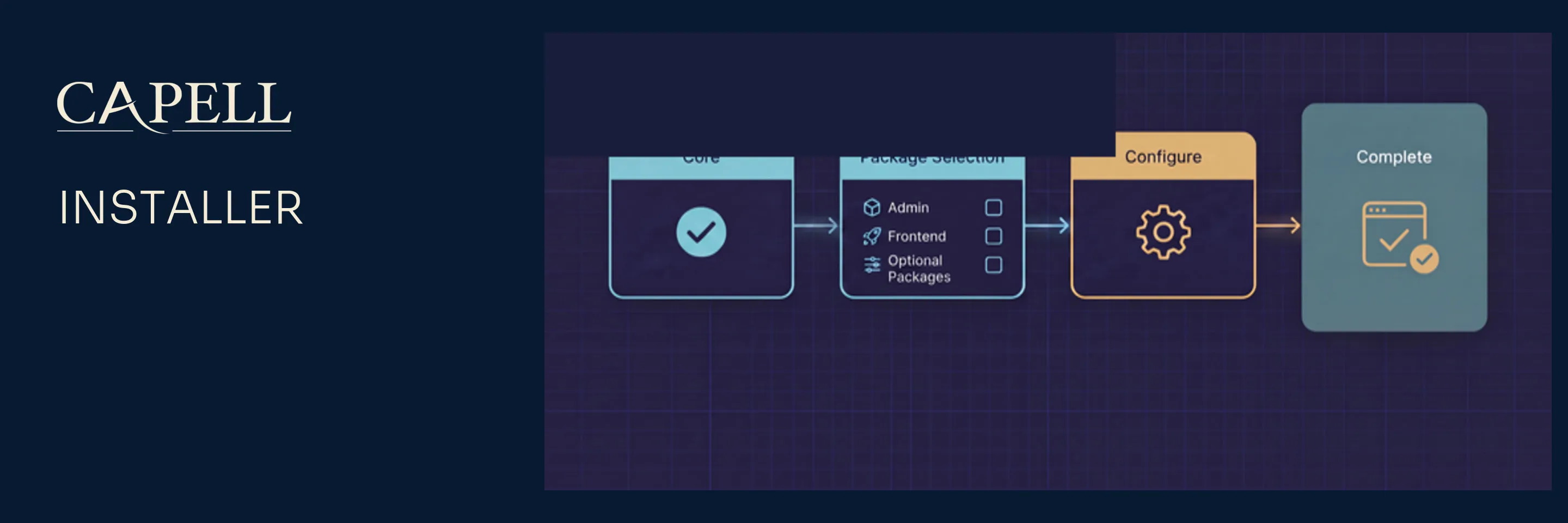





capell-app/installer provides the browser installation workflow for fresh Capell CMS applications. It owns the install routes, progress screens, install guide patches, not-installed dashboard warning, and post-install setup package removal.
Use this package while bootstrapping a new Capell app. It is designed to be removable after setup.
Package Boundary
Section titled “Package Boundary”Installer owns:
/installbrowser setup routes and progress/report routes- Filament install pages and the not-installed dashboard Filament widget
- install guide patch discovery and safe patch application
- first-admin defaults, default package selection, environment preflight checks, and setup package removal
Installer does not own:
- Core install primitives, package manifests, or migration orchestration
- Admin resources beyond installer-specific pages/widgets
- runtime package management or marketplace install authorization
- long-term public or admin runtime behavior after the app is installed
The browser installer works without the Admin panel, but the Filament installer pages and dashboard Filament widget only register when capell-app/admin and Filament are present.
Install
Section titled “Install”This is the recommended entrypoint for installing Capell. Requiring it pulls in capell-app/core; the guided flow then composer-requires the admin and frontend packages you choose and can remove the installer afterwards (--remove-installer). Prefer to pick packages by hand? Skip this and require capell-app/core (plus admin or frontend as needed) directly. The complete install guide is published at docs.capell.app.
composer require capell-app/installerOpen /install in the host app to run the browser flow. The route is guarded by EnsureNotInstalled unless reinstall is explicitly allowed. The installer package does not require capell-app/admin; selecting the admin package in the installer causes Capell to verify Composer can resolve it, require it during setup, scaffold the Filament panel, and then run the admin integration.
The package config supports these setup env values:
| Env var | Purpose |
|---|---|
CAPELL_SETUP_ALLOW_REINSTALL | Allow the browser installer to run on an already installed app. Defaults to APP_DEBUG. |
CAPELL_SETUP_COMPOSER_BINARY | Composer binary used by installer checks and commands. |
CAPELL_SETUP_PHP_BINARY | PHP CLI binary used by installer checks and commands. |
CAPELL_SETUP_DEFAULT_PACKAGES | Comma-separated package list selected by default. |
CAPELL_SETUP_ADMIN_NAME | Prefill the first admin name. |
CAPELL_SETUP_ADMIN_EMAIL | Prefill the first admin email. |
CAPELL_SETUP_ADMIN_PASSWORD | Prefill the first admin password as plaintext input; Capell hashes it when the user is created. |
Treat CAPELL_SETUP_ADMIN_PASSWORD, installer progress URLs, and installer reports as bootstrap secrets. Do not commit real setup credentials, and remove or restrict installer access once the app is installed.
Example local demo defaults:
CAPELL_SETUP_ADMIN_NAME="Demo Admin"CAPELL_SETUP_ADMIN_PASSWORD=password123Do not pass an encrypted or already-hashed value to CAPELL_SETUP_ADMIN_PASSWORD. Use the password you want to type on the login form; Laravel stores the hashed password in the users.password column during setup.
Before using the browser installer, generate an operator secret on the server:
php -r 'echo bin2hex(random_bytes(32)), PHP_EOL; echo time() + 1800, PHP_EOL;'Set the first line as CAPELL_INSTALLER_BOOTSTRAP_SECRET and the second line as CAPELL_INSTALLER_BOOTSTRAP_EXPIRES_AT in the host environment or .env, and rebuild any cached configuration. Open /install over HTTPS and enter the secret in the operator bootstrap field. Each state-changing request requires the proof; the browser session retains its hash, and the server checks expiry and rotation on every request. A missing grant, a secret shorter than 32 characters, an expired grant, or an expiry more than 30 minutes away is refused. Renew both values to resume after expiry, and clear them after setup. Removing the installer from the browser is also a state-changing request, so renew the grant first if it has expired. Keep the secret out of URLs, logs, reports and source control.
Browser setup preserves existing database data. A destructive refresh is available only through php artisan capell:install --fresh with explicit confirmation (or --fresh=force for a deliberate disposable CLI install).
Runtime Surfaces
Section titled “Runtime Surfaces”- Provider:
Capell\Installer\Providers\InstallerServiceProvider - Config:
config/capell-installer.php - Routes:
routes/web.php - Controller:
Capell\Installer\Http\Controllers\InstallController - Form requests:
StoreInstallRequestvalidates and normalises the initial install input;RunInstallStepRequestvalidates browser step requests and returns JSON validation errors. - Middleware:
Capell\Installer\Http\Middleware\EnsureNotInstalled - Pages:
InstallCapellPage,InstallGuidePage,InstallProgressPage - Actions:
GetActiveInstallAction,RemoveSetupPackageAction,ApplyInstallGuidePatchesAction - Patch registry:
Capell\Installer\Support\InstallGuide\PatchRegistry
The delete-installer route delegates to RemoveSetupPackageAction, which removes the setup package from the host app after installation. CLI installs can pass --remove-installer for prompt-free removal. Package removal is a final success-only action; failed Composer requirements, Filament scaffolding, package setup, admin integration, or health checks leave capell-app/installer installed for retry and debugging.
Install Guide Patches
Section titled “Install Guide Patches”Install guide patches are explicit, reviewable changes for common host-app setup tasks. They are the Installer package’s main extension point and should be small, idempotent, and safe to re-run.
Patch classes implement the Core-owned Capell\Core\Support\Patching\Patch contract, live under Capell\Installer\Support\InstallGuide\Patches, and are registered through PatchRegistry. Patches that should also run during capell:install are contributed to Core’s Capell\Core\Support\Install\InstallPatchRegistry from the installer service provider. Keep patch behavior covered by focused tests so a failed patch explains what went wrong instead of leaving a half-edited host file.
The browser installer discovers package and theme choices from Capell package metadata. A package that should appear during setup must be installable by the web PHP process, present in Composer repositories, and described by capell.json metadata that the package registry can read. Install-time package selections are checked with Composer before the installer starts mutating the application.
Verification
Section titled “Verification”From the split repository root, with development dependencies installed, run installer tests after changing installer routes, setup validation, preflight checks, patching, or package removal:
vendor/bin/pest testsRequirements And Support Policy
Section titled “Requirements And Support Policy”| Surface | Supported versions |
|---|---|
| PHP | ^8.4 |
| Laravel | Host Laravel ^13.0 via Core |
| Core | The same release as this package |
Each Capell 1.x minor receives security fixes for 24 months from its release date, and the latest 1.x minor is always supported. Upgrade all installed Capell foundation packages together to the same supported release before requesting a fix. See the Capell security policy for vulnerability reporting.
Support covers the dependency ranges above. When an upstream release reaches its own end of life earlier, upgrading that dependency may be required to receive a safe fix.
Troubleshooting
Section titled “Troubleshooting”| Symptom | Check | Fix |
|---|---|---|
/install is unavailable on a fresh app | php artisan route:list --name=capell-installer | Confirm the provider was discovered and run php artisan optimize:clear. |
/install says Capell is already installed | InstallerInstallationState::capellIsInstalled() | Use the admin panel, or set CAPELL_SETUP_ALLOW_REINSTALL=true only for a controlled local reinstall. |
| Preflight reports the wrong PHP or Composer binary | php artisan config:show capell-installer.php_binary and php artisan config:show capell-installer.composer_binary | Set CAPELL_SETUP_PHP_BINARY or CAPELL_SETUP_COMPOSER_BINARY, then clear config cache. |
| Optional packages do not appear | composer show vendor/package --available from the same app | Fix Composer repositories/auth so the web process can resolve the package. |
| Default admin fields are blank | php artisan config:show capell-installer.admin_user | Set the CAPELL_SETUP_ADMIN_* env values or override the config. |
| Progress says the session expired | Check the cache driver and capell.install.{installId}.* keys | Restart the installer with a persistent cache store or use the CLI installer. |
| A guide patch fails | Read the patch reason() and matching patch test | Fix the host file or update the patch probe/apply logic with regression coverage. |
| Reports/progress pages remain reachable after setup | composer show capell-app/installer | Remove the package or restrict access immediately. |
Development
Section titled “Development”Package development and coordinated verification happen in the capell-app/capell monorepo. Split package repositories are release mirrors; use docs.capell.app for cross-package guidance. See the contribution guide, security policy, and licence.
Further Reading
Section titled “Further Reading”| Page | Covers |
|---|---|
| Installer overview | Installer responsibilities and setup boundaries. |
The complete installation and package-selection guides are published at docs.capell.app.