
Using Site Discovery
This guide is for editors who manage how pages are found and owners deciding what to expose to crawlers. Every step uses the labels you see on screen.
Using Site Discovery (editor how-to)
Section titled “Using Site Discovery (editor how-to)”How to review discovery status
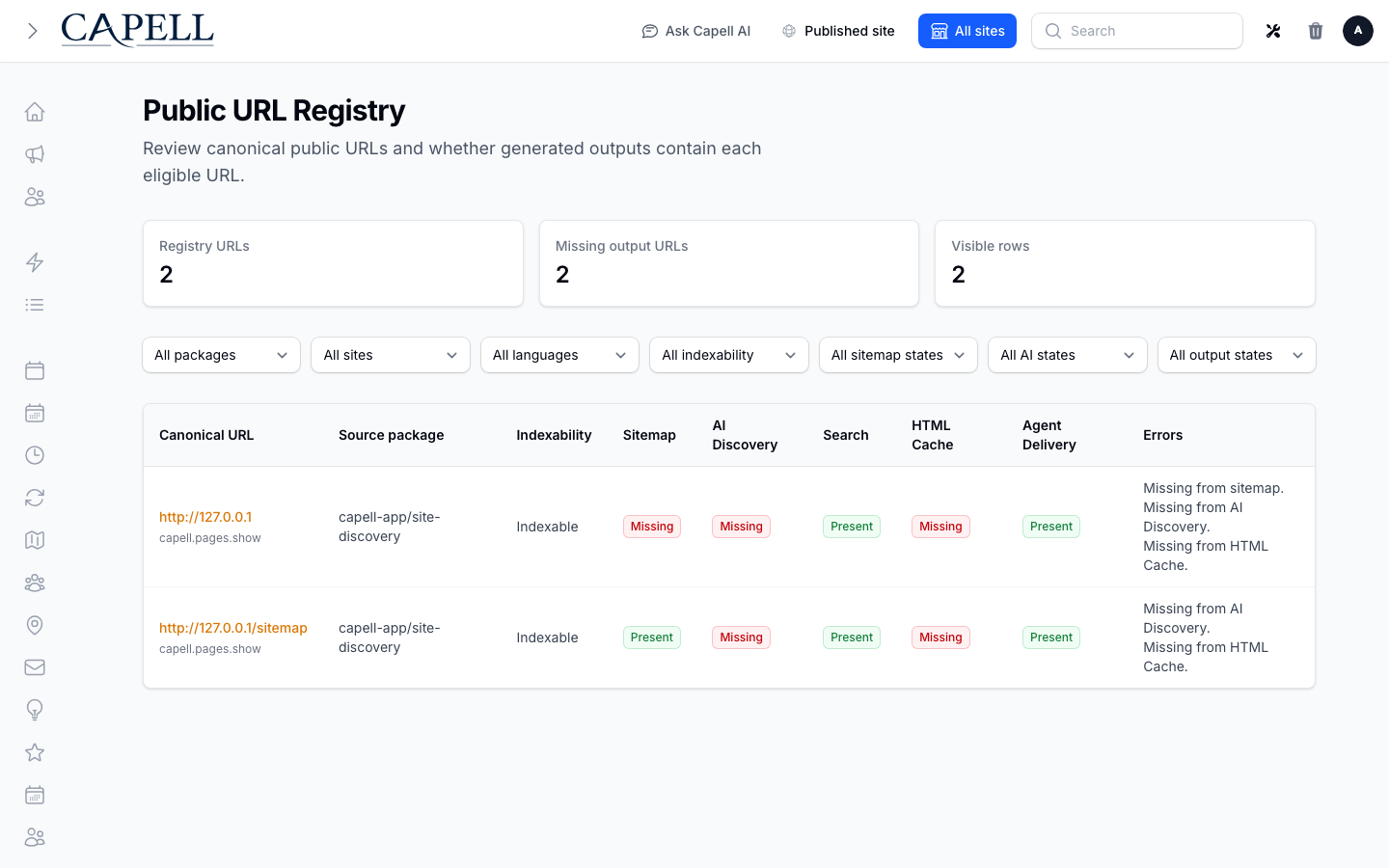
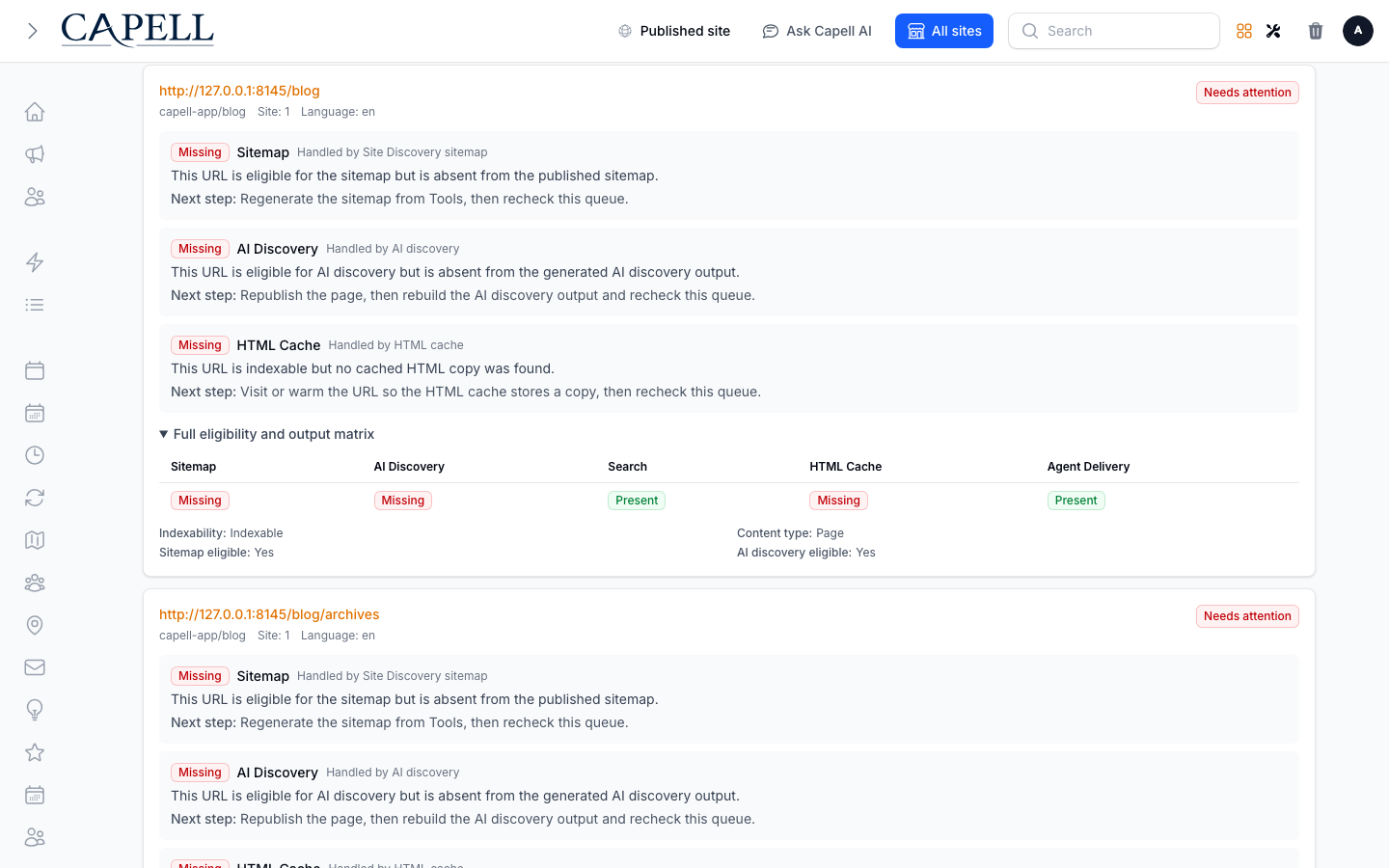
Section titled “How to review discovery status”- Open Monitoring > Public URL Registry. It opens on Needs attention: the public URLs that are missing from an output they are eligible for.
- Read each URL’s issues. Every issue names the output, the reason in plain language, the area that owns that output, and the next step to take.
- Switch to Cannot be checked for URLs whose outputs have no installed package reporting coverage, or All URLs for the complete inventory.
- Narrow the queue with the Output and Site filters, or open Advanced filters for source package, language, indexability, and eligibility.
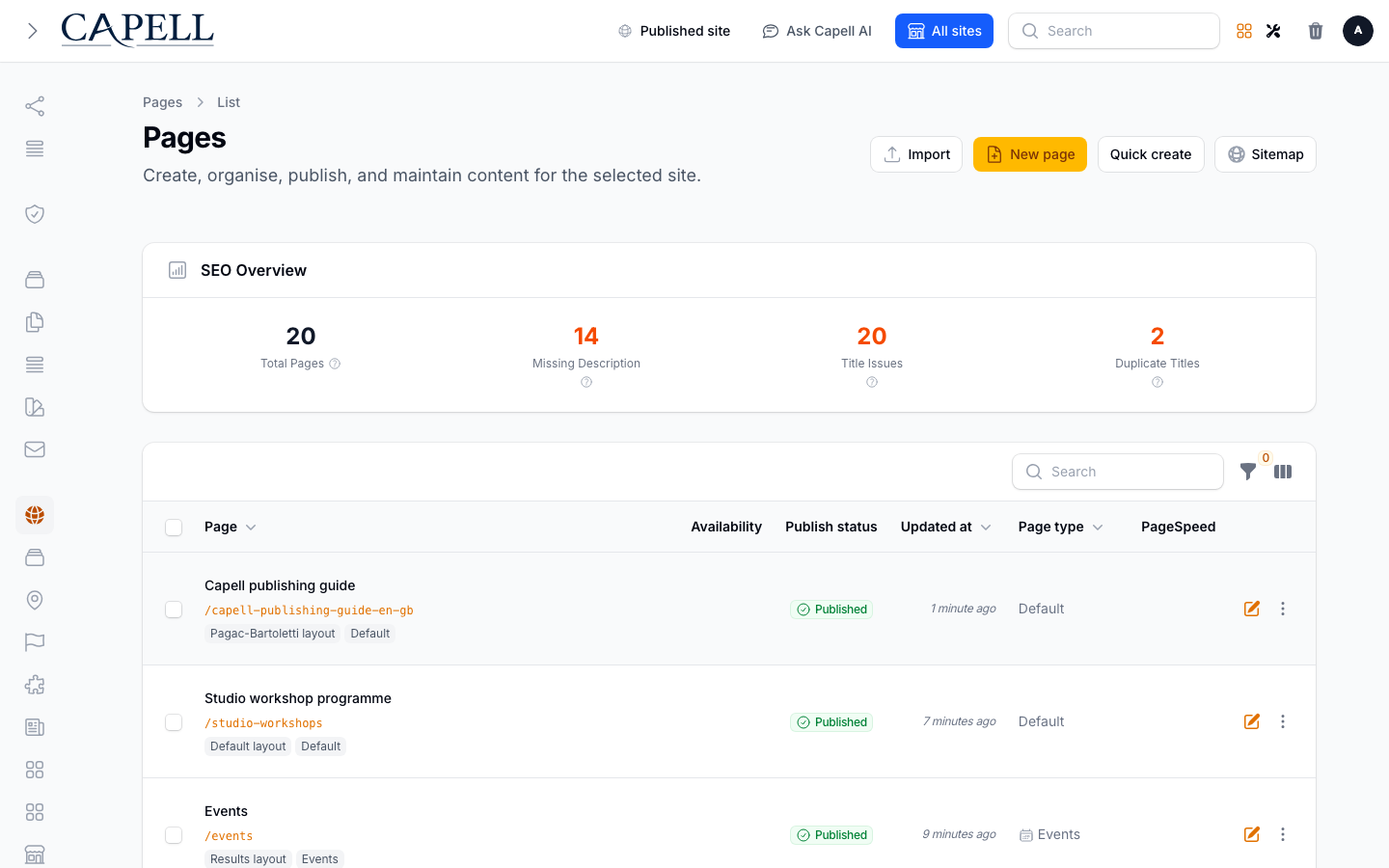
How to open the sitemap workflow for a page
Section titled “How to open the sitemap workflow for a page”- Open the page you want from your Pages list.
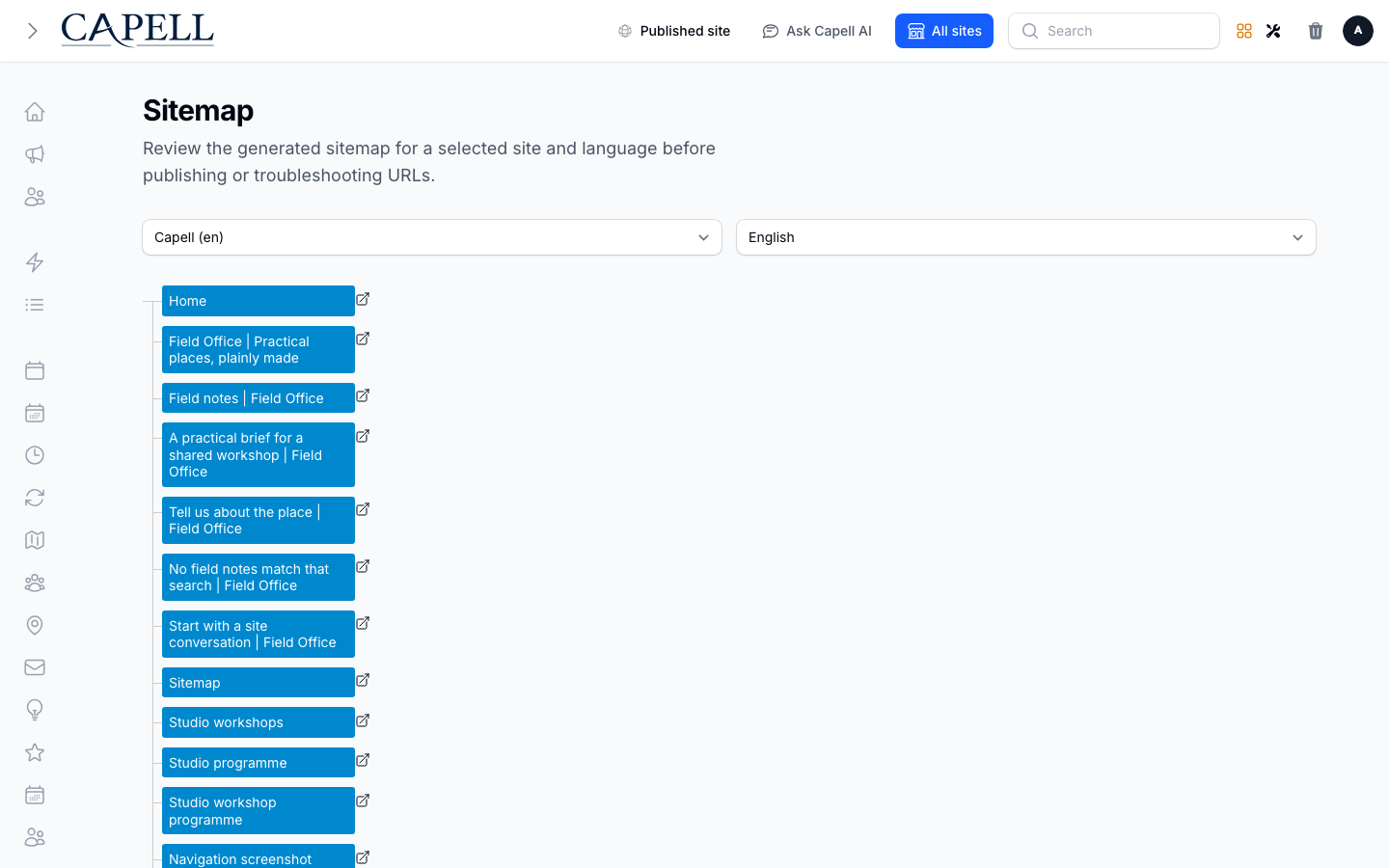
- Use the Sitemap action at the top of the page to open the shared sitemap workflow.
- Review the page’s underlying publishing and robots/SEO metadata there or in the page’s normal editing controls; Site Discovery does not add a separate indexability editor.
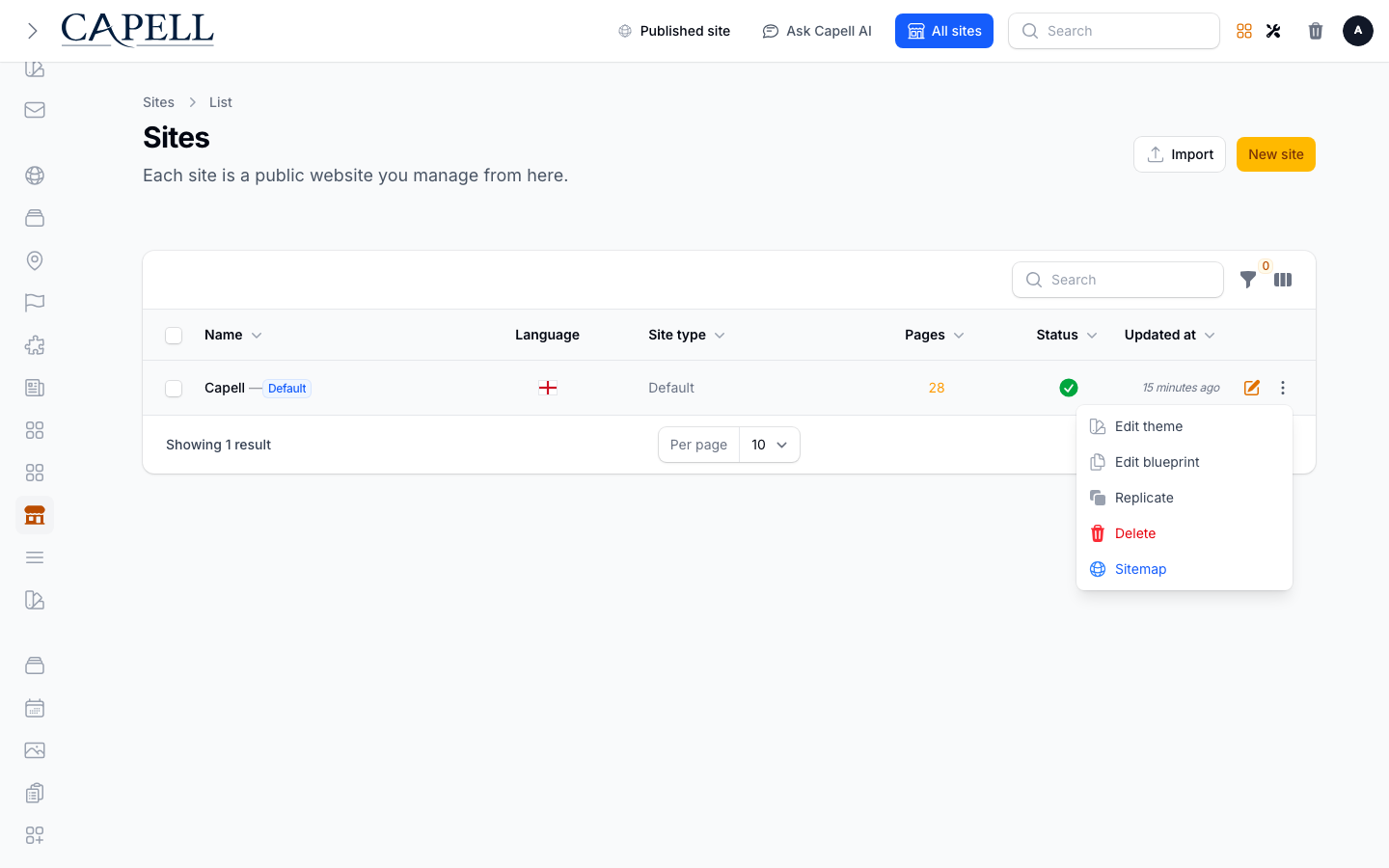
How to open the sitemap workflow for a site
Section titled “How to open the sitemap workflow for a site”- Open the site you want from your Sites list.
- Use the Sitemap action to open the shared sitemap workflow scoped to that site.
- Use this to review the site’s discovery output; ask a developer to run
capell:xml-sitemap --site=<id>when an operational XML regeneration is needed.
How to review a URL missing generated output
Section titled “How to review a URL missing generated output”- Open Monitoring > Public URL Registry and stay on the default Needs attention view.
- Filter by Output when you want to work through one output at a time, for example everything missing from the sitemap.
- Follow the Next step shown on the issue.
- Open Full eligibility and output matrix on the row when you need the complete picture: every output’s status plus indexability, content type, and both eligibility flags.
- Re-check after the sitemap workflow or XML generation has run.
How to recover and verify XML sitemap output
Section titled “How to recover and verify XML sitemap output”- Correct the queue, content, or sitemap storage failure before rebuilding.
- Ask a developer to run
capell:xml-sitemap --site=42for the affected site. The existing complete set remains public until its replacement is fully generated and validated. - Check the public headers with
curl -I https://example.com/sitemap-xml. Expect200and a weak SHA-256 ETag such asETag: W/"0123456789abcdef0123456789abcdef0123456789abcdef0123456789abcdef". - Verify revalidation with
curl -I -H 'If-None-Match: W/"0123456789abcdef0123456789abcdef0123456789abcdef0123456789abcdef"' https://example.com/sitemap-xml. Expect304only when that exact set remains current. - If generation or validation fails, confirm the previous ETag and XML body are still served, correct the failure, and rerun the rebuild. Do not delete the sitemap directory or current-set manifest as a recovery step.
How to correct a page’s indexability
Section titled “How to correct a page’s indexability”- Open the underlying page or the host application’s SEO controls.
- Change its robots metadata to Indexable or Noindex according to the site’s publishing policy.
- Save, then return to Public URL Registry to confirm the reported state after outputs refresh.
How to check what has been indexed
Section titled “How to check what has been indexed”- In Monitoring > Public URL Registry, open Advanced filters and filter by indexability or sitemap eligibility.
- Look for pages marked Noindex, or eligible pages sitting in the Needs attention queue, that you actually want found.
- Fix any that are set the wrong way.
How to audit your public URLs across the site
Section titled “How to audit your public URLs across the site”- Go to Monitoring > Public URL Registry.
- Switch to All URLs to see every public address, including the healthy ones.
- Use this when you want one place that shows the discovery status for every public address.
How to audit the full matrix behind a queue item
Section titled “How to audit the full matrix behind a queue item”- In Public URL Registry, find the URL you are investigating.
- Open Full eligibility and output matrix on that row.
- Read the five output statuses together with indexability, content type, sitemap eligibility, and AI-discovery eligibility. Not eligible is not a fault; it reflects the URL’s own metadata.
Rolling out Site Discovery (for owners)
Section titled “Rolling out Site Discovery (for owners)”Turn on first
Section titled “Turn on first”- A complete, accurate sitemap. Review important published URLs in Public URL Registry and correct any underlying robots metadata before anything else.
Add when needed
Section titled “Add when needed”| Need | Enable |
|---|---|
| Keep private pages out of search | Noindex in the underlying page or SEO controls |
| Find missing generated outputs | Public URL Registry, Needs attention view |
Don’t enable yet
Section titled “Don’t enable yet”- Don’t hide pages you actually want found. Only Noindex content that should stay private.
Who does what
Section titled “Who does what”| Role | First useful screen |
|---|---|
| Editor | The underlying page/SEO controls: set robots metadata |
| Site owner | Monitoring > Public URL Registry: work the repair queue |
Troubleshooting for editors
Section titled “Troubleshooting for editors”| What you see | What it means | What to do |
|---|---|---|
| A page isn’t appearing in search | It is set to Noindex, is not sitemap eligible, or output has not refreshed | Correct underlying robots metadata and review the sitemap workflow |
| A private page shows up in search | It is Indexable when it shouldn’t be | Set it to Noindex in the underlying page/SEO controls |
| ”Missing from sitemap” on a key page | The current generated sitemap output does not include an eligible URL | Follow the next step shown on the queue item, then run the sitemap workflow or ask a developer to regenerate XML |