
Shop Storefront
Package docs status
Section titled “Package docs status”This page is generated from package source documentation in the Capell packages repository and the checked-in manifest. Source documentation is not distribution status. Before running a Composer command, verify that the exact package and compatible 1.x release are available through public Packagist or the authenticated marketplace account.
| Field | Value |
|---|---|
| Composer package | capell-app/shop-storefront |
| Package slug | shop-storefront |
| Product group | Capell Commerce |
| Tier | paid |
| Bundle | commerce |
| Runtime contexts | admin, frontend, shared |
| Capell version | ^1.0 |
| Catalogue role | extension |
| Release channel | Beta |
| Docs source | packages/shop-storefront/docs |
| Manifest | capell.json |
You can add a Buy product block to a Capell page. On a product page, the block shows the product linked to that page. On other pages, you can pick a product option for each block. Shoppers can choose a quantity in each block.
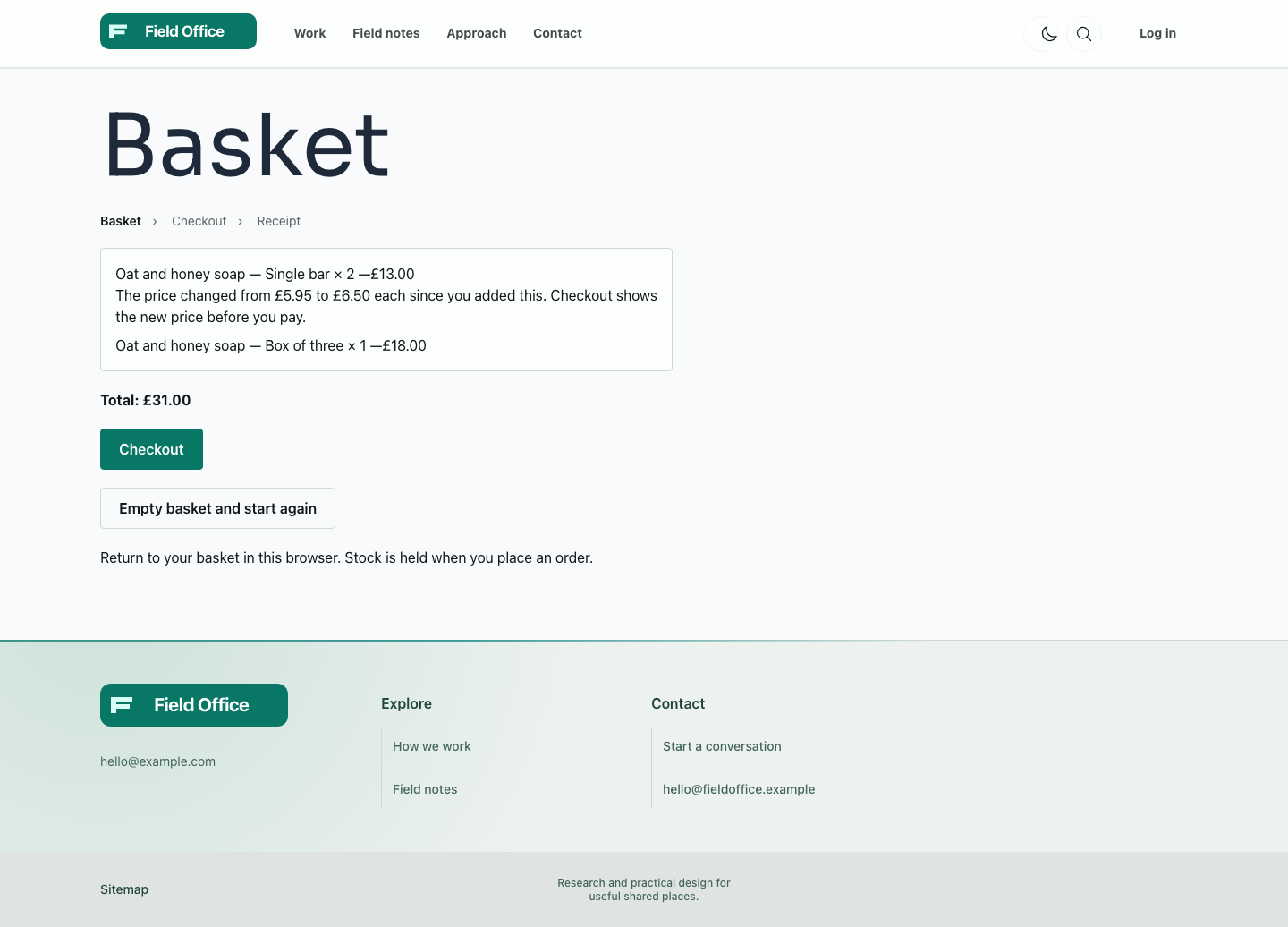
If a price goes up while the page is open, the shopper sees the new price and must accept it before adding the item. If you take a product off sale, the block stops shoppers from adding it. Other products on the same page can still be added.
Shoppers can view their basket while they browse. At checkout they review the total before placing an order. They can return to the same browser to see whether the shop received payment.
- Price and availability: Check current availability and price on the Capell Marketplace listing.
- Licence: Check the licence terms on the Capell Marketplace listing.
- Requires:
PHP ^8.4,capell-app/core ^1.0.80,capell-app/admin ^1.0,capell-app/frontend ^1.0.80,capell-app/layout-builder ^1.0,capell-app/shop ^1.0.13. - Install:
composer require capell-app/shop-storefront:@beta.
Quick Start
Section titled “Quick Start”- Install the package:
composer require capell-app/shop-storefront:@beta. - Open a host admin workflow that uses the package extension and verify Shop Storefront is available.
For Developers
Section titled “For Developers”One purchase check serves linked product pages and editor-selected widgets. It resolves the current Shop catalogue when the buyer submits an offer, including offers opened before a price or availability change.
Configure
Section titled “Configure”- Configuration files:
config/capell-shop-storefront.php. - Commands:
php artisan shop-storefront:provision-pages.
Limits And Pitfalls
Section titled “Limits And Pitfalls”- Install the required Capell packages at the versions in
composer.json:capell-app/core ^1.0.80,capell-app/admin ^1.0,capell-app/frontend ^1.0.80,capell-app/layout-builder ^1.0,capell-app/shop ^1.0.13. - Review middleware, throttling, signatures, and public-output safety in
routes/web.phpbefore exposing routes. - Keep public Blade and cached HTML free of authoring markers, model IDs, permissions, signed editor URLs, and lazy database queries.
Screens And Workflow
Section titled “Screens And Workflow”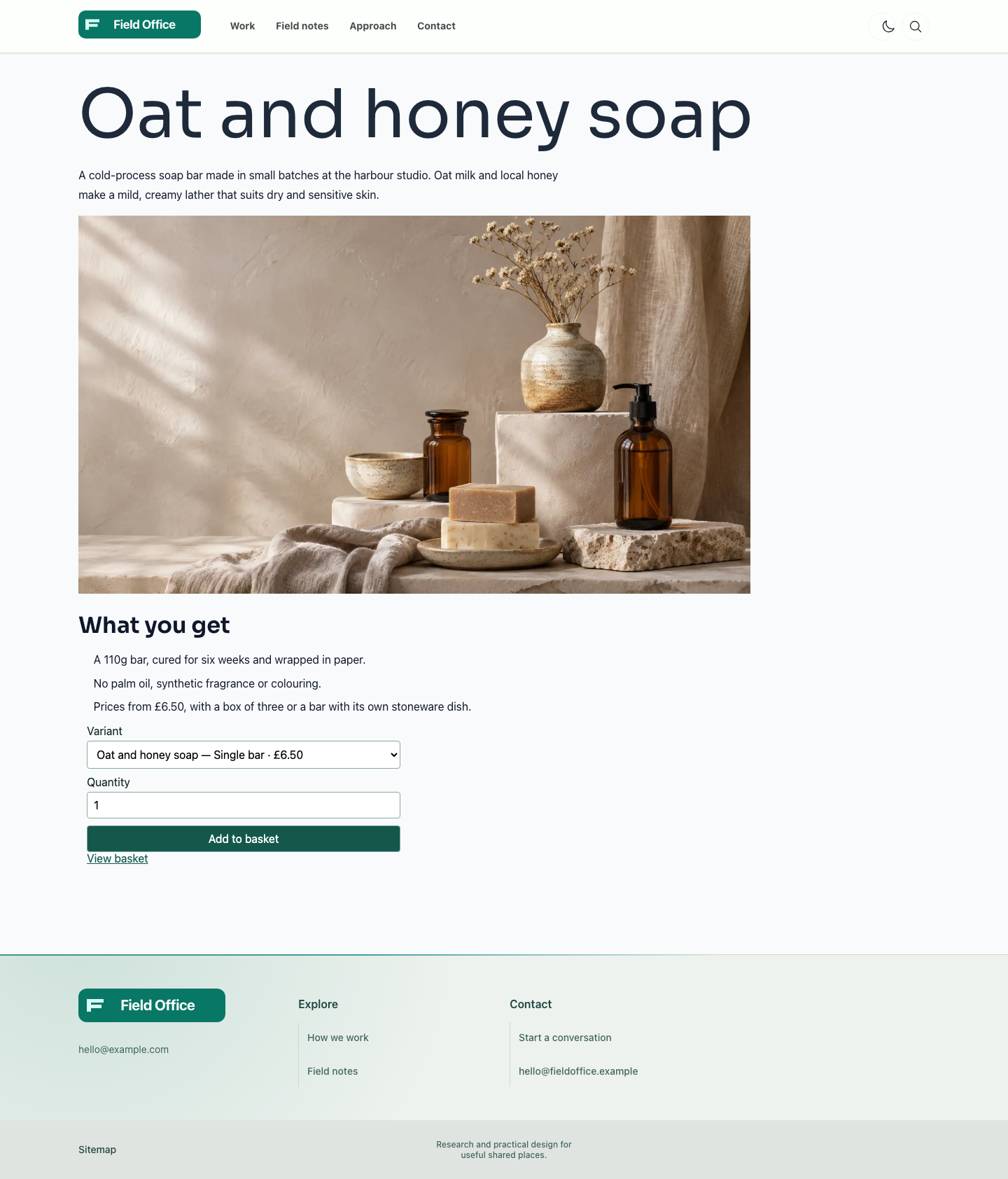
- Product page with the Buy product block (frontend).
- The basket page with a line whose price changed since it was added (frontend).
- The checkout page asking for the buyer’s address (frontend).
- The receipt page with bank transfer instructions for a pending order (frontend).
Install Impact
Section titled “Install Impact”- Required packages:
capell-app/core,capell-app/admin,capell-app/frontend,capell-app/layout-builder,capell-app/shop. - Admin navigation: no admin page or resource contribution is declared.
- Admin/editor extensions:
content-widget: BasketWidgetContribution,content-widget: BuyWidgetContribution,content-widget: CheckoutWidgetContribution,content-widget: ReceiptWidgetContribution. - Permissions: no package permission declarations or Shield gates detected; host access rules still apply.
- Public routes: loads
routes/web.php; registersStorefrontRoutesContribution. - Database changes: no package migrations declared.
- Config:
config/capell-shop-storefront.php. - Settings: no package settings declared.
- Queues or schedules: none declared.
- Cache tags: none declared.
- Commands:
shop-storefront:provision-pages.
Troubleshooting
Section titled “Troubleshooting”| Symptom | Likely cause | Check | Fix |
|---|---|---|---|
| Package surface is missing after install | Provider or manifest is not loaded | Confirm capell.json, package composer.json, and provider registration | Reinstall the package, refresh Composer autoload, and clear host caches |
| Route returns unexpected output | Route cache, middleware, or signed URL setup does not match the package route file | Check the route files listed in Technical Shape | Clear route cache and verify middleware before exposing public routes |
| Public output leaks unexpected state | Render data, cache variation, or authoring boundary has regressed | Check public Blade, cache tags, and public-output safety tests | Move data loading out of Blade and rerun the package public-output tests |
Upgrading
Section titled “Upgrading”No manual steps between minor versions.
Read CHANGELOG.md before upgrading.
Next Steps
Section titled “Next Steps”- Package docs
- Overview
- Configuration files:
config/capell-shop-storefront.php. - Troubleshooting
- Developer reference
- Capell content language plan
- Capell documentation design system
- Capell and package ERD notes
- Related packages: Layout Builder, Shop, Customer Portal.