
Shop PayPal
Package docs status
Section titled “Package docs status”This page is generated from package source documentation in the Capell packages repository and the checked-in manifest. Source documentation is not distribution status. Before running a Composer command, verify that the exact package and compatible 1.x release are available through public Packagist or the authenticated marketplace account.
| Field | Value |
|---|---|
| Composer package | capell-app/shop-paypal |
| Package slug | shop-paypal |
| Product group | Capell Commerce |
| Tier | paid |
| Bundle | commerce |
| Runtime contexts | shared |
| Capell version | ^1.0 |
| Catalogue role | extension |
| Release channel | Beta |
| Docs source | packages/shop-paypal/docs |
| Manifest | capell.json |
You can let buyers pay with PayPal in a test shop. A buyer sees the total in Capell, then goes to PayPal to approve the charge. When they come back, they can check their order. The shop waits for PayPal to confirm the funds before it marks the order as paid.
The shop keeps the price, the order and the stock hold. If the hold ends first, the shop keeps a record for you to check and leaves the stock alone. Use a PayPal sandbox account and choose which Stores can use it. This setup lets you try the payment flow with test funds.
- Price and availability: Check current availability and price on the Capell Marketplace listing.
- Licence: Check the licence terms on the Capell Marketplace listing.
- Requires:
PHP ^8.4,capell-app/core ^1.0.79,capell-app/shop ^1.0.13. - Install:
composer require capell-app/shop-paypal:@beta.
Quick Start
Section titled “Quick Start”- Install the package:
composer require capell-app/shop-paypal:@beta. - Run
php artisan route:listand verify the package routes are registered.
For Developers
Section titled “For Developers”One Store-scoped attempt freezes the amount and currency and supplies separate idempotency keys for creation and capture. A verified webhook signals the opportunity to settle; the adapter re-fetches the PayPal order and checks the merchant, amount and final capture before recording it in Shop.
Configure
Section titled “Configure”- Configuration files:
config/capell-shop-paypal.php. - Commands:
php artisan shop-paypal:live.
Limits And Pitfalls
Section titled “Limits And Pitfalls”- Install the required Capell packages at the versions in
composer.json:capell-app/core ^1.0.79,capell-app/shop ^1.0.13. - Run migrations before opening package resources or public routes.
- Review middleware, throttling, signatures, and public-output safety in
routes/web.phpbefore exposing routes.
Screens And Workflow
Section titled “Screens And Workflow”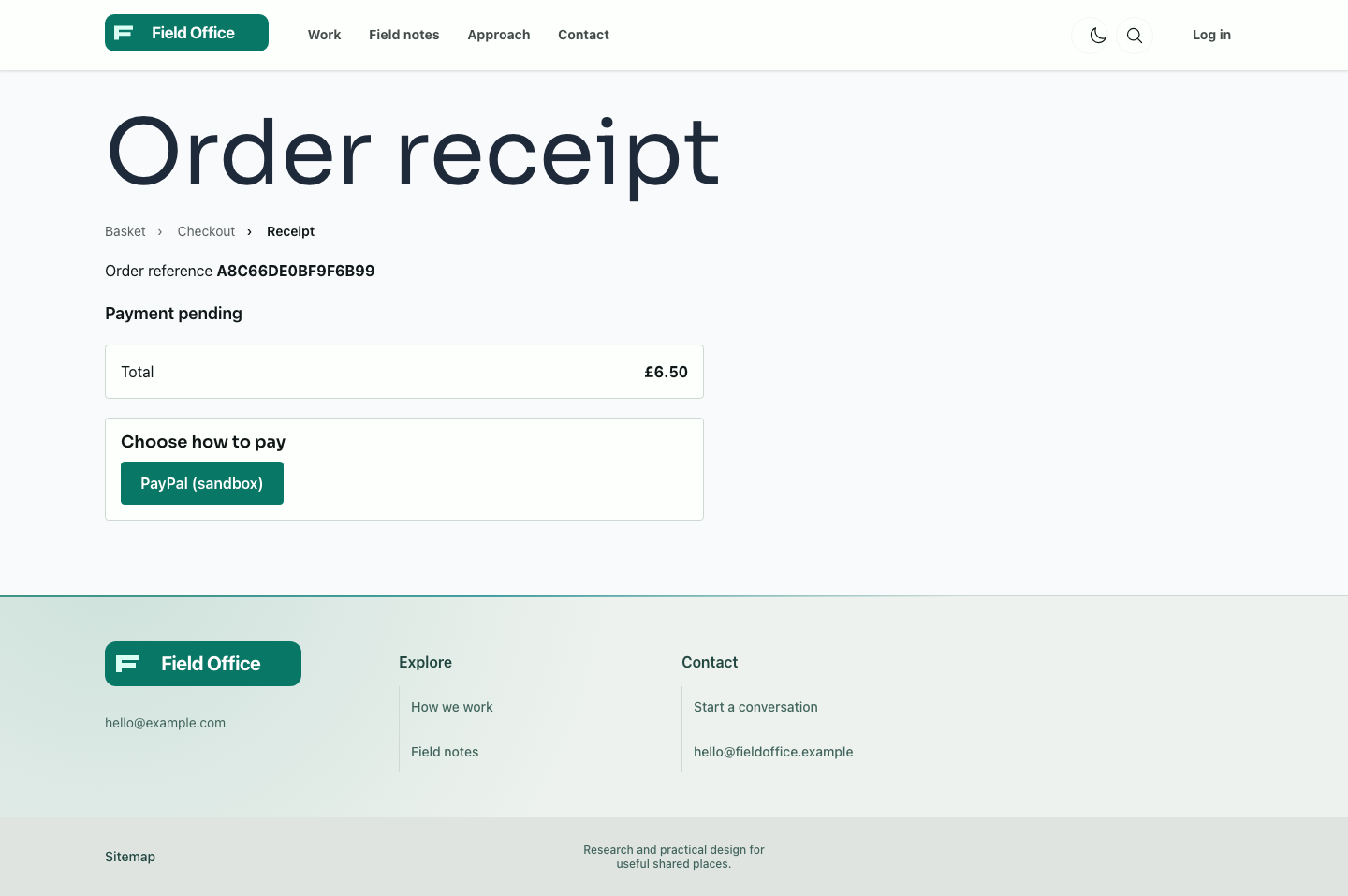
- The receipt page offering PayPal payment for a pending order (frontend).
Install Impact
Section titled “Install Impact”- Required packages:
capell-app/core,capell-app/shop. - Admin navigation: no admin page or resource contribution is declared.
- Admin/editor extensions:
configurator: ShopPayPalLiveRefundContribution,configurator: ShopPayPalPaymentContribution,configurator: ShopPayPalRefundContribution. - Permissions: no package permission declarations or Shield gates detected; host access rules still apply.
- Public routes: loads
routes/web.php; registersShopPayPalRoutesContribution. - Database changes: package migrations are declared.
- Config:
config/capell-shop-paypal.php. - Settings: no package settings declared.
- Queues or schedules: none declared.
- Cache tags: none declared.
- Commands:
shop-paypal:live.
Troubleshooting
Section titled “Troubleshooting”| Symptom | Likely cause | Check | Fix |
|---|---|---|---|
| Package surface is missing after install | Provider or manifest is not loaded | Confirm capell.json, package composer.json, and provider registration | Reinstall the package, refresh Composer autoload, and clear host caches |
| Admin screen or command fails on missing table | Package migrations have not run | Check the tables listed in Data Model | Run host migrations and rerun the focused package test |
| Route returns unexpected output | Route cache, middleware, or signed URL setup does not match the package route file | Check the route files listed in Technical Shape | Clear route cache and verify middleware before exposing public routes |
Upgrading
Section titled “Upgrading”No manual steps between minor versions.
Read CHANGELOG.md before upgrading.
Next Steps
Section titled “Next Steps”- Package docs
- Overview
- Worked extension examples
- Configuration files:
config/capell-shop-paypal.php. - Troubleshooting
- Developer reference
- Capell content language plan
- Capell documentation design system
- Capell and package ERD notes
- Related packages: Shop.